


[ARCHIVED THREAD] - Gun database/bound book v1.3.2 (free, cross-platform, Sourceforge project page) (Page 1 of 3)
Posted: 11/13/2011 4:10:17 PM EDT
|
Minor bug fix: gun-1.3.2
This fixes the Company Name showing up as "0" in the ATF reports. Please see the instructions for how to upgrade! ==========1.3========== Feature fix: gun-1.3 This release fixes the ATF printout reports to include the acquisition and disposition company names. Thanks, kingjamez, for pointing this out! Be sure to follow the upgrade instructions, and let me know if you have any issues! ==========1.2========== Feature fix release: gun-1.2 This release fixes the firearm "Action" and firearm "Type" boxes to be able to accept and list for future use new entries. Thanks, bgeer! As always, things won't work without the instructions. Rather than adding specific entries to show up by default, I chose to do it this way for make upgrading from previous 1.x versions easier. The only thing you should have to do is overwrite the old gun.odb file with the new one from the gun-1.2.zip archive. Please first backup your data using the BAK form "backup now" option, just to be safe! From now on, older stuff will be hidden in "spoiler" tags:Click To View Spoiler |

 The instructions have been modified to reflect the fact that you need to register the database. This does
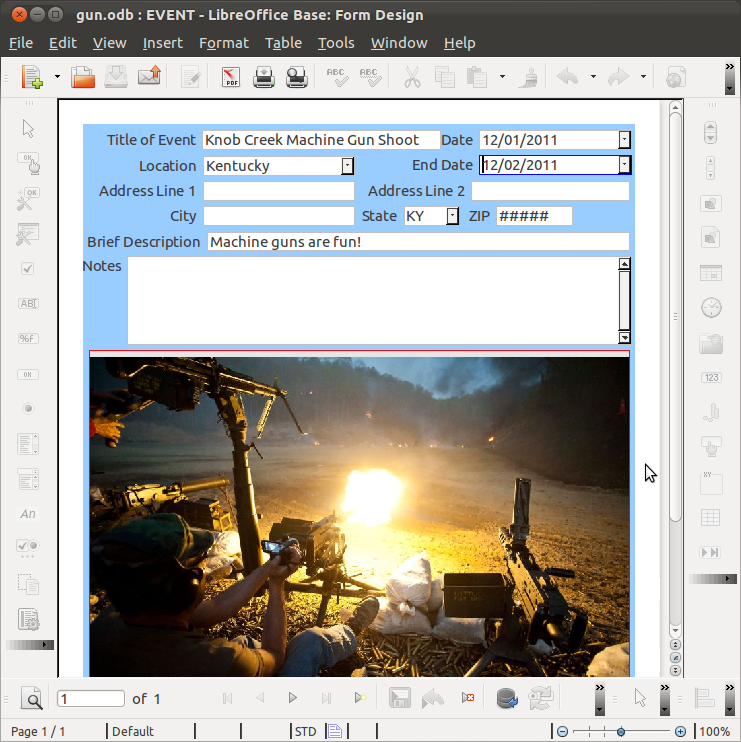
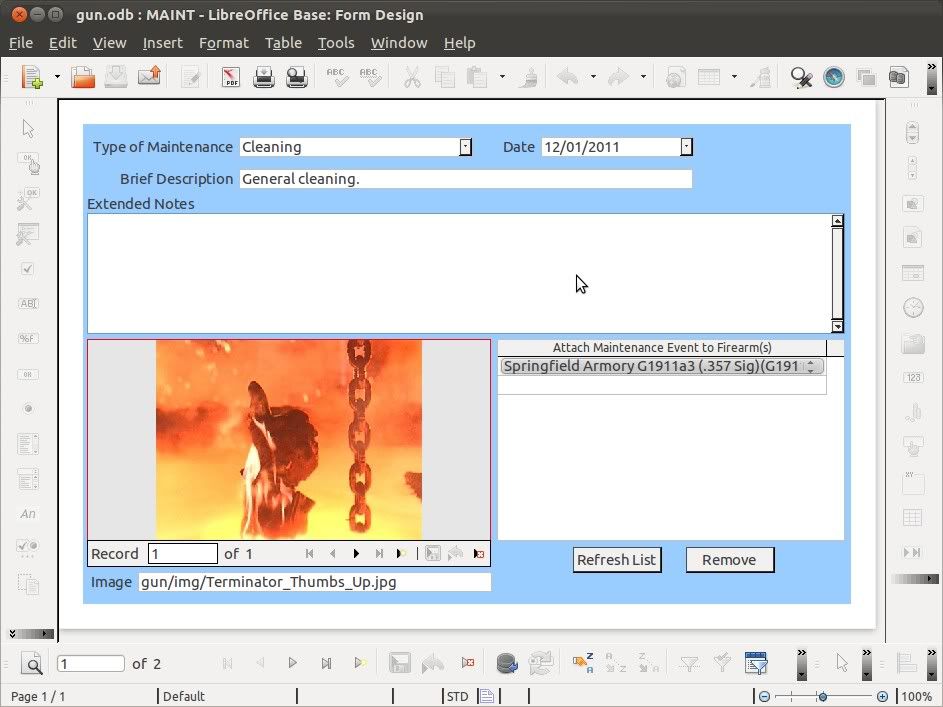



|
Quoted:
Is there anyway you can give steps for open office like you did for Libreoffice? I am computer literate and get along well with Office but databases have always kicked my ass. Should be exactly the same directions. Just swap out LibreOffice, swap in OpenOffice, and it should work. |
|
Quoted:
Quoted:
Is there anyway you can give steps for open office like you did for Libreoffice? I am computer literate and get along well with Office but databases have always kicked my ass. Should be exactly the same directions. Just swap out LibreOffice, swap in OpenOffice, and it should work. I have open office on a Mac, and I don't speak Java so I don't know how to point to the library that has the "guns.odb" file in it The first thing you have to do upon opening guns.odb is go to "Edit > Database > Properties" and change "~/databases/" in the "Datasource URL" box to the directory that contains your "guns.odb" file and "guns" data directory.
This is baffling me right now. |
|
Quoted:
Quoted:
Quoted:
Is there anyway you can give steps for open office like you did for Libreoffice? I am computer literate and get along well with Office but databases have always kicked my ass. Should be exactly the same directions. Just swap out LibreOffice, swap in OpenOffice, and it should work. I have open office on a Mac, and I don't speak Java so I don't know how to point to the library that has the "guns.odb" file in it The first thing you have to do upon opening guns.odb is go to "Edit > Database > Properties" and change "~/databases/" in the "Datasource URL" box to the directory that contains your "guns.odb" file and "guns" data directory.
This is baffling me right now. Ah. A Mac, you say. Do Macs have home directories? If so, just make a folder called "databases" in your home directory, then put the "guns.odb" file and "guns" data directory in there. ETA: The "Edit > Database > Properties" etc. are directions for using the File menu. |
|
Progress!
Still broken though, 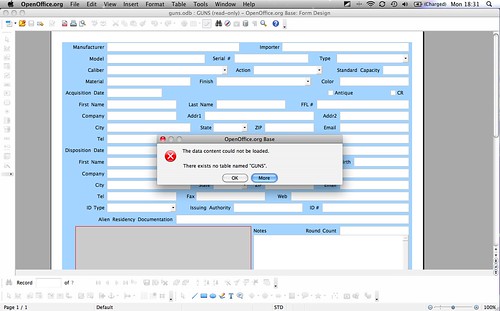 </a> </a>
Screen shot 2011-11-14 at 6.31.22 PM by Countfrenchula, on Flickr" /> Don't bother spending anymore time trying to teach me this, I can tell you put in a lot of hard work to get this where it is. I will ask my neighbor to help me later. |
|
Quoted:
Progress! Still broken though, http://<a href=http://farm7.static.flickr.com/6103/6346114458_049f82b93d.jpg</a> Screen shot 2011-11-14 at 6.31.22 PM by Countfrenchula, on Flickr" /> Don't bother spending anymore time trying to teach me this, I can tell you put in a lot of hard work to get this where it is. I will ask my neighbor to help me later. OK. 
Looks like you need to set the path to the "guns" data folder. Your neighbor will probably be able to help you much more efficiently, but please let me know if I can answer any questions! Since I want to use this program for my own collection when I get my C&R, the plan is that the work I do on this thing will keep me out of jail, so feedback from perspectives other than my own is important. 
And just a reminder, this database and any improvements I make to it will be shared here for free. |
|
UPDATE! Actually, a significant update. gun-0.9.0.zip
Cleaned things up substantially. Same directions for setting up the database apply to this version. Probably the biggest noticeable change is that the tab order is "normal." This was accomplished, in short, by putting *all* gun data in the main "GUN" table. Only when UPDATE is called on ATF-required data fields are entries made into the "GUN_LOG" table. You have to save the entry for the gun (initially) before you can add images to the record. 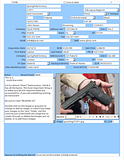
|
|
Update: gun-0.9.1.zip As before, follow the set up instructions from 0.8.0 at the bottom of the OP.
Added calendar drop-down menus for the dates. Also some basic format-checking (e.g., it won't let you put letters in at the phone number or ZIP code). 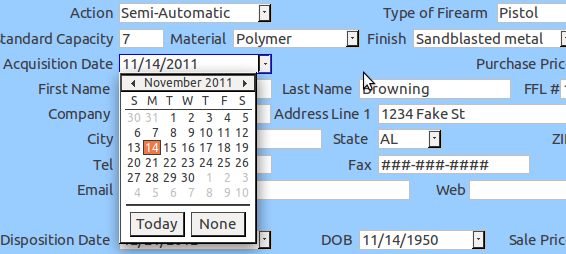
|
|
Quoted:
Progress! Still broken though, http://<a href=http://farm7.static.flickr.com/6103/6346114458_049f82b93d.jpg</a> Screen shot 2011-11-14 at 6.31.22 PM by Countfrenchula, on Flickr" /> Don't bother spending anymore time trying to teach me this, I can tell you put in a lot of hard work to get this where it is. I will ask my neighbor to help me later. Did you get it working? |
|
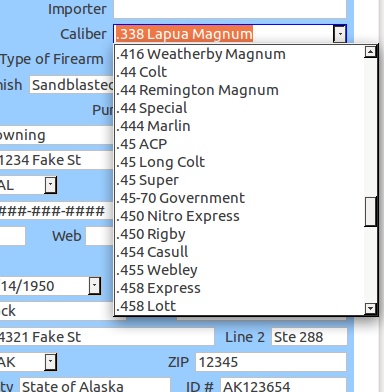
Some people own .44-40. May be located elsewhere, just figured I would pipe in. Quoted: Pic of the calibers drop-down menu. Features auto-complete.  http://i1102.photobucket.com/albums/g441/tc2k11arf/screenshots/calibers.png |
|
Quoted:
Some people own .44-40. May be located elsewhere, just figured I would pipe in. Quoted:
Pic of the calibers drop-down menu. Features auto-complete.
http://i1102.photobucket.com/albums/g441/tc2k11arf/screenshots/calibers.png It wasn't there, but it is now! ...or will be in the next "release." ETA: If you don't want to wait for the next version, additional calibers can be added to the FIELDS table. |
|
Quoted:
Can this be run from a thumb drive? Sure can! The path to the "gun" folder (as opposed to the file gun.odb) just needs to be set properly, as in the directions for set up. If you want to run Open/Libre Office from the thumb drive, it might take some extra tweaking. Here's LibreOffice Portable and OpenOffice Portable. ETA: All kinds of different set-ups are possible, including encryption and/or remote encrypted backup with TrueCrypt or FreeOTFE. |
|
Quoted:
When i go to edit/database/properties i cant change the ~database url. Hmmm. The URL starts out with "jdbc:" and that can't be edited, but the rest of it should be editable. Also, make sure to extract the files from the zip archive, otherwise it will be opened "read only." I'll put up a couple screen shots shortly. |
|
Quoted:
Quoted:
Can this be run from a thumb drive? Sure can! The path to the "gun" folder (as opposed to the file gun.odb) just needs to be set properly, as in the directions for set up. If you want to run Open/Libre Office from the thumb drive, it might take some extra tweaking. Here's LibreOffice Portable and OpenOffice Portable. ETA: All kinds of different set-ups are possible, including encryption and/or remote encrypted backup with TrueCrypt or FreeOTFE. Thanks! I'll be sure to check it out! |
|
Quoted:
Think ive done it right so far but i get this http://i299.photobucket.com/albums/mm290/walldj45/gunproblem.jpg You have Java and the HSQLDB engine 2.2.5 set up properly? 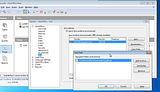
If so, first extract all files from the zip archive: 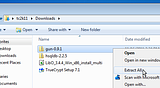
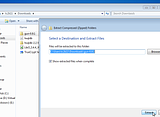
Then copy the location of the "gun.odb" file and the "gun" folder: 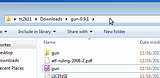
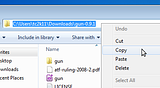
Then open "gun.odb" and go to Edit > Database > Properties: 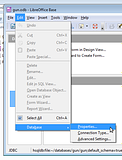
...and change ~/databases to the location of the "gun.odb" file and the "gun" folder: 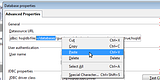
...and change /gun/ to \gun\: 
...and click OK, then File > Save. ETA: Oh yeah... And click on "Tables," wait for it to refresh and show the tables, then you can go back to "Forms" and open that to enter gun records. Not sure why it won't refresh automatically, but it doesn't, at least not for me: 
|
|
Quoted:
Quoted:
Think ive done it right so far but i get this http://i299.photobucket.com/albums/mm290/walldj45/gunproblem.jpg You have Java and the HSQLDB engine 2.2.5 set up properly? SNIP ETA: Oh yeah... And click on "Tables," wait for it to refresh and show the tables, then you can go back to "Forms" and open that to enter gun records. Not sure why it won't refresh automatically, but it doesn't, at least not for me. Thank you very much, i have to leave now but ill try it out tomorrow, looks great!  ETA: Porque estas en mexico? ETA: Porque estas en mexico?

|
|
This database requires LibreOffice (or OpenOffice), a recent version of Java, and the HSQLDB 2.2.5 engine.
LibreOffice http://www.libreoffice.org/download/ A recent version of Java http://www.java.com/ HSQLDB http://sourceforge.net/projects/hsqldb/ After downloading and installing LibreOffice (and Java, if necessary), download the hsqldb-2.2.5.zip archive and extract its contents. Particularly, the file hsqldb.jar from /hsqldb-2.2.5/hsqldb/lib/ inside the zip archive. Put hsqldb.jar somewhere on your computer where it won't be moved or deleted. Open LibreOffice, go to Tools > Options > LibreOffice > Java and make sure Use a Java runtime environment is checked, and a version is selected and highlighted. Then click on Class Path > Add Archive and select the file hsqldb.jar. It should look something like this:
Click OK > OK and File > Exit LibreOffice. If the quickstarter is enabled in your tray area, exit that, too. Now you can set up the database itself. |
| Added more explicit and detailed instructions on how to set up the HSQLDB engine and then the database itself to the OP. |
|
Looks like making nearly duplicate records is possible, but would require a macro, which I currently don't have the expertise to write. Maybe someday.
On a positive note... While trying to figure that one out, I figured out a way so that if you have a new caliber that's not on the list, just type it in once, and it will appear in the drop-down menu from then on! |
|
Quoted:
Quoted:
Just started filling it out. Is there a way to copy entries into a new record to avoid duplicate typing? Hmmm, not sure, but I'll look in to it! Posted Via AR15.Com Mobile It is accomplished! It uses a macro, though, so I'll probably provide the code with instructions on how to install the macro, rather than installing the macro by default. |
|
Stay tuned...
Major update this weekend! By way of preparation, you should install the Report Builder extension for OpenOffice. |
|
Now no need to re-enter all your data!
Before upgrading to 0.9.2, export your data from 0.9.1 following the directions below. You can then delete (or move into a backup folder) the gun.odb and gun folder for 0.9.1 and replace them with those for 0.9.2. Be sure to set the path to the database, as before! Then follow the direction below to import your data into 0.9.2. |

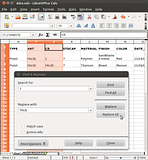
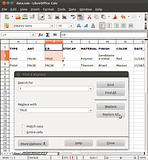
|
Make sure that you have replace the old gun.odb file with the new one, and the old gun folder with the new one. Then make sure you have set up the path to the gun.odb file and gun folder as before.
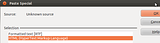
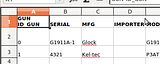
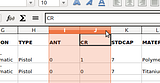
Import Open the spreadsheet created above and select all and only the rows containing your data, and all column including the last column. To do this easily, select the last column in of the last row that contains your data: 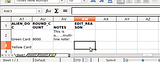
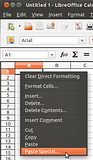
Press and hold down the keyboard buttons CTRL + SHIFT + Home to select all your data to the beginning. Right-click on the selected data and select Copy: 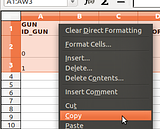
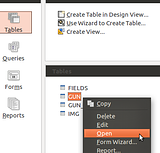
Go back to or open the main window of your new database, highlight the GUN table, right-click and select Paste: 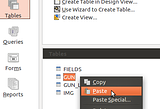
Make sure the table is GUN, click Append data, check the box Use first line as column names, and click 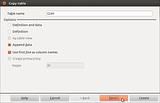
Un-check the box for GUN ID_GUN, then highlight SERIAL and make sure SERIAL in both columns are highlighted. Make sure each label matches up (i.e., both are highlighted at the same time). Then click Create: 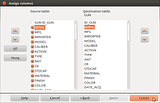
All of your data from the spreadsheet should now appear in your database, and you can edit it as usual using the GUN form. If you did not change 0 to FALSE and 1 to TRUE, you will get an error message like this: 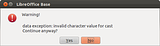
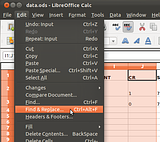
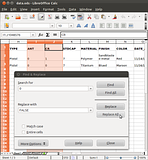
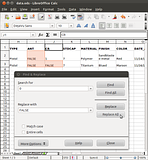
Go back to your spreadsheet and change all 0 to FALSE and 1 to TRUE.
|
|
Things are just about ready to start entering data for real!
Actually, as far as I can tell, this database as of v0.9.2 is ready to be used as an electronic bound book. If you see something that needs fixing, let me know! Remember, this database will remain free! I've included the license emphasizing this in the zip archive. |
|
Reports significantly improved!
Update: gun-0.9.3.zip Reports are much better now! Instructions for setting the date range for the reports are in the README.txt: The reports have been improved and now can be set to included all guns acquired or disposed of during a time frame that you plug in. This makes printing the ATF-required reports much easier. The most difficult part is to set the date range. To do this, go to Queries in the main window, right-click on ATFquery and select Edit. There are two lines you need to change. For each line, change the first date to the start of your date range. Change CURRENT_DATE to the last day of your date range in the format 'YYYY-MM-DD' (be sure to use the 'single-quotes'), or if the last day of your date range is today (the day you're running the report), just leave CURRENT_DATE as is. First line you need to change: WHERE DATE_ACQ BETWEEN '2011-07-01' AND CURRENT_DATE Second line you need to change: WHERE DATE_DISP BETWEEN '2011-07-01' AND CURRENT_DATE 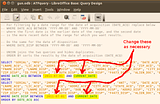
Then File > Save the query and File > Close, then File > Save in the main window. Then click on Reports, and double-click the report you want to run. ATFquery Spreadsheet opens a spreadsheet with the records from your date range. You can save this as a LibreOffice spreadsheet, or as a comma- or tab-separated values document. The latter (comma- or tab-separated values document) fulfills the ASCII format requirement. If you prefer, you could use this spreadsheet to print a "mail merge" type of report, otherwise... PRINTquery opens a no-frills printable report of all records in the specified date range. |
|
Important update!
gun-0.9.4.zip ATFquery now selects (1) all guns in inventory and (2) guns disposed of/transferred during the specified time period. You only have to change one line. Change '2011-07-01' to the start of your date range (be sure to use single quotes), and change CURRENT_DATE to the end of your date range (using the format 'YYYY-MM-DD' including the single quotes). If the end of your date range is the same day as the day you're running your report, you can leave CURRENT_DATE as is. WHERE DATE_DISP BETWEEN '2011-07-01' AND CURRENT_DATE 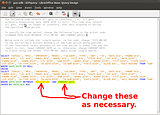
ATFquery Printout now labels all information fields, and can be used for the periodic printouts. ATFquery Spreadsheet can be used as before, e.g., for the ASCII requirement (save as comma- or tab-separated values document). Since both of these reports draw from ATFquery, just change ATFquery, save the changes, then open up one or both of these reports, as needed. |
Summary of instructions and features...
I'm releasing this database under the Creative Commons "Attribution-ShareAlike" license (Link) which basically says you have to attribute the work to me (tc2k11) if you redistribute it, you have to share it under the same license if you redistribute it or a derivative work, and it's not my fault if the SHTF for you because you used this work. Rest assured, though, that I'm making every effort to make this fulfill the ATF's electronic bound book requirements, and I plan on personally using it for exactly that purpose. However, since I'm (1) not a database or programming expert and (2) not making any money off of this, I just have to add the same disclaimer everyone else seems to add to their software.
1. Getting ready... This database requires LibreOffice (or OpenOffice + the Oracle Report Builder), a recent version of Java, and the HSQLDB 2.2.6 (or later) engine. After downloading and installing LibreOffice (and Java, if necessary), download the hsqldb-2.2.x.zip archive and extract its contents. Particularly, the file hsqldb.jar from /hsqldb-2.2.x/hsqldb/lib/ inside the zip archive. Put hsqldb.jar somewhere on your computer where it won't be moved or deleted. Open LibreOffice, go to Tools > Options > LibreOffice > Java and make sure Use a Java runtime environment is checked, and a version is selected and highlighted. Then click on Class Path > Add Archive and select the file hsqldb.jar. It should look something like this:
Click OK > OK and File > Exit LibreOffice. If the quickstarter is enabled in your tray area, exit that, too. Now you can set up the database itself. IMPORTANT: If you've been trying out an earlier version of the database, first export/backup your data. 2. Setting up the database... First extract all files from the zip archive:
Then copy the location of the "gun.odb" file and the "gun" folder:
ABOUT THE MACROS: When you open the gun.odb file, you might get a warning about macros. You don't need to enable macros at this point, but if you want all the features to work, you can enable macros later by following the instructions in #6 below. Then open gun.odb and go to Edit > Database > Properties:
...and change ~/databases to the location of the "gun.odb" file and the "gun" folder:
...and change /gun/ to \gun\:
...and click OK, then File > Save. ETA: Oh yeah... And click on "Tables," wait for it to refresh and show the tables, then you can go back to "Forms" and open that to enter gun records. Not sure why it won't refresh automatically, but it doesn't, at least not for me:
You must also "register" the database. This does NOT mean information is sent anywhere. This just means that LibreOffice keeps a list/registry of databases, and in order for all the features of this database to work properly, it needs to be on the list. Basically, go to Tools > Options > LibreOffice Base > Databases > New > Browse > Open gun.odb and save the settings. The registered name must be gun. See # 6 below for enabling macros. IMPORTANT: If you were using an older version of the database and already exported your data, now is the time to import/restore your data. 3. Setting the date range... Now all you need to do is open the ATF_REPORT form!Click To View Spoiler 4. Printing reports... Just need to use the ATF_REPORT form. Click To View Spoiler
5. Copy Record and Edit as New This feature is now loaded by default, if you enable macros as in #6.Click To View Spoiler 6. Enabling macros... To enable the macros to take advantage of the "accessories" features and automatic, periodic backups for this database, click on... 1 - Tools > Options > Security 2 - Macro Security > 3 - Trusted Sources > Add > 4 - Browse to the directory that contains your gun.odb file and gun folder (in my case, this directory is db in my home folder), and click OK > OK > OK then File > Exit (also exit the quick starter your system tray, if it's enabled): 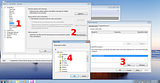
If you have no need or desire for the additional features that macros bring to the database, you don't have to enable them, or you can use gun-0.9.5.zip, which does not have any macros installed, but should still satisfy ATF requirements. This post is a work in progress, and will be linked from the OP. |
Time to revisit the ATF requirements, ATF Ruling 2008-2 (PDF).
|

|
HUGE update! As always, this thing will NOT work without the instructions.
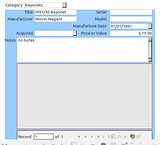
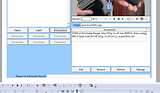
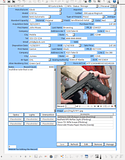
gun-0.9.7.zip From this version forward, the database will use macros. Why? Because some features that I've added (which I think are awesome) require macros. In particular, macros are needed to easily peruse and edit the accessories. Since this database is a work in progress, PLEASE test it out and let me know what you think! But you might want to wait until version 1.0 to start entering lots of data. Screenshot of the accessories section: 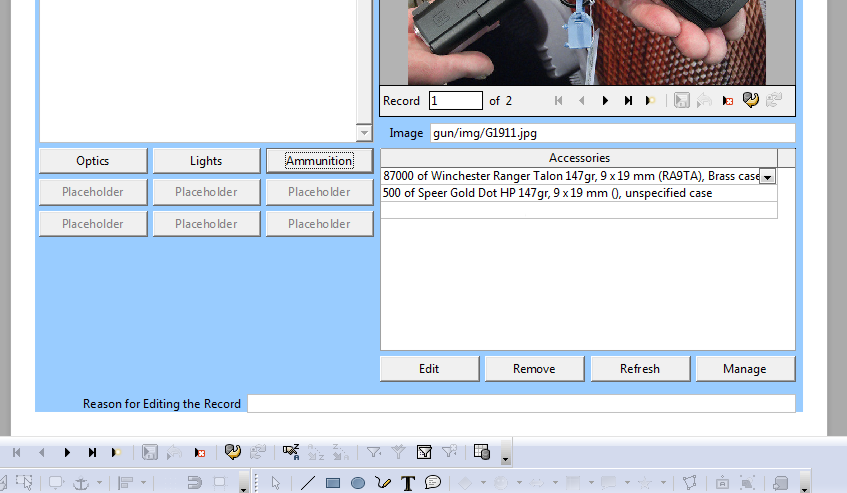
To enable the macros for this database, click on... 1 - Tools > Options > Security 2 - Macro Security > 3 - Trusted Sources > Add > 4 - Browse to the directory that contains your gun.odb file and gun folder (in my case, this directory is db in my home folder), and click OK > OK > OK then File > Exit (also exit the quick starter your system tray, if it's enabled):
If you have no need or desire for the additional features that macros bring to the database, you don't have to enable them, or you can use gun-0.9.5.zip, which does not have any macros installed, but should still satisfy ATF requirements. |
|
Quoted:
it won't let you put letters in at the phone number That actually is something I would like to be able to do. For example, one of my phone numbers is 555-GUNS. (well, it's not 555, but you know what I mean.)
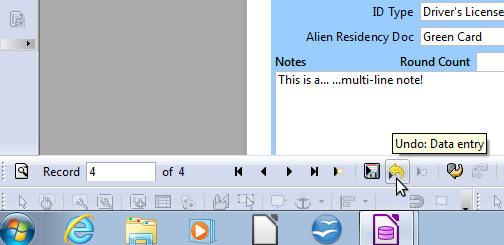
In the interests of data integrity for people who might use this database, I will probably leave those constraints in place. However, you can change these properties quite easily. Right-click on the GUN form, select Edit. Right-click on the phone number box that you want to change (it will show ###-###-####), and select Control. Delete everything from the Edit Mask (NNNLNNNLNNNN) and Literal Mask (###-###-####).
|
[ARCHIVED THREAD] - Gun database/bound book v1.3.2 (free, cross-platform, Sourceforge project page) (Page 1 of 3)
Join the Community
Your next conversation starts here.
Create your free account to join discussions, share your experience, save topics, and connect with the AR15.COM community.
- Join discussions
- Follow topics and replies
- Connect with fellow enthusiasts
Already a member? Sign in
Stay informed by subscribing to our Newsletter