



|
Originally Posted By Thealien:
Yes Power over Ethernet IS the cats ass! I don't have Ethernet where I need a camera so was looking into Ethernet over power!!?? Originally Posted By Thealien:
Originally Posted By TheGrayMan:
Originally Posted By Thealien:
Thanks looking into those suggestions. Lots of mixed reviews on the Ethernet over power options. PoE is the cats ass. It simplifies cabling and power management like you would not believe. Yes Power over Ethernet IS the cats ass! I don't have Ethernet where I need a camera so was looking into Ethernet over power!!?? I've had good luck with Power Line networking, it works best when both adapters are on circuits on the same side of the breaker box. I have one run to a switch in the living room that my kids run a Roku off of with no problems. I'm using these http://www.amazon.com/gp/product/B00IBPLI48?psc=1&redirect=true&ref_=oh_aui_detailpage_o09_s00 |
"Democracy is two wolves and a lamb voting on what to have for lunch. Liberty is a well-armed lamb contesting the vote."


|
Originally Posted By 2tired2run:
Here you go for $1100 http://www.aliexpress.com/item/DS-2DF5286-AEL-HIKVISION-Original-English-Version-2MP-Ultra-low-Temperature-Network-Speed-Dome-30XOptical-Zoom/1931690445.html Originally Posted By 2tired2run:
Originally Posted By EXPY37:
Noticed Hikvision has hi res PTZ cameras. Like the DS-2DF5286-AEL Looking to upgrade some of my Axis 213 cams in outdoor domes and was impressed with some demonstrations of the Hikvision on U-tube videos. Saw this video where to buy Hikvision, since the vid says they require rebranding to sell in the US...  https://www.youtube.com/watch?v=d-VVXjScEJE https://www.youtube.com/watch?v=d-VVXjScEJE
Any comments, where to buy, etc? Here you go for $1100 http://www.aliexpress.com/item/DS-2DF5286-AEL-HIKVISION-Original-English-Version-2MP-Ultra-low-Temperature-Network-Speed-Dome-30XOptical-Zoom/1931690445.html wtf |
Everything you are doing is wrong, and it is my sworn duty to resist you.
|
Originally Posted By TheGrayMan:
wtf Originally Posted By TheGrayMan:
Originally Posted By 2tired2run:
Originally Posted By EXPY37:
Noticed Hikvision has hi res PTZ cameras. Like the DS-2DF5286-AEL Looking to upgrade some of my Axis 213 cams in outdoor domes and was impressed with some demonstrations of the Hikvision on U-tube videos. Saw this video where to buy Hikvision, since the vid says they require rebranding to sell in the US... https://www.youtube.com/watch?v=d-VVXjScEJE
Any comments, where to buy, etc? Here you go for $1100 http://www.aliexpress.com/item/DS-2DF5286-AEL-HIKVISION-Original-English-Version-2MP-Ultra-low-Temperature-Network-Speed-Dome-30XOptical-Zoom/1931690445.html wtf He just asked where to buy from. He didn't ask for a good deal. 
Amazon was actually more expensive. |
"Democracy is two wolves and a lamb voting on what to have for lunch. Liberty is a well-armed lamb contesting the vote."

|
I've followed this thread since it's inception - and it's amazing to see the advances in technology we've seen in the past few years. Especially price wise!!
A good friend recommended the Hikvision cameras, and I was happy to see that they've gotten praise on this site. Because of this, I'm looking to either buy (preferably) or build a security system for my parent's house. 6 cameras would be great, but an 8 channel system would be even better. Unfortunately, all of these cameras have to be domes, due to their HOA rules - which most "kits" don't offer. Would you guys have some solid leads? I'm totally clueless on what to buy. Also, I saw that Hikvision offered a 5mp dome camera, compared to their 3mp one. Is this a worthwhile investment, or does it just eat up bandwidth/HD space? Thanks guys!! |
|
Originally Posted By HollowPoint45:
I've followed this thread since it's inception - and it's amazing to see the advances in technology we've seen in the past few years. Especially price wise!! A good friend recommended the Hikvision cameras, and I was happy to see that they've gotten praise on this site. Because of this, I'm looking to either buy (preferably) or build a security system for my parent's house. 6 cameras would be great, but an 8 channel system would be even better. Unfortunately, all of these cameras have to be domes, due to their HOA rules - which most "kits" don't offer. Would you guys have some solid leads? I'm totally clueless on what to buy. Also, I saw that Hikvision offered a 5mp dome camera, compared to their 3mp one. Is this a worthwhile investment, or does it just eat up bandwidth/HD space? Thanks guys!! The only Hik domes I have are the 3mp... and the picture is pretty daggone good. 5mp would even be an improvement. |
Everything you are doing is wrong, and it is my sworn duty to resist you.

|
I received one of these today: http://www.amazon.com/gp/product/B00VHLR42I?psc=1&redirect=true&ref_=oh_aui_detailpage_o00_s00 Installed the software and there is no language option popping up. So everything is a bunch of question marks. I can't get past that point. I have IP Camera Viewer installed, but where it says "Select Camera Brand", this camera is not listed. I am lost beyond this point. On IP Camera Viewer it has a option "request to add new camera". How do I figure out the cameras IP address or domain name and port number? |
I do not believe that any woman ever started with a "papercut" and ended up with a Arby's Roast Beef Classic. - PlaneJane
|
Originally Posted By tominjax:
I received one of these today: http://www.amazon.com/gp/product/B00VHLR42I?psc=1&redirect=true&ref_=oh_aui_detailpage_o00_s00 Installed the software and there is no language option popping up. So everything is a bunch of question marks. I can't get past that point. I have IP Camera Viewer installed, but where it says "Select Camera Brand", this camera is not listed. I am lost beyond this point. On IP Camera Viewer it has a option "request to add new camera". How do I figure out the cameras IP address or domain name and port number? Add it as an ONVIF camera, under "unknown brand" You could just check your router to see what IP addresses your DHCP server has loaned out, and look for the device you don't recognize. Alternatively, you could do a ping sweep in a Command Window, or wireshark it to see where the traffic is going (IP address-wise). I sometimes use the latter method to see what kind of stuff the camera is sending/receiving, and whether login/pw credentials are sent as plaintext (It's bad security design, but that actually saved me one time where I had forgotten the password for the camera )
|
Everything you are doing is wrong, and it is my sworn duty to resist you.
|
Originally Posted By TheGrayMan: Add it as an ONVIF camera, under "unknown brand" You could just check your router to see what IP addresses your DHCP server has loaned out, and look for the device you don't recognize. Alternatively, you could do a ping sweep in a Command Window, or wireshark it to see where the traffic is going (IP address-wise). I sometimes use the latter method to see what kind of stuff the camera is sending/receiving, and whether login/pw credentials are sent as plaintext (It's bad security design, but that actually saved me one time where I had forgotten the password for the camera )Originally Posted By TheGrayMan: Originally Posted By tominjax: I received one of these today: http://www.amazon.com/gp/product/B00VHLR42I?psc=1&redirect=true&ref_=oh_aui_detailpage_o00_s00 Installed the software and there is no language option popping up. So everything is a bunch of question marks. I can't get past that point. I have IP Camera Viewer installed, but where it says "Select Camera Brand", this camera is not listed. I am lost beyond this point. On IP Camera Viewer it has a option "request to add new camera". How do I figure out the cameras IP address or domain name and port number? Add it as an ONVIF camera, under "unknown brand" You could just check your router to see what IP addresses your DHCP server has loaned out, and look for the device you don't recognize. Alternatively, you could do a ping sweep in a Command Window, or wireshark it to see where the traffic is going (IP address-wise). I sometimes use the latter method to see what kind of stuff the camera is sending/receiving, and whether login/pw credentials are sent as plaintext (It's bad security design, but that actually saved me one time where I had forgotten the password for the camera )I'm not seeing "unknown brand". I'm new to this and don't have a clue as to what I am doing  |
I do not believe that any woman ever started with a "papercut" and ended up with a Arby's Roast Beef Classic. - PlaneJane
|
"Add camera"
"Ip camera, DVR, NVR" Under type select "unknown brand" (it's the second choice on the list) in the top field, and "ONVIF" on the lower field Then enter IP address, and login/pw ETA: that camera didn't come with a config or "IP utility?" |
Everything you are doing is wrong, and it is my sworn duty to resist you.
|
Originally Posted By TheGrayMan: "Add camera" "Ip camera, DVR, NVR" Under type select "unknown brand" (it's the second choice on the list) in the top field, and "ONVIF" on the lower field Then enter IP address, and login/pw ETA: that camera didn't come with a config or "IP utility?" After I choose "add camera" the next screen gives me two options for type - IP Camera or Webcam Next is camera settings where I choose brand and model. There is no "unknown brand" or "ONVIF" listed there. It has a setup utility, but it does not prompt for choosing language, everything is in question marks. The instructions show a language prompt, but I have installed and uninstalled it twice with the same results. Have not heard from seller yet. |
I do not believe that any woman ever started with a "papercut" and ended up with a Arby's Roast Beef Classic. - PlaneJane
|
Originally Posted By TheGrayMan: Are you on android? ETA: and are you sure you're using IP Cam Viewer? Can you post a screenshot? Windows 7  The camera in the background is my old xbox camera. |
I do not believe that any woman ever started with a "papercut" and ended up with a Arby's Roast Beef Classic. - PlaneJane
|
Originally Posted By tominjax:
Windows 7 http://i62.tinypic.com/290q22w.jpg The camera in the background is my old xbox camera. Originally Posted By tominjax:
Originally Posted By TheGrayMan:
Are you on android? ETA: and are you sure you're using IP Cam Viewer? Can you post a screenshot? Windows 7 http://i62.tinypic.com/290q22w.jpg The camera in the background is my old xbox camera. Ah, I hate to tell you this, but I have NO idea what software you're using there. The "IP Cam Viewer" that I use is strictly a mobile (eg. iOS/Android) product... it doesn't run on a desktop PC. |
Everything you are doing is wrong, and it is my sworn duty to resist you.
|
Originally Posted By TheGrayMan: Ah, I hate to tell you this, but I have NO idea what software you're using there. The "IP Cam Viewer" that I use is strictly a mobile (eg. iOS/Android) product... it doesn't run on a desktop PC. Originally Posted By TheGrayMan: Originally Posted By tominjax: Originally Posted By TheGrayMan: Are you on android? ETA: and are you sure you're using IP Cam Viewer? Can you post a screenshot? Windows 7 http://i62.tinypic.com/290q22w.jpg The camera in the background is my old xbox camera. Ah, I hate to tell you this, but I have NO idea what software you're using there. The "IP Cam Viewer" that I use is strictly a mobile (eg. iOS/Android) product... it doesn't run on a desktop PC. Well damn. I have a second desktop that I am trying to use as a security camera monitor. It works like a charm with my old Xbox camera, but I want to use this newer HD camera with night vision. |
I do not believe that any woman ever started with a "papercut" and ended up with a Arby's Roast Beef Classic. - PlaneJane

|
TGM and other knowledgeable folks, please provide me some insight. I just mounted and install the first (of hopefully many) IP cams. My issue, which I felt was coming, is that I am a bit clueless on exactly where to mount them to get the desired field of view. For this first camera, I intended it to cover where we park the cars; mounted on the eve of the roof. After punching the hole and running cable, I fired up my phone to check out the view. No way in hell I was going to get the FOV I was hoping for. I even tested indoors trying to get an idea. I compromised and just have it pointing at an exterior door. Which I also believe is going to be an issue since its pointed right at the flood light for the driveway. Are there any calculators, formulas, hacks, to get a fairly accurate idea of the ideal mounting spot for the desired FOV? ETA: Trendnet IP311PI dome camera (rebranded hikivision IIRC). |
"It is as if the socialists were to accuse us of not wanting persons to eat because we do not want the state to raise grain.”
- Frederic Bastiat, The Law
- Frederic Bastiat, The Law

|
Originally Posted By packingXDs:
TGM and other knowledgeable folks, please provide me some insight. I just mounted and install the first (of hopefully many) IP cams. My issue, which I felt was coming, is that I am a bit clueless on exactly where to mount them to get the desired field of view. For this first camera, I intended it to cover where we park the cars; mounted on the eve of the roof. After punching the hole and running cable, I fired up my phone to check out the view. No way in hell I was going to get the FOV I was hoping for. I even tested indoors trying to get an idea. I compromised and just have it pointing at an exterior door. Which I also believe is going to be an issue since its pointed right at the flood light for the driveway. Are there any calculators, formulas, hacks, to get a fairly accurate idea of the ideal mounting spot for the desired FOV? ETA: Trendnet IP311PI dome camera (rebranded hikivision IIRC). I get on a ladder with laptop and camera with long ass cable hooked to camera.... Then watch the live feed and move it around.
|
Your tears provide the beautiful rainbow that brightens my day.
|
So it's time to revisit a project from back on Page 36 of this thread (hard to believe it's been five years+ since I did that particular project).
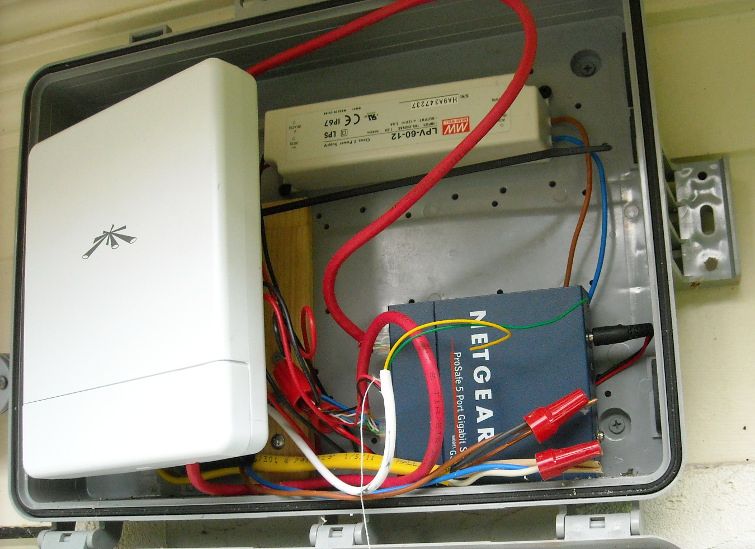
In that installation, we were using some Ubiquiti wireless hardware to connect a couple of outbuildings to a central building over wifi, to avoid having to jackhammer a huge amount of concrete, and trench a few hundred yards. It cost a couple of hundred bucks worth of hardware, but saved multiple THOUSANDs of dollars in trenching/jackhammering/etc. We used these enclosure bridges to connect the cameras... you may recall this rig: 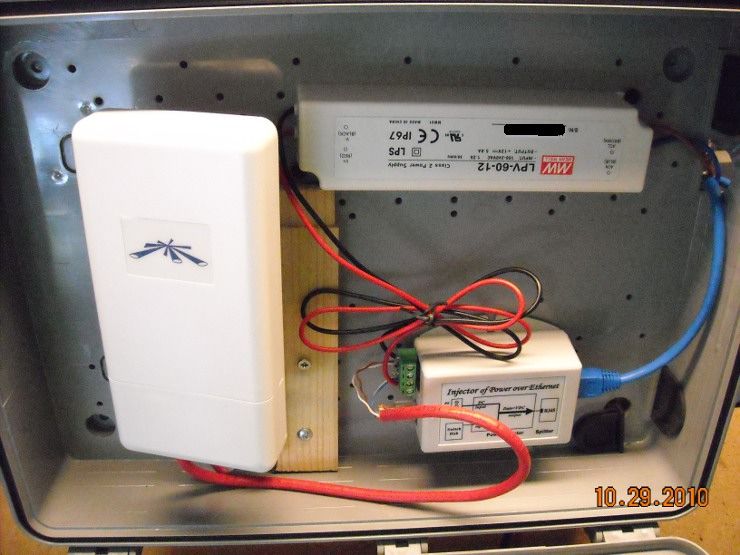
They've been running flawlessly for the last five years... almost. You might also remember me writing this: I shimmed the mounting angle of the Ubiquiti bridge to ensure that the forward lobe of the antenna points directly at the AP. There are a few scattered trees in the way, so I wanted as much forward power from that directional panel as possible. If it's a big problem, they'll have to prune.
Weeeelll.... Mother Nature always bats last, as it were. 
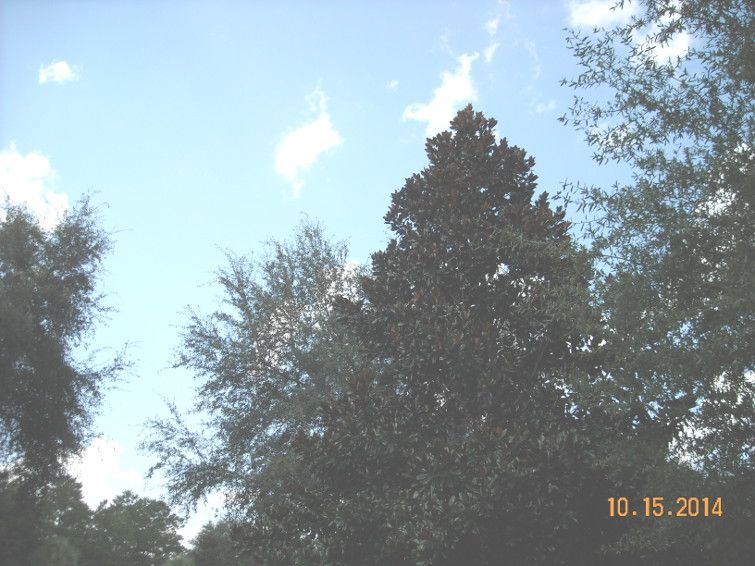
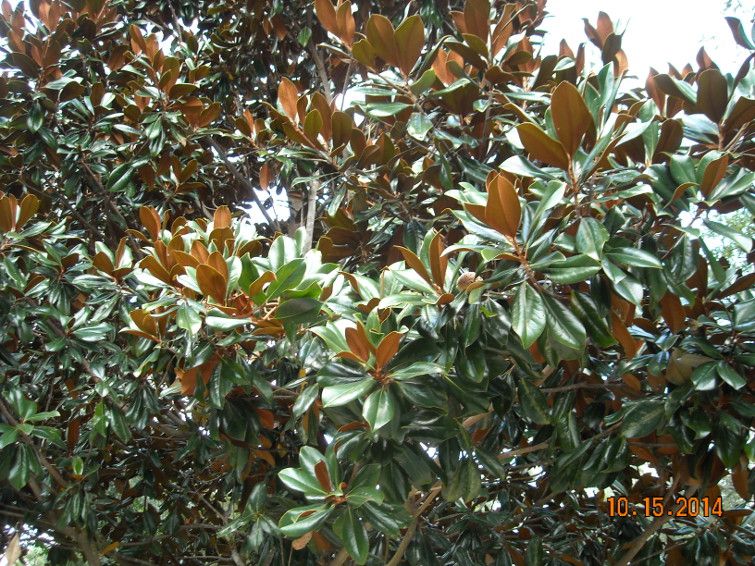
The trees inbetween the main building and one of the outbuildings have grown... a LOT... and forget pruning... they haven't been touched. They're at least 10-12 feet taller/bigger than they were when I initially installed that 2.4Ghz bridge... and have seriously degraded the wifi signal. There is a flowering Magnolia tree that has grown up-and-out, and developed quite the dense canopy... and it's now squarely in the center of the Fresnel zone, leading to drop-outs in the video link. You cannot even see the remote bridge any more: Here's an example of a Fresnel Zone calculation for a 900Mhz bridge at 100 yards: 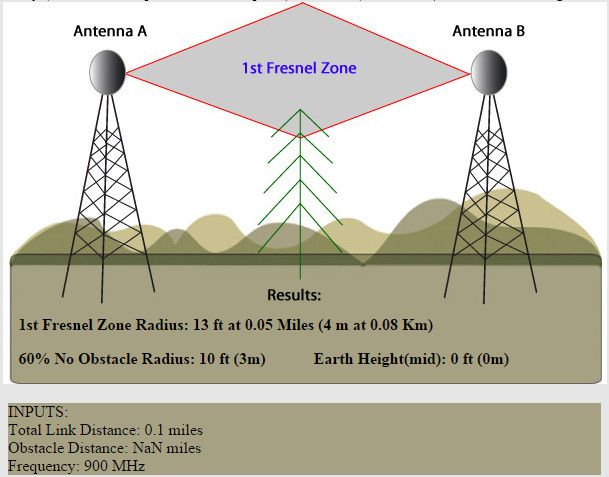
And speaking of 900Mhz, that's exactly what we decided to do. Ubiquiti has a line of Ethernet bridges/APs in exactly that frequency band, and their Locostation M900 is what we chose. The 900Mhz band penetrates through foliage MUCH better than 2.4Ghz, which tends to be scattered and degraded by the leaves, and their water content... and Magnolia trees have very dense, waxy leaves. The downside of 900Mhz hardware is that the Fresnel zone is larger in the center than shorter-wavelength bands (like 2.4 or 5.8Ghz). In this case, both antennas are elevated, so the Fresnel zone diameter shouldn't be a huge limitation: 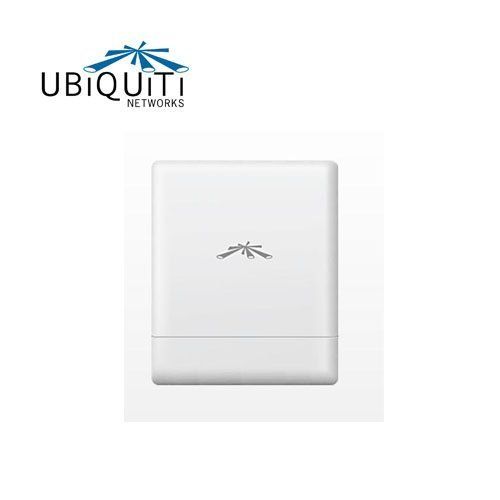
And you may remember this Access Point? The remote bridge was connecting to this PicoStation. This one is 2.4Ghz, so the 900Mhz bridge needs something different to talk to... (we're leaving this in place; there is another camera, on another remote bridge, and that one is operating just fine) 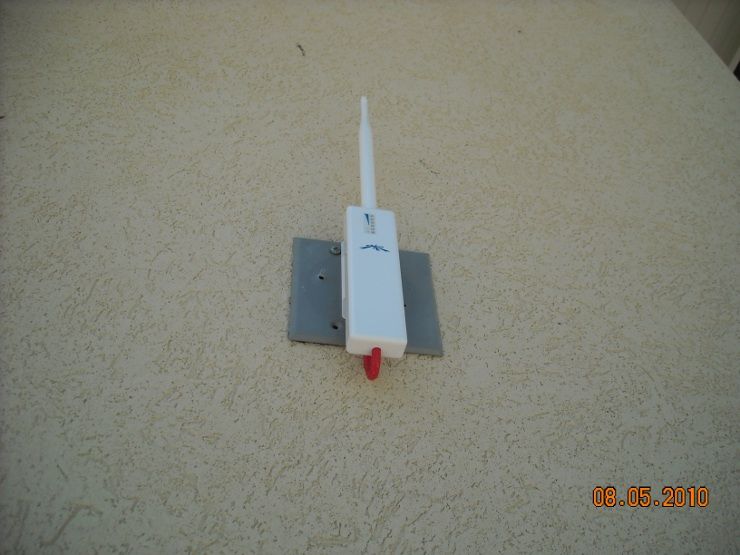
To Be Continued... |
Everything you are doing is wrong, and it is my sworn duty to resist you.
|
Originally Posted By louisianarebel:
I get on a ladder with laptop and camera with long ass cable hooked to camera.... Then watch the live feed and move it around. Originally Posted By louisianarebel:
Originally Posted By packingXDs:
TGM and other knowledgeable folks, please provide me some insight. I just mounted and install the first (of hopefully many) IP cams. My issue, which I felt was coming, is that I am a bit clueless on exactly where to mount them to get the desired field of view. For this first camera, I intended it to cover where we park the cars; mounted on the eve of the roof. After punching the hole and running cable, I fired up my phone to check out the view. No way in hell I was going to get the FOV I was hoping for. I even tested indoors trying to get an idea. I compromised and just have it pointing at an exterior door. Which I also believe is going to be an issue since its pointed right at the flood light for the driveway. Are there any calculators, formulas, hacks, to get a fairly accurate idea of the ideal mounting spot for the desired FOV? ETA: Trendnet IP311PI dome camera (rebranded hikivision IIRC). I get on a ladder with laptop and camera with long ass cable hooked to camera.... Then watch the live feed and move it around. I pretty much do that too. 
Maybe guys who do this professionally can look at specs and see the camera image in their mind's eye... but I can't. There is really no substitute for putting up the camera (or holding it up, connected to a laptop on the paint-shelf of your ladder) and looking at the picture. I've used lens calculators and planning tools... and it's always a LITTLE bit different looking through the cam. There is no substitute for looking through it first... just my opinion. |
Everything you are doing is wrong, and it is my sworn duty to resist you.
Everything you are doing is wrong, and it is my sworn duty to resist you.
|
Originally Posted By Rat_Patrol:
So I need a few new cams. Have an analog system, no additional ir installed. What is out there these days that doesn't totally suck, but not break the bank? IP is cheap enough now that there is seldom a justification to do analog... The minor cost savings with analog is not worth the huge drop in image quality. |
Everything you are doing is wrong, and it is my sworn duty to resist you.

|
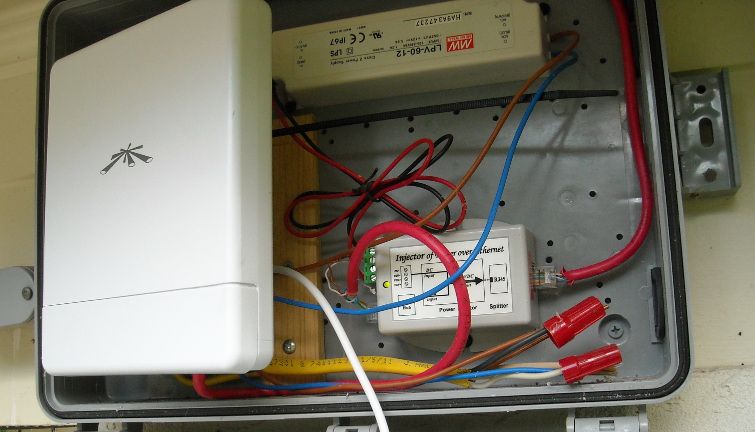
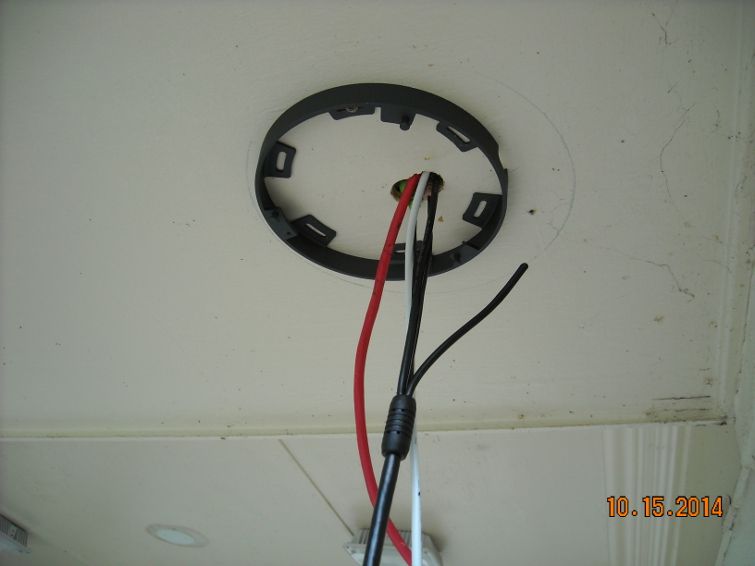
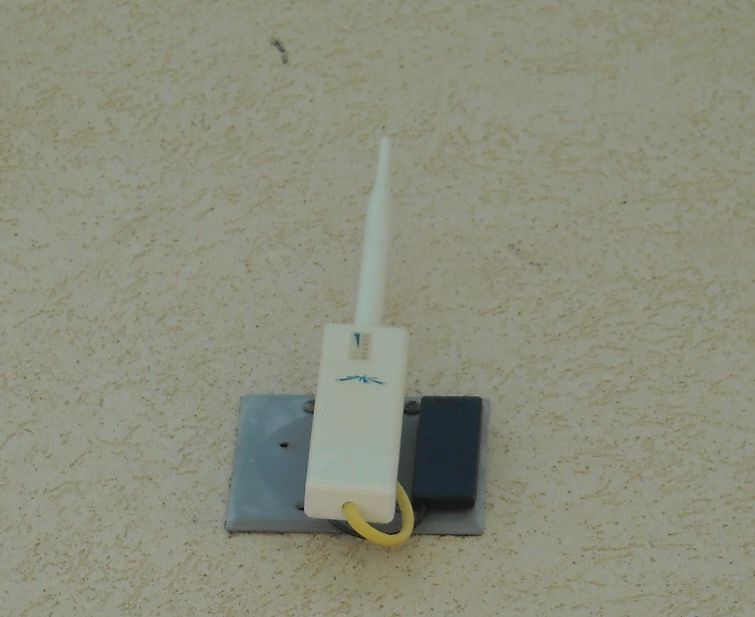
Originally Posted By TheGrayMan: Anyway, back to the tree problem. Here is what I was up against: http://i251.photobucket.com/albums/gg286/TGrayman/M900%20Ubiquiti/Trees_zpsle3piqhc.jpg http://i251.photobucket.com/albums/gg286/TGrayman/M900%20Ubiquiti/Magnolia_zps6zupced7.jpg Magnolias are dense trees... and on top of that, there was some sort of evergreen Oak right behind it. Here is the box with the new bridge installed (held in place with a cable tie). It still fits inside that NEMA enclosure, and we're getting good signal through the trees. http://i251.photobucket.com/albums/gg286/TGrayman/M900%20Ubiquiti/M900bridge_zpsm2tbejjp.jpg The extra white wire you see there is for a sensor I'm planning on adding. http://i251.photobucket.com/albums/gg286/TGrayman/M900%20Ubiquiti/newwiring_zpssj0suk7a.jpg I also changed out that PoE injector for a standard switch (which takes 12vdc), and opted to power the camera directly off the same 12vdc that's powering everything else in that box. This was done because another camera is planned for that structure, and the PoE injector itself only had a single port. http://i251.photobucket.com/albums/gg286/TGrayman/M900%20Ubiquiti/nownetgear_zpsr6npoaps.jpg And at the access-point end of things, here is the new antenna. See the little black rectangle on the right? That's a stealth 900Mhz antenna... very inconspicuous. It connects directly to a RP-SMA antenna jack on the M900, and that external jack is able to be enabled/disabled in software. http://i251.photobucket.com/albums/gg286/TGrayman/M900%20Ubiquiti/stealthantenna_zpsm7ey0ooq.jpg And it's giving five bars.  |
Semper Fidelis
www.northeastshooters.com www.comm2a.org
www.northeastshooters.com www.comm2a.org
|
Originally Posted By TheGrayMan:
IP is cheap enough now that there is seldom a justification to do analog... The minor cost savings with analog is not worth the huge drop in image quality. Originally Posted By TheGrayMan:
Originally Posted By Rat_Patrol:
So I need a few new cams. Have an analog system, no additional ir installed. What is out there these days that doesn't totally suck, but not break the bank? IP is cheap enough now that there is seldom a justification to do analog... The minor cost savings with analog is not worth the huge drop in image quality. My dad is building a new restaurant from the ground up with another guy. The other guy got a local company to wire it... analog camera wire everywhere...  They told them it was the newest tech out in the last 6 months.... They told them it was the newest tech out in the last 6 months....
|
Your tears provide the beautiful rainbow that brightens my day.
|
Originally Posted By TheGrayMan: IP is cheap enough now that there is seldom a justification to do analog... The minor cost savings with analog is not worth the huge drop in image quality. Originally Posted By TheGrayMan: Originally Posted By Rat_Patrol: So I need a few new cams. Have an analog system, no additional ir installed. What is out there these days that doesn't totally suck, but not break the bank? IP is cheap enough now that there is seldom a justification to do analog... The minor cost savings with analog is not worth the huge drop in image quality. |
|
Originally Posted By louisianarebel:
My dad is building a new restaurant from the ground up with another guy. The other guy got a local company to wire it... analog camera wire everywhere... They told them it was the newest tech out in the last 6 months....
There is some tech out that sends megapixel streams over coax... but if you're starting from scratch, just run Cat6 |
Everything you are doing is wrong, and it is my sworn duty to resist you.

| Tiny web cam monitor for Android is on sale for $2 if anyone is interested. It's by far the best one I have found, I even paid full price for it! |
Originally Posted By ExKalifornian:
and you can burn the whole state down as far as Im concerned. Kalifornia aint got Shit on The Great State of Georgia.
and you can burn the whole state down as far as Im concerned. Kalifornia aint got Shit on The Great State of Georgia.
|
Originally Posted By gajeep94yj:
Tiny web cam monitor for Android is on sale for $2 if anyone is interested. It's by far the best one I have found, I even paid full price for it! Your avatar is mesmerizing. |
Everything you are doing is wrong, and it is my sworn duty to resist you.
|
Originally Posted By TheGrayMan:
There is some tech out that sends megapixel streams over coax... but if you're starting from scratch, just run Cat6 Originally Posted By TheGrayMan:
Originally Posted By louisianarebel:
My dad is building a new restaurant from the ground up with another guy. The other guy got a local company to wire it... analog camera wire everywhere... They told them it was the newest tech out in the last 6 months....
There is some tech out that sends megapixel streams over coax... but if you're starting from scratch, just run Cat6 Yep. Im not impressed. Its almost impossible to pull new wires where they were ran so it looks like we are fked.
|
Your tears provide the beautiful rainbow that brightens my day.
|
Originally Posted By TheGrayMan:
Your avatar is mesmerizing. Originally Posted By TheGrayMan:
Originally Posted By gajeep94yj:
Tiny web cam monitor for Android is on sale for $2 if anyone is interested. It's by far the best one I have found, I even paid full price for it! Your avatar is mesmerizing. You should see it in real life... |
Originally Posted By ExKalifornian:
and you can burn the whole state down as far as Im concerned. Kalifornia aint got Shit on The Great State of Georgia.
and you can burn the whole state down as far as Im concerned. Kalifornia aint got Shit on The Great State of Georgia.

|
Originally Posted By TheGrayMan:
I pretty much do that too.
Maybe guys who do this professionally can look at specs and see the camera image in their mind's eye... but I can't. There is really no substitute for putting up the camera (or holding it up, connected to a laptop on the paint-shelf of your ladder) and looking at the picture. I've used lens calculators and planning tools... and it's always a LITTLE bit different looking through the cam. There is no substitute for looking through it first... just my opinion. Originally Posted By TheGrayMan:
Originally Posted By louisianarebel:
Originally Posted By packingXDs:
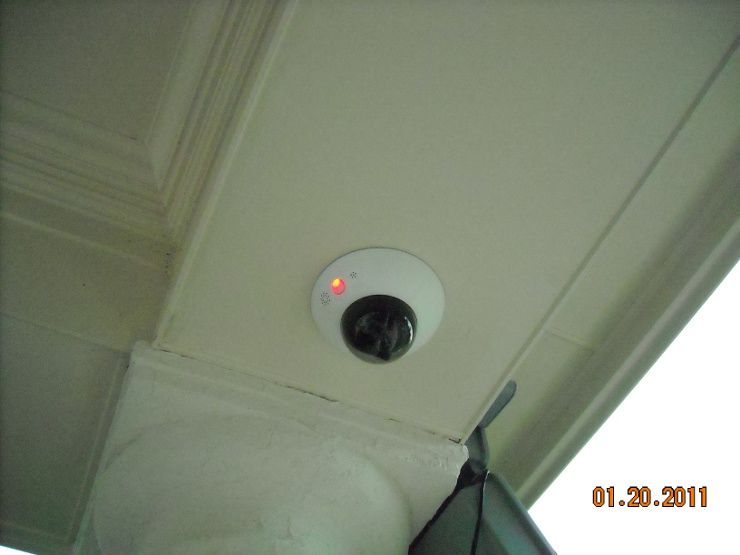
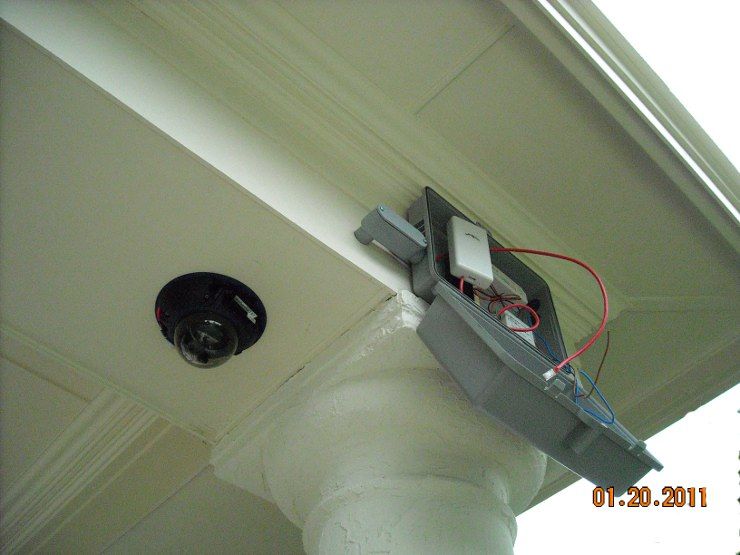
TGM and other knowledgeable folks, please provide me some insight. I just mounted and install the first (of hopefully many) IP cams. My issue, which I felt was coming, is that I am a bit clueless on exactly where to mount them to get the desired field of view. For this first camera, I intended it to cover where we park the cars; mounted on the eve of the roof. After punching the hole and running cable, I fired up my phone to check out the view. No way in hell I was going to get the FOV I was hoping for. I even tested indoors trying to get an idea. I compromised and just have it pointing at an exterior door. Which I also believe is going to be an issue since its pointed right at the flood light for the driveway. Are there any calculators, formulas, hacks, to get a fairly accurate idea of the ideal mounting spot for the desired FOV? ETA: Trendnet IP311PI dome camera (rebranded hikivision IIRC). I get on a ladder with laptop and camera with long ass cable hooked to camera.... Then watch the live feed and move it around. I pretty much do that too.
Maybe guys who do this professionally can look at specs and see the camera image in their mind's eye... but I can't. There is really no substitute for putting up the camera (or holding it up, connected to a laptop on the paint-shelf of your ladder) and looking at the picture. I've used lens calculators and planning tools... and it's always a LITTLE bit different looking through the cam. There is no substitute for looking through it first... just my opinion. Not what I wanted to hear, some of mine are going on the second story eves and I very much dislike extension ladders. Do you think day laborers charge by the foot or by the ladder rung?
|
"Democracy is two wolves and a lamb voting on what to have for lunch. Liberty is a well-armed lamb contesting the vote."
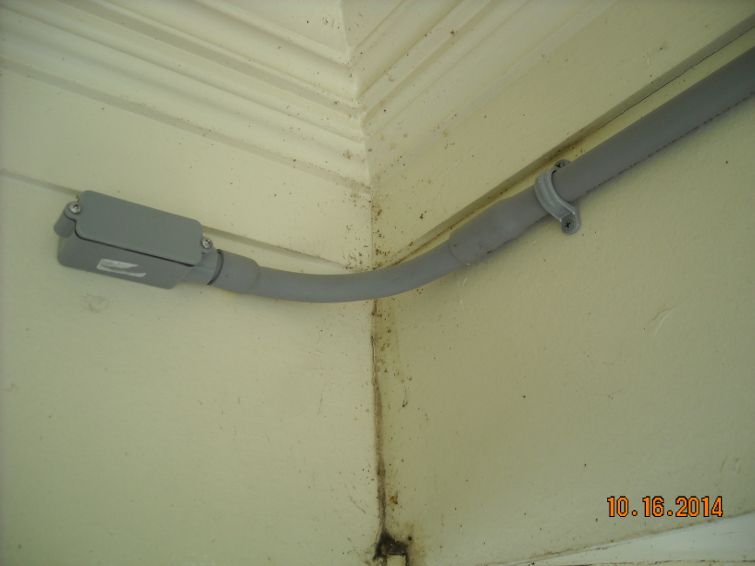
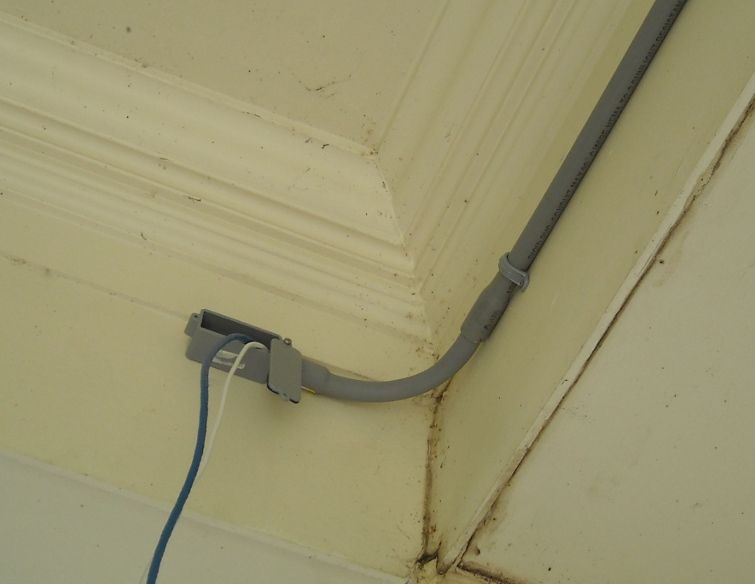
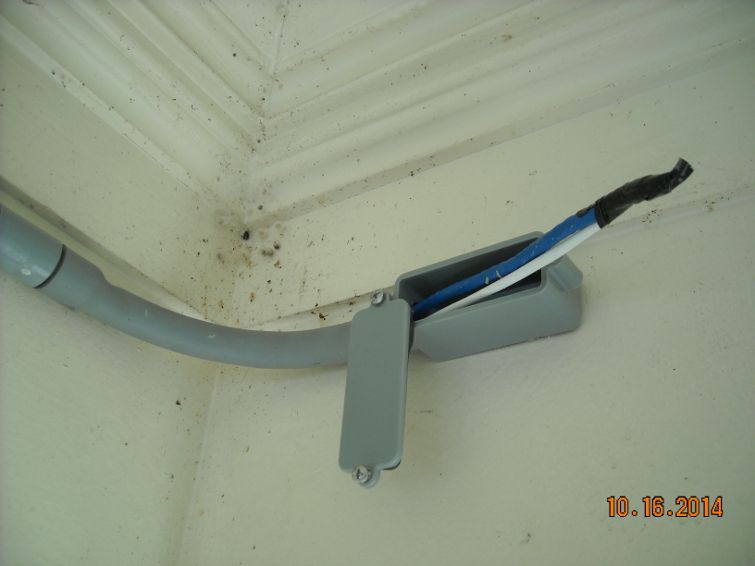
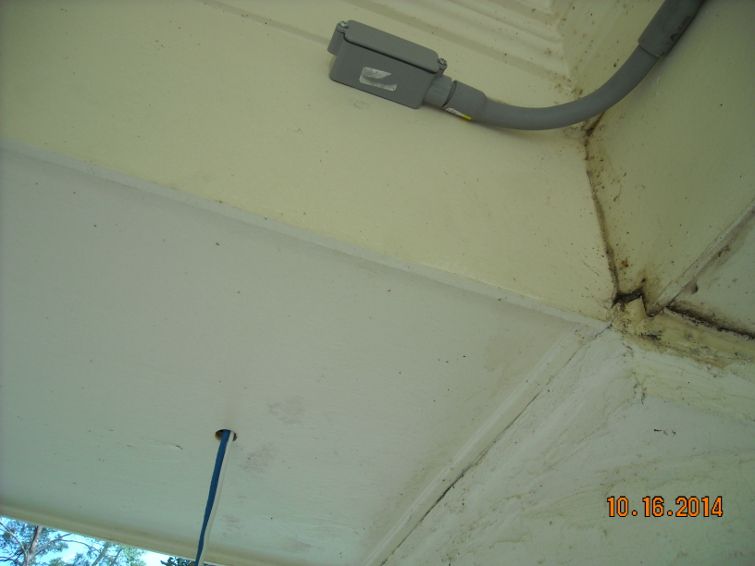
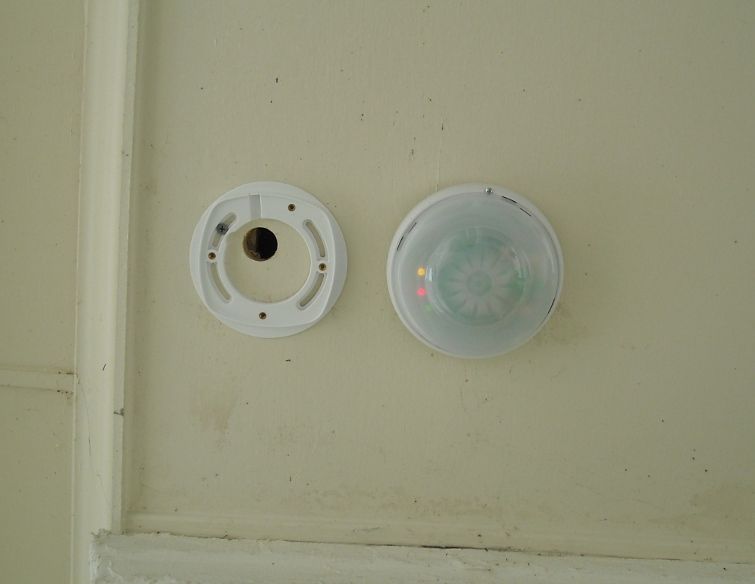
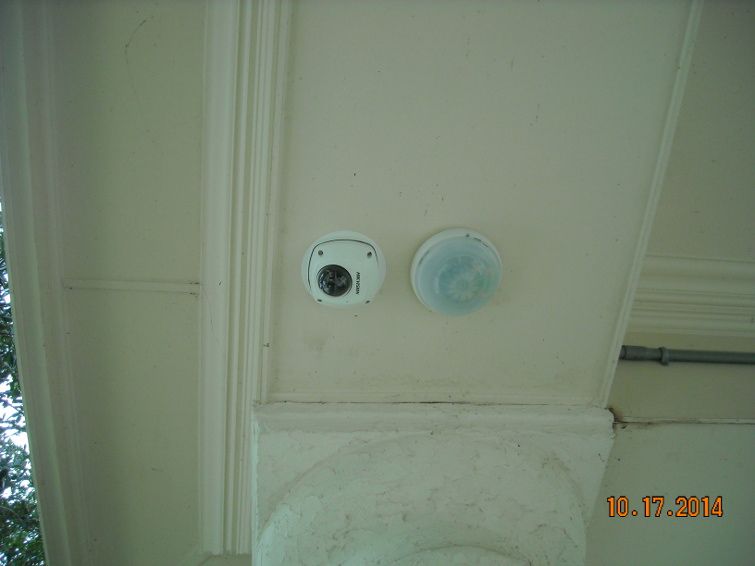
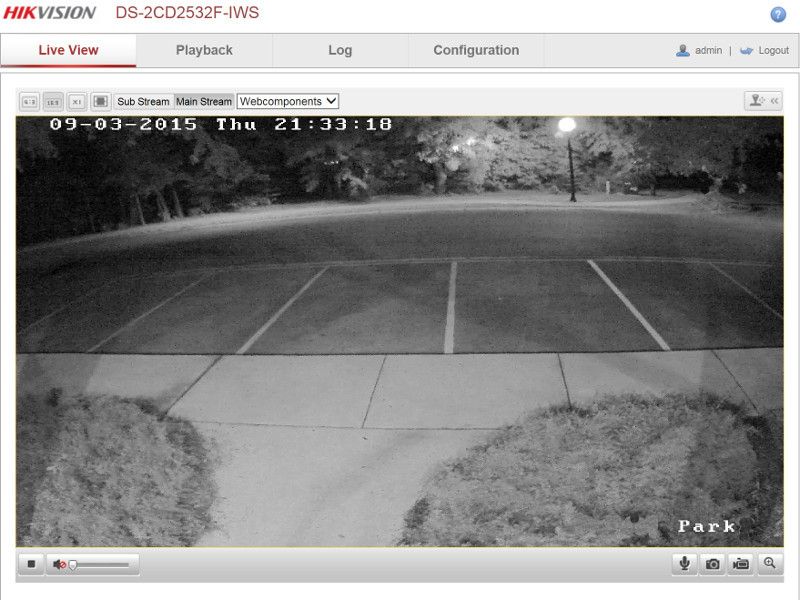
Everything you are doing is wrong, and it is my sworn duty to resist you.
|
Originally Posted By 2tired2run: Not what I wanted to hear, some of mine are going on the second story eves and I very much dislike extension ladders. Do you think day laborers charge by the foot or by the ladder rung? I found holding my Galaxy S6 horizontally and holding/pointing where I plan on putting the camera worked pretty well. Even better if you can do it to an existing camera that is installed for a point of reference. Nailed the second camera placement using this trick. |
"It is as if the socialists were to accuse us of not wanting persons to eat because we do not want the state to raise grain.”
- Frederic Bastiat, The Law
- Frederic Bastiat, The Law
|
If you have an SLR camera with a zoom lens you can use it's FOV to approximate the FOV of your CCTV camera. A lot easier carrying a camera than a laptop up a latter.
FOV calculator 
|
Tough times breed strong people, Strong people create good times, Good times breed weak people, Weak people create tough times

| what are you using for microphones and speakers? I need something I can put on my gate to listen in and talk back to at my gate. I have a call box but I swear some people are too stupid to push the right buttons |
I wish I was half the man my dog thinks I am.
RIP SSG Marc Anthony Scialdo KIA 3-11-2013 Kandahar
RIP SSG Marc Anthony Scialdo KIA 3-11-2013 Kandahar
|
Originally Posted By coldair:
what are you using for microphones and speakers? I need something I can put on my gate to listen in and talk back to at my gate. I have a call box but I swear some people are too stupid to push the right buttons I use the mobotix stuff... that's all built-in. |
Everything you are doing is wrong, and it is my sworn duty to resist you.

|
New DVR build in the Safes and Home Security forum:
Link |
Everything you are doing is wrong, and it is my sworn duty to resist you.
|
Originally Posted By TheGrayMan: I use the mobotix stuff... that's all built-in. Originally Posted By TheGrayMan: Originally Posted By coldair: what are you using for microphones and speakers? I need something I can put on my gate to listen in and talk back to at my gate. I have a call box but I swear some people are too stupid to push the right buttons I use the mobotix stuff... that's all built-in. |
I wish I was half the man my dog thinks I am.
RIP SSG Marc Anthony Scialdo KIA 3-11-2013 Kandahar
RIP SSG Marc Anthony Scialdo KIA 3-11-2013 Kandahar
|
Originally Posted By coldair:
I have a everfocus ean3300 box camera in an Axis housing already on the gate I was just looking for something I could add to that to let me listen and talk back from a remote speaker Originally Posted By coldair:
Originally Posted By TheGrayMan:
Originally Posted By coldair:
what are you using for microphones and speakers? I need something I can put on my gate to listen in and talk back to at my gate. I have a call box but I swear some people are too stupid to push the right buttons I use the mobotix stuff... that's all built-in. A regular analog camera probably doesn't have the inputs to do audio. You'd have to do a PTT system of some kind. |
Everything you are doing is wrong, and it is my sworn duty to resist you.
|
Originally Posted By TheGrayMan:
A regular analog camera probably doesn't have the inputs to do audio. You'd have to do a PTT system of some kind. Originally Posted By TheGrayMan:
Originally Posted By coldair:
Originally Posted By TheGrayMan:
Originally Posted By coldair:
what are you using for microphones and speakers? I need something I can put on my gate to listen in and talk back to at my gate. I have a call box but I swear some people are too stupid to push the right buttons I use the mobotix stuff... that's all built-in. A regular analog camera probably doesn't have the inputs to do audio. You'd have to do a PTT system of some kind. Many Axis cameras have PTT capability, and some low end ones are available used -but good, on eBay quite inexpensively. Combine their PTT capability with a $10 12 vdc powered 2 channel amplifier, and a speaker and mic, and you're set. The amps are available on eBay too. From China the least expensive, takes abt 2 1/2 week to arrive and a fantastic value. Ask if more detail needed. ETA, I'm using some Axis cams -just the audio portion, to remotely monitor the audio of radio traffic from the mtn via the LAN, not an optimum application, but works fine. Also, we're thinking abt getting a real good -but inexpensive microphone, and putting it outside to monitor bears and other environmental sounds in the mtns. Remotely. [Also security information] The mic would feed a low noise preamp, go to a cheap Axis camera, then be monitored on any PC where I'm at. Any obsolete laptop would work fine. ETA2 Axis has a great menu and options setting interface... |
I see us collectively as a country bumpkin, sitting on a log with a rifle, having no understanding what's going on beyond a few trees away, about to be enslaved with no interest by whom or what.
|
sorry for the confusion it's an everfocus EAN3300 camera http://www.everfocus.com/product.cfm?productid=1681 in the axis housing. I have a doorking call box on the outside but for some reason people can't follow instructions and miss hitting the pound sign before the code LOL plus I can not call out to box it only works when the person at the box calls me. what I would like to do is use a mic and speaker to listen in and give instruction over the speaker. the camera also has auxilary relays to control other devices is there a mini relay so i can keep the contacts from coming into direct contact with the 24 volts ac that the gate opener uses? that would allow me to open the gate from anywhere via the Blueiris software and my phone |
I wish I was half the man my dog thinks I am.
RIP SSG Marc Anthony Scialdo KIA 3-11-2013 Kandahar
RIP SSG Marc Anthony Scialdo KIA 3-11-2013 Kandahar
|
sorry for the confusion it's an everfocus EAN3300 camera http://www.everfocus.com/product.cfm?productid=1681 in the axis housing. I have a doorking call box on the outside but for some reason people can't follow instructions and miss hitting the pound sign before the code LOL plus I can not call out to box it only works when the person at the box calls me. what I would like to do is use a mic and speaker to listen in and give instruction over the speaker. the camera also has auxilary relays to control other devices is there a mini relay so i can keep the contacts from coming into direct contact with the 24 volts ac that the gate opener uses? that would allow me to open the gate from anywhere via the Blueiris software and my phone |
I wish I was half the man my dog thinks I am.
RIP SSG Marc Anthony Scialdo KIA 3-11-2013 Kandahar
RIP SSG Marc Anthony Scialdo KIA 3-11-2013 Kandahar
|
Originally Posted By coldair:
sorry for the confusion it's an everfocus EAN3300 camera http://www.everfocus.com/product.cfm?productid=1681 in the axis housing. I have a doorking call box on the outside but for some reason people can't follow instructions and miss hitting the pound sign before the code LOL plus I can not call out to box it only works when the person at the box calls me. what I would like to do is use a mic and speaker to listen in and give instruction over the speaker. the camera also has auxilary relays to control other devices is there a mini relay so i can keep the contacts from coming into direct contact with the 24 volts ac that the gate opener uses? that would allow me to open the gate from anywhere via the Blueiris software and my phone "is there a mini relay " Sure, if your camera let's say operates on 12 vdc, then get a small relay that can be controlled from the 'more delicate' camera relay, so when it's operated the secondary relay is too. Then use it to control noisy higher current systems. If you need help finding one, I'll point out one on ebay that costs a couple $. As far as hitting the * key, why not put instructions on the box that can't be missed? |
I see us collectively as a country bumpkin, sitting on a log with a rifle, having no understanding what's going on beyond a few trees away, about to be enslaved with no interest by whom or what.
|
Originally Posted By coldair:
sorry for the confusion it's an everfocus EAN3300 camera http://www.everfocus.com/product.cfm?productid=1681 in the axis housing. I have a doorking call box on the outside but for some reason people can't follow instructions and miss hitting the pound sign before the code LOL plus I can not call out to box it only works when the person at the box calls me. what I would like to do is use a mic and speaker to listen in and give instruction over the speaker. the camera also has auxilary relays to control other devices is there a mini relay so i can keep the contacts from coming into direct contact with the 24 volts ac that the gate opener uses? that would allow me to open the gate from anywhere via the Blueiris software and my phone Coldair, this Axis cam has a nice audio interface and there are ones the video doesn't work cheap [~$15 IIRC when I just looked] on ebay that would likely make a fine audio server. Axis 216FD and similar in the series. Google the ^^^ and you can see the Axis manual and data sheet. Abt a year ago I picked up what looks be an identical cam cheap -Axis model P3301, and have used it to monitor radio audio for security. All you have to do is plug in a PC type mic and a cheap audio amp into the 'line out' jack and you're all set. |
I see us collectively as a country bumpkin, sitting on a log with a rifle, having no understanding what's going on beyond a few trees away, about to be enslaved with no interest by whom or what.
| Need an outdoor bullet camera with a pole mount. Doesn't look like the same line of Trendnets that I have been using fit the bill. Suggestions? Not looking to break the bank. <$200-ish. |
"It is as if the socialists were to accuse us of not wanting persons to eat because we do not want the state to raise grain.”
- Frederic Bastiat, The Law
- Frederic Bastiat, The Law

|
Are there any halfway decent systems at the big box stores e.g. Costco, Frys, BestBuy, Home Depot, Lowes, etc?
A couple of us have volunteered to help a coworker replace their old 4 camera analog system that is dying (loss of video signal to DVR, IR emitters not working, etc). They are interested in a 6-8 camera digital system, but don't want to deal with ordering....just want to go buy it but also not spend the $3500+ for system they were quoted by security company. Any suggestions other than mail order and big box stores appreciated. A quick search and scan of posts didn't really reveal anything so my apologies if I missed it. |
|
Originally Posted By InterestedBystander:
Are there any halfway decent systems at the big box stores e.g. Costco, Frys, BestBuy, Home Depot, Lowes, etc? A couple of us have volunteered to help a coworker replace their old 4 camera analog system that is dying (loss of video signal to DVR, IR emitters not working, etc). They are interested in a 6-8 camera digital system, but don't want to deal with ordering....just want to go buy it but also not spend the $3500+ for system they were quoted by security company. Any suggestions other than mail order and big box stores appreciated. A quick search and scan of posts didn't really reveal anything so my apologies if I missed it. Some of the Swann systems at Costco are rebranded Hikvision. This one, for instance |
Everything you are doing is wrong, and it is my sworn duty to resist you.

Join the Community
Your next conversation starts here.
Create your free account to join discussions, share your experience, save topics, and connect with the AR15.COM community.
- Join discussions
- Follow topics and replies
- Connect with fellow enthusiasts
Already a member? Sign in
Stay informed by subscribing to our Newsletter