


Posted: 3/30/2009 8:17:35 AM EDT
| My niece brought over her laptop. It is all messed up. I loaded AVG and cleaned 2 virus off. However, there is still a big problem. It seems that any attempt to access an external web site is re-directed. If I go to google and do a search, anytime I click on a link, it takes me to some other random place. What the hell is it? How do I clean it off/fix it? |
|
I've been in the business for a while. If at all possible reload it. You can use tools like AVG, Spybot, etc to clean things up but the machine will never be the same. I also don't trust them once they've been compromised. Does she have a restore CD from the vendor? |
|
Quoted:
I've been in the business for a while. If at all possible reload it. You can use tools like AVG, Spybot, etc to clean things up but the machine will never be the same. I also don't trust them once they've been compromised. Does she have a restore CD from the vendor? I have a restore CD from Dell. It won't even load spybot. It can't update AVG. It can't install the new spybot. This thing is hosed. |
|
i deal wit this on a fairly regular basis with family members. what i do is take out their drive (they almost always have only one), attach it to something like this, and scan it with one of my servers. but it would work with any pc that had virus scanning software. this almost always removes the virus. after this, i mount it back in the host pc, boot up and run a local scan. using that pc's virus software. this usually works pretty well
USB to SATA and IDE 2.5 and 3.5 disk adapater for 20 bucks 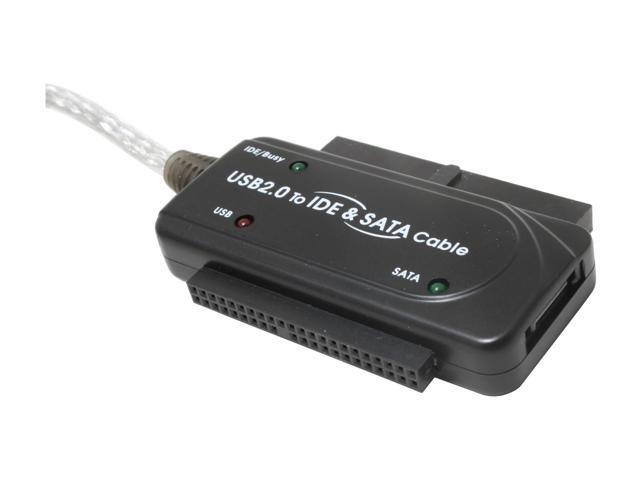
btw.. if you get this.. get a second ide drive (cheapest) do a system backup to that and you can do restore from that easily. |
|
Quoted:
save files you need to a flash drive, FDISK the hard drive, then reinstall the OS, then install AVAST. Free and works way better than AVG. I used to run AVG too before I realized it was full of holes. + 1 for Avast. I've been using it for years, catches things registered copies of McAfee miss. The forum is monitored by the developers, they were the first to have a working solution for the Vista beta. Free for life if you register, and never even one piece of spam from them. I can't say enough good things. |
|
Try simply wiping your HOSTS file.
This link shows how: http://malektips.com/spyware_adware_0017.html |
| There are so many ways a windows machine can get jacked up might want to try this forum: http://www.adoko.com/msg_board/default.asp |
|
Why doesn't anybody ever post questions in the forum that is filled with the same type of questions?
Urban Commandos |
| Go here, DSLReports these people know their shit, I am a member of the security updates committee. |

|
Quoted:
Quoted:
Sounds like your Browser is Hijacked. Try Malwarebytes and Spybot if you haven't already done so. 1+ I had a this problem awhile back. I haven't had it since I downloaded Malwarebytes.  I carry a copy of Malwarebytes on a flash drive on my key chain. I end up installing it about once a month on someone's computer that either can't connect or is redirected to the internet. Those virsuses are popping up everywhere. |