


Posted: 8/14/2004 7:07:39 PM EDT
| I can't find scandisc on this thing, did they do away with it or rename it or hide it really good? Used to run it on '98 all the time, just can't find it on XP. Can't find it in the manual, what gives? |
|
Oops, a day late and a dollar short.... Windows XP Tips Where has Scan Disk gone? Posted By: Byron Hinson Scandisk is not a part of Windows XP - instead you get the improved CHKDSK. You can use the Error-checking tool to check for file system errors and bad sectors on your hard disk. 1: Open My Computer, and then select the local disk you want to check. 2: On the File menu, click Properties. 3: On the Tools tab, under Error-checking, click Check Now. 4: Under Check disk options, select the Scan for and attempt recovery of bad sectors check box. All files must be closed for this process to run. If the volume is currently in use, a message box will appear prompting you to indicate whether or not you want to reschedule the disk checking for the next time you restart your system. Then, the next time you restart your system, disk checking will run. Your volume will not be available to perform other tasks while this process is running. If your volume is formatted as NTFS, Windows automatically logs all file transactions, replaces bad clusters, and stores copies of key information for all files on the NTFS volume. 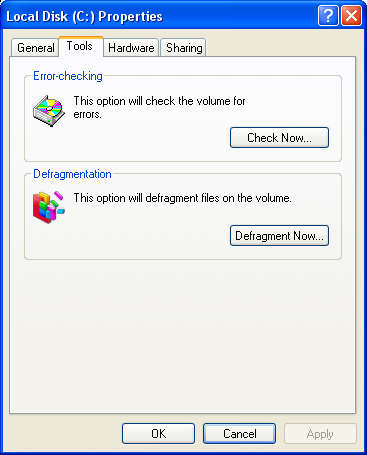
|