Posted: 8/24/2014 8:03:53 AM EDT
|
Oh wise computer Gurus of Arfcom; which SSD drive should I get for my desktop OS?
I've already got a TB black for storage and an old Raptor for my OS, but the new SSD's should even smoke the Raptor. What should I be looking for in speed? Size? Mfr? Price? Thanks! |

|
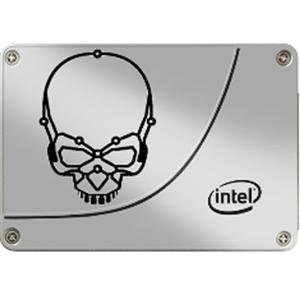
This MOST reliable is Intel. They do more testing, R&D, provide the most firmware support, and used the highest scrunized NAND cells above anyone else. A VERY close second is Samsung in quality, but their support is abysmal.
Those are the ONLY two brands I will consider until someone else rises to their level. I have 7 Intel branded SSD's that have been running 24x7 for years now. Zero failures. I have seen all the other brands used in our company fail over and over. Especially OCZ, Kingston, and then the litany of other brands who don't actually make them and just put their name on them and offer ZERO firmware update support. You get what you pay for. For the money, the Samsung EVO is hard to beat. 50 cents per GB. http://www.newegg.com/Product/Product.aspx?Item=N82E16820147248 http://www.newegg.com/Product/Product.aspx?Item=9SIA4YW1XY5360 For the utmost in trust: http://www.newegg.com/Product/Product.aspx?Item=N82E16820167177 http://www.newegg.com/Product/Product.aspx?Item=N82E16820167190 http://www.newegg.com/Product/Product.aspx?Item=N82E16820167189 http://www.newegg.com/Product/Product.aspx?Item=N82E16820167192 |
|
Quoted:
I've already got a TB black for storage and an old Raptor for my OS, but the new SSD's should even smoke the Raptor. There will be no comparison between SSD and your old raptor. Not even same ballpark. An SSD with near zero seek response time (latency), will breathe new life into any system. The biggest problem with getting an SSD, is that all other computers feel like a DOG without one. If you ever have to work on a PC with a spinning disk again, you will get frustrated. |
|
Newegg Ebay had this 1TB drive for $380 a few days ago, it's now $470 http://www.ebay.com/itm/SAMSUNG-840-EVO-MZ-7TE1T0BW-2-5-1TB-SATA-III-MLC-Internal-Solid-State-Drive-SS/380958373692?customid=a4bfd7929fb041aaa0feb19a1e90f976&pub=5574652453&afepn=5335869999&campid=5335869999&icep_id=117&ipn=icep&afepn=5335869999 |
|
Quoted:
This MOST reliable is Intel. They do more testing, R&D, provide the most firmware support, and used the highest scrunized NAND cells above anyone else. A VERY close second is Samsung in quality, but their support is abysmal. Those are the ONLY two brands I will consider until someone else rises to their level. I have 7 Intel branded SSD's that have been running 24x7 for years now. Zero failures. I have seen all the other brands used in our company fail over and over. Especially OCZ, Kingston, and then the litany of other brands who don't actually make them and just put their name on them and offer ZERO firmware update support. You get what you pay for. For the money, the Samsung EVO is hard to beat. 50 cents per GB. http://www.newegg.com/Product/Product.aspx?Item=N82E16820147248 http://www.newegg.com/Product/Product.aspx?Item=9SIA4YW1XY5360 For the utmost in trust: http://www.newegg.com/Product/Product.aspx?Item=N82E16820167177 http://www.newegg.com/Product/Product.aspx?Item=N82E16820167190 http://www.newegg.com/Product/Product.aspx?Item=N82E16820167189 http://www.newegg.com/Product/Product.aspx?Item=N82E16820167192 Very hard to disagree with anything here Good advice |
|
Good advice on brands above. I will emphasize, DO NOT get kingston, crutial, or anything other than samsung, intel, or possibly sansdisk. You will regret it in about two months when the fucking piece of shit craps the bed and you have to reimage back onto the ancient spinning do-hicky. |
|
Quoted:
There will be no comparison between SSD and your old raptor. Not even same ballpark. An SSD with near zero seek response time (latency), will breathe new life into any system. The biggest problem with getting an SSD, is that all other computers feel like a DOG without one. If you ever have to work on a PC with a spinning disk again, you will get frustrated. Quoted:
Quoted:
I've already got a TB black for storage and an old Raptor for my OS, but the new SSD's should even smoke the Raptor. There will be no comparison between SSD and your old raptor. Not even same ballpark. An SSD with near zero seek response time (latency), will breathe new life into any system. The biggest problem with getting an SSD, is that all other computers feel like a DOG without one. If you ever have to work on a PC with a spinning disk again, you will get frustrated. When I boot my work PC up, I wander the hall and talk to people for 3-5 minutes so when I come back it will be ready. My home PC's SSD has spoiled me. Kharn |
|
Quoted:
Good advice on brands above. I will emphasize, DO NOT get kingston, crutial, or anything other than samsung, intel, or possibly sansdisk. You will regret it in about two months when the fucking piece of shit craps the bed and you have to reimage back onto the ancient spinning do-hicky. I've had a Kingston HyperX 3K 120GB for over a year and it has been flawless. I also have a Samsung 840 Evo 250GB, no complaintes either. |
|
Quoted:
This MOST reliable is Intel. They do more testing, R&D, provide the most firmware support, and used the highest scrunized NAND cells above anyone else. A VERY close second is Samsung in quality, but their support is abysmal. Those are the ONLY two brands I will consider until someone else rises to their level. I have 7 Intel branded SSD's that have been running 24x7 for years now. Zero failures. I have seen all the other brands used in our company fail over and over. Especially OCZ, Kingston, and then the litany of other brands who don't actually make them and just put their name on them and offer ZERO firmware update support. You get what you pay for. For the money, the Samsung EVO is hard to beat. 50 cents per GB. http://www.newegg.com/Product/Product.aspx?Item=N82E16820147248 http://www.newegg.com/Product/Product.aspx?Item=9SIA4YW1XY5360 For the utmost in trust: http://www.newegg.com/Product/Product.aspx?Item=N82E16820167177 http://www.newegg.com/Product/Product.aspx?Item=N82E16820167190 http://www.newegg.com/Product/Product.aspx?Item=N82E16820167189 http://www.newegg.com/Product/Product.aspx?Item=N82E16820167192 I have an OCZ ssd and I will say that it has definitely seen some kind of file corruption and some small issues here and there. This man knows what he is talking about. Intel has their shit together. |
|
Quoted: you guys are missing one important thing, read / write speeds. some have a 6gb read while having a 3gb write. look to see that it is 6gb read/write. among other specs. |
|
Quoted:
There will be no comparison between SSD and your old raptor. Not even same ballpark. An SSD with near zero seek response time (latency), will breathe new life into any system. The biggest problem with getting an SSD, is that all other computers feel like a DOG without one. If you ever have to work on a PC with a spinning disk again, you will get frustrated. Quoted:
Quoted:
I've already got a TB black for storage and an old Raptor for my OS, but the new SSD's should even smoke the Raptor. There will be no comparison between SSD and your old raptor. Not even same ballpark. An SSD with near zero seek response time (latency), will breathe new life into any system. The biggest problem with getting an SSD, is that all other computers feel like a DOG without one. If you ever have to work on a PC with a spinning disk again, you will get frustrated. |
|
So, an SSD will be beneficial when booting up and when accessing and saving files on your computer. Right? IOW, it won't help you surf the web or type any faster, etc.
My computer boots from cold in less than one minute (Dell, Core 5i at 3.1 GHz, 8GB RAM, Win 7), and if files opened any faster I wouldn't really know what to do with them. Even big image files pop right open in my image editor. I have a buddy who went all SSD and he raves about it, but it seems more like bragging rights to me. 
ETA: I know this is the future, and one day we'll all have SSD's, but for now the price doesn't seem to justify it. And also, if your SSD "crashes", I understand your data is toast, whereas some data can usually be recovered from a conventional HDD. True? |
|
Quoted:
So, an SSD will be beneficial when booting up and when accessing and saving files on your computer. Right? IOW, it won't help you surf the web or type any faster, etc. My computer boots from cold in less than one minute (Dell, Core 5i at 3.1 GHz, 8GB RAM, Win 7), and if files opened any faster I wouldn't really know what to do with them. Even big image files pop right open in my image editor. I have a buddy who went all SSD and he raves about it, but it seems more like bragging rights to me.
ETA: I know this is the future, and one day we'll all have SSD's, but for now the price doesn't seem to justify it. And also, if your SSD "crashes", I understand your data is toast, whereas some data can usually be recovered from a conventional HDD. True? While on the surface your post is - technically - correct, in practice the differences are much deeper as far as user experience. The difference it makes when the interface has tiny pauses here and there are small, but significant. Having used SSDs for the past 10 years, i'll never go back to a traditional hdd. ETA: As far as stuff crashing, never depend on 'recovering' files from a HDD in the event of a crash. Backups / cloud storage / etc are the proper safety net there. |
|
Quoted:
So, an SSD will be beneficial when booting up and when accessing and saving files on your computer. Right? IOW, it won't help you surf the web or type any faster, etc. My computer boots from cold in less than one minute (Dell, Core 5i at 3.1 GHz, 8GB RAM, Win 7), and if files opened any faster I wouldn't really know what to do with them. Even big image files pop right open in my image editor. I have a buddy who went all SSD and he raves about it, but it seems more like bragging rights to me.
ETA: I know this is the future, and one day we'll all have SSD's, but for now the price doesn't seem to justify it. And also, if your SSD "crashes", I understand your data is toast, whereas some data can usually be recovered from a conventional HDD. True? 1) Try it. Trust me, just try it. 2) I don't know the truth of your statement, but you shouldn't need to recover data from your hard drive anyways. BACKUPS |
|
Quoted:
Samsung 830/840 series. this, I've been using these for 3 years now with 0 problems.(probably have over a hundred out in the field). Price wise, I've started using the EVOs for about a year now without complaints. I refurb my older machines as a money saving venture. spending a $137 for a 250g ssd vs $1800 for a new laptop keeps mgmt in a pretty good mood. |
|
Quoted:
So, an SSD will be beneficial when booting up and when accessing and saving files on your computer. Right? IOW, it won't help you surf the web or type any faster, etc. My computer boots from cold in less than one minute (Dell, Core 5i at 3.1 GHz, 8GB RAM, Win 7), and if files opened any faster I wouldn't really know what to do with them. Even big image files pop right open in my image editor. I have a buddy who went all SSD and he raves about it, but it seems more like bragging rights to me.
ETA: I know this is the future, and one day we'll all have SSD's, but for now the price doesn't seem to justify it. And also, if your SSD "crashes", I understand your data is toast, whereas some data can usually be recovered from a conventional HDD. True? the moment you start playing with LARGE files, the SSD is amazing to have. or game load times. |
|
Quoted:
How is the Pro model better than the EVO model? Quoted:
Quoted:
I couldn't be happier with my Samsung 840 Pro. Not the cheapest out there.....for a reason. How is the Pro model better than the EVO model? Pro uses MLC, Evo uses TLC. MLC (Pro) is better. Pro also is faster. In practical terms, it is probably moot. Both drives will last longer than you'd probably care to use them and they will seem the same speed in daily use. |
|
Quoted: After extensive reading, I chose a Samsung 840 EVO. I don't think it was the fastest of their lines, but it was reliable and affordable. I'm pretty happy with it. My old computer is fast now. Too bad I only have a sata2 bus and can't even see the speeds the ssd is capable of. I don't think the speed/cost factor of the pro series is worth it. eta: the lowest shipped price I found was at BH photo. |
|
I just bought one of these yesterday at Microcenter for $109 and installed it in a mid-2009 15" MacBook Pro. The laptop is noticeably faster, and battery life is improved. I'll probably get an extra hour out of the battery now.
|
|
Quoted:
So, an SSD will be beneficial when booting up and when accessing and saving files on your computer. Right? IOW, it won't help you surf the web or type any faster, etc. My computer boots from cold in less than one minute (Dell, Core 5i at 3.1 GHz, 8GB RAM, Win 7), and if files opened any faster I wouldn't really know what to do with them. Even big image files pop right open in my image editor. I have a buddy who went all SSD and he raves about it, but it seems more like bragging rights to me.
ETA: I know this is the future, and one day we'll all have SSD's, but for now the price doesn't seem to justify it. And also, if your SSD "crashes", I understand your data is toast, whereas some data can usually be recovered from a conventional HDD. True? Your computer boots in under a minute? I have 1 samsung 840 evo and it boots in about 3 or 4 seconds. Open office which usually takes forever to boot is now instant. Photoshop boots in about 2 seconds. BTW, have you seen the prices of data recovery from a mechanical hard drive failure? |
|
Quoted:
How are you guys setting up your back ups after installing an SSD? Do you keep a large HDD installed on your system specifically for back ups or what? I keep a large drive on the system for backups, and periodically move backups and important documents to an external raid box. |
|
Intel for reliability. Crucial for value. Samsung and Sandisk are mostly ok as well, but other brands have some problem models, usually in the controller. Stick with Intel if you want the absolute best reliability, do your research before buying other brands to make sure you are getting one of their good models. |