


[ARCHIVED THREAD] - Ghetto Dual Screen (Page 1 of 2)
Posted: 12/7/2011 6:42:34 PM EDT
AKA: How to surf on your laptop, like a boss.  |

|
Quoted: AKA: How to surf on your laptop, like a boss. https://lh4.googleusercontent.com/-oReLuP33YO0/TuAt1F6zmfI/AAAAAAAAAYQ/gM1uIHy355I/s640/2011-12-07%25252022.22.23.jpg that would be great for doing accounting hw at school. |
|
This is what I need! |
|
nice 17s |
|
Quoted: What's the 2nd screen from? http://www.mimomonitors.com/ It's a little cumbersome to have it actually on your lap itself due to the moment arm from the extra weight, but it's more than doable. On a solid surface it's FTW. The maximum viewing angle and brightness both leave a little bit to be desired, but as a dedicated screen to watch girls masturbate while you do other things, it works pretty good. |

|
|
Needs more Homer bucket. |
|
Super, and if you want to sit at a desk, preferred. Due to a variety of reasons I won't bore arfcom with, I need to be able to work efficiently from any room in the house. |
|
? These are 23" Dell Ultrasharps. |
|
Quoted:
Super, and if you want to sit at a desk, preferred. Due to a variety of reasons I won't bore arfcom with, I need to be able to work efficiently from any room in the house. I hear you. I like the monitor you have. Ive wanted something like that for traveling. |
|
Quoted: Quoted: Super, and if you want to sit at a desk, preferred. Due to a variety of reasons I won't bore arfcom with, I need to be able to work efficiently from any room in the house. I hear you. I like the monitor you have. Ive wanted something like that for traveling. When I was laptop shopping in the spring, I had shortlisted this Lenovo for a time.  Aside from the fact that it weighs a billion pounds, I felt it was terribly overpriced for what you actually get. |

|
is that a steelseries 6gv2? i dig how do you like it? |
|
Where can I find that desk? I've been looking for a good corner desk like that. |
|
Quoted: Quoted: What's the 2nd screen from? http://www.mimomonitors.com/ It's a little cumbersome to have it actually on your lap itself due to the moment arm from the extra weight, but it's more than doable. On a solid surface it's FTW. The maximum viewing angle and brightness both leave a little bit to be desired, but as a dedicated screen to watch girls masturbate while you do other things, it works pretty good. I may need this for... "work?" Yeah, that's the ticket.  |
|
Damn, you have a clean work space. Mine is covered in dust and used tissues and pens and pencils. |


|
Quoted:
zomgcane command center where's your tin foil hat? |
|
Quoted: No, this is ghetto dual screen... http://i293.photobucket.com/albums/mm64/shtblocker/IMG_20111207_233144.jpg My boss prefers a second monitor turned in a portrait configuration for reading documentation. I goofed on him for a little bit, but he showed me how he liked to work and I had to agree it was a good solution. If I actually had a desk I worked at, I'd run quadruple head, with a triple configuration similar to 3one5 posted above, and an additional large fourth monitor turned on the side just for reading walls of text. |
|
Quoted: Quoted: AKA: How to surf on your laptop, like a boss. https://lh4.googleusercontent.com/-oReLuP33YO0/TuAt1F6zmfI/AAAAAAAAAYQ/gM1uIHy355I/s640/2011-12-07%25252022.22.23.jpg that would be great for doing accounting hw at school. No kidding, I could use it to do work on the road much easier. I am spoiled rotten by having two screens. |
|
Quoted: Quoted: zomgcane command center where's your tin foil hat? on my nuts so I can have kids |
|
Quoted:
Quoted:
No, this is ghetto dual screen... http://i293.photobucket.com/albums/mm64/shtblocker/IMG_20111207_233144.jpg My boss prefers a second monitor turned in a portrait configuration for reading documentation. I goofed on him for a little bit, but he showed me how he liked to work and I had to agree it was a good solution. If I actually had a desk I worked at, I'd run quadruple head, with a triple configuration similar to 3one5 posted above, and an additional large fourth monitor turned on the side just for reading walls of text.
I only did it that way because my tower used to be on the left of my widescreen and I didn't have enough room to keep it horizontal. The viewing angle sucks on this monitor, so the bottom half of the screen is pretty much useless. |
|
This may be a silly question, but I'll ask anyway. I currently use my laptop as my main computer at work and use a docking station with my laptop monitor as #1 and another monitor as #2. Is there anyway to run two additional monitors from my laptop instead of just one? |
|
Quoted:
Quoted:
Quoted:
zomgcane command center where's your tin foil hat? on my nuts so I can have kids touche |
|
Quoted: This may be a silly question, but I'll ask anyway. I currently use my laptop as my main computer at work and use a docking station with my laptop monitor as #1 and another monitor as #2. Is there anyway to run two additional monitors from my laptop instead of just one? Short answer is it depends, and the long answer is yes. My Envy for example, natively supports two external monitors, one off the HDMI port and one off the DisplayPort (you can get DP to HDMI adapters). Using DisplayLink tecnology, you should be able to plug as many USB monitors into your computer as you have USB ports. I haven't read enough about DisplayLink to give an expert opinion, but there are definitely limitations compared to using a real display protocol. There are also USB to VGA adapters. |
|
Quoted:
Quoted:
Quoted:
Super, and if you want to sit at a desk, preferred. Due to a variety of reasons I won't bore arfcom with, I need to be able to work efficiently from any room in the house. I hear you. I like the monitor you have. Ive wanted something like that for traveling. When I was laptop shopping in the spring, I had shortlisted this Lenovo for a time. http://images.gizmag.com/hero/10607_231208121033.jpg Aside from the fact that it weighs a billion pounds, I felt it was terribly overpriced for what you actually get. A co-worker / board member has one and hates to travel with it because of the weight and size. Its extremely thick and the power brick is .... Well, a brick. |
|
Quoted:
Where can I find that desk? I've been looking for a good corner desk like that. Ikea Galant |
|
Quoted:
Quoted:
This may be a silly question, but I'll ask anyway. I currently use my laptop as my main computer at work and use a docking station with my laptop monitor as #1 and another monitor as #2. Is there anyway to run two additional monitors from my laptop instead of just one? There are also USB to VGA adapters. We have a few people using usb to vga and dvi adapters and they work well. |
|
Quoted:
Quoted:
This may be a silly question, but I'll ask anyway. I currently use my laptop as my main computer at work and use a docking station with my laptop monitor as #1 and another monitor as #2. Is there anyway to run two additional monitors from my laptop instead of just one? There are also USB to VGA adapters. We have a few people using usb to vga and dvi adapters and they work well. |
|
Where'd you get the desk? I'm thinking about replacing my desk at home with one like that. |
|
Quoted:
Where'd you get the desk? I'm thinking about replacing my desk at home with one like that. i believe its from ikea |
|
Quoted:
Quoted:
Where'd you get the desk? I'm thinking about replacing my desk at home with one like that. i believe its from ikea Correct, ikea Galant. Nice desk for the money. |
|
Any info on your monitor "stand"? |
|
Quoted:
Quoted:
Quoted:
Where'd you get the desk? I'm thinking about replacing my desk at home with one like that. i believe its from ikea Correct, ikea Galant. Nice desk for the money. Yeah, nice, I saw your post above mine after I finished reading! I've got a glass surface desk with a corner piece, but it's divided off and is not flat, so I can't effectively use the corner. I want something like you have, something that is just a flat corner piece and one side. As for the OP topic, I run one 22" monitor at home, and don't have need of anything more. I have a little nettop box that I run a 46" LCD off of. A 46" TV that is. Now, at work, I'd love to have multiple 24" monitors... but for now I have a nice 22" and a semi-crappy 17". I'll eventually replace the 17" with another 22". |
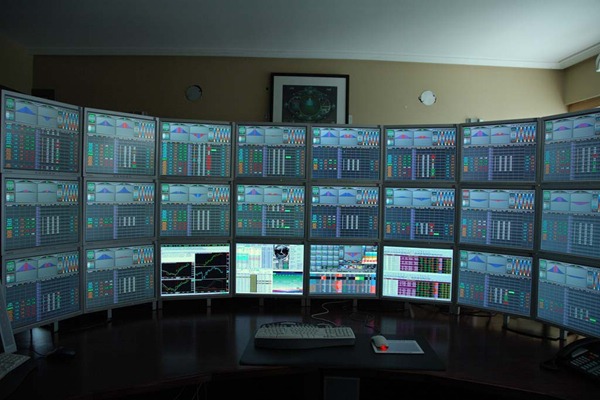
 |
|
[H] resident? |
|
Quoted: Quoted: Quoted: Super, and if you want to sit at a desk, preferred. Due to a variety of reasons I won't bore arfcom with, I need to be able to work efficiently from any room in the house. I hear you. I like the monitor you have. Ive wanted something like that for traveling. When I was laptop shopping in the spring, I had shortlisted this Lenovo for a time. http://images.gizmag.com/hero/10607_231208121033.jpg Aside from the fact that it weighs a billion pounds, I felt it was terribly overpriced for what you actually get. It is worth it, I had one. |
|
Quoted:
This may be a silly question, but I'll ask anyway. I currently use my laptop as my main computer at work and use a docking station with my laptop monitor as #1 and another monitor as #2. Is there anyway to run two additional monitors from my laptop instead of just one? usb video adapter would work I think |
|
Quoted: Quoted: but as a dedicated screen to watch girls masturbate while you do other things, it works pretty good. winning  It took me like 2 minutes to be able to snap this pic. "No honey, I want to take a picture but I can't because you are showing too much you need to move in closer and pull your shirt up over your shoulders" She couldn't understand what I was telling her to do but finally we got there. Damn arfcom BOTD rules  |

|
Yes Sir :) |
|
Quoted: Quoted: This may be a silly question, but I'll ask anyway. I currently use my laptop as my main computer at work and use a docking station with my laptop monitor as #1 and another monitor as #2. Is there anyway to run two additional monitors from my laptop instead of just one? Short answer is it depends, and the long answer is yes. My Envy for example, natively supports two external monitors, one off the HDMI port and one off the DisplayPort (you can get DP to HDMI adapters). Using DisplayLink tecnology, you should be able to plug as many USB monitors into your computer as you have USB ports. I haven't read enough about DisplayLink to give an expert opinion, but there are definitely limitations compared to using a real display protocol. There are also USB to VGA adapters. Thanks. I have a DisplayPort on the side of my Dell Latitude E6510 and I even have a DP to HDMI adapter, but when I tried to plug it into my TV it would not work. I grabbed the wife's laptop and used her direct HDMI so I did not follow up. I know that I am going to purchase a larger second monitor but it would be nice to keep the smaller one that I have now in addition to a new and larger monitor. |
|
THIS = WIN |