


Posted: 7/18/2012 2:15:53 PM EDT
| Looking at the idea of setting up a remote weather station at our seconday home. I have internet access down there, but would like the idea to monitor the outside temperature as well as the temperature inside the house. Does anyone have any suggestions? |
|
Quoted: Thanks. I looked at the Davis ones, but not alot of remote networking options. I was hoping for something like the security cameras where it connects via an ethernet cable and is POE. I've had my eye on a Davis 6250 for awhile. This software may do what you need. |
|
In another thread someone posted up their home weather station. They gave me the following links.
Weather Display Sensors I haven't made the plunge yet, as I am trying to find a tower first. However, the weather display sounds exactly like what you are after. Weather Display is the software to get the most from your weather station. Not only does it support a huge range of stations from all the major manufacturers but it's also stacked with features and options. These include real time, auto scale and graph history graphing, FTP of the weather data to your web page, pager and email notifications of extreme conditions, web download, Metar/ Synop emails, averages/extreme/climate/NOAA reports, web cam upload, grouped file uploads, FTP downloads, decoded metar download's, APRS output (internet and direct com port as well) ,WAP, direct web cam capture, animated web cam images, weatherdials, weather voice, weather answer phone, use of Dallas 1 wire sensors (such as lightning counter, solar sensor, barometer sensor and extra temperature/humidity sensors with any weather station), use a Labjack to add extra temperature or humidity sensor to your existing weather station (USB)... and lots more!
|
| I'm running a Tycon Power unit. So far I've been happy. It integrated pretty smoothly with my Linux box and I update Weather Underground. With the WU app on my phone I can always check my PWS (personal wx station). |
| As far as monitoring the inside of the home, check out Smart Home they have a great selection of remote monitoring and control for you home. |
|
I run a Davis 6250 and Virtual Weather station pro but that requires a PC to run the site or to upload to a webserver. I have been through 2 Oregon Scientific devices and laCrosee was the worst and only lasted a few months. Virtual Weather station pro will upload images on a scheduled basis but I don't think video. Although if you have a webcam you could easily embed the feed into the virtual weather station website. I highly recommend Ambient they can help with what you are looking for.
|
|
Thanks for the links. The Hobby Boards Temperature sensor or the one from Ambient Weather looks similar to what I am looking for. I was hoping to find one that connected via POE to my computer. Looks like I may have to piece one together or get the Davis one and add an internal sensor for the inside of the house.
I tried finding temperature sensors for server rooms that had remote monitoring, but did not come up with much. |
|
Too tired now to post pix but here's what I do.
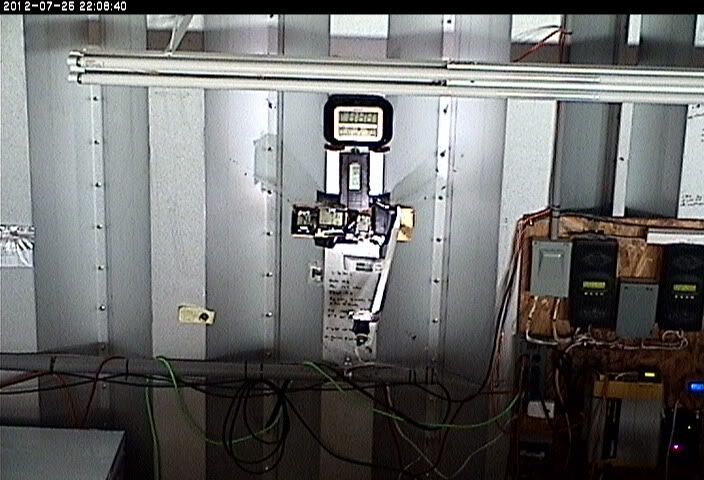
I take a PT and preferably Z [zoom] IP cam and set up a bunch of wireless thermometers and volt meters, put the solar controllers set up so I can zoom in on them, etc and have a great remote monitoring capability! To illuminate at night I get a small 110vac LED lamp [if off grid system] and point it at the instruments. Just checked my system and looked at the OD, ID, battery voltage, new room interior temp, frig and freezer temps, charge today from the 3 Outbacks, and looked around outside for bears and stuff. The fly trap I wrote abt a week or so ago, one of them had the yellow 'fly funnel' ripped off the lid by some malicious creature. 
And I'm not even there at the moment. 
|
|
The Davis Vantage Vue has an Ethernet dongle available. Linky!
If you are an amateur radio op, you can use aPRS with no need for an Internet connection if you can hit a digit eater/igate. |


|
Quoted:
If you are an amateur radio op, you can use aPRS with no need for an Internet connection if you can hit a digit eater/igate. Just have to make sure your station has a serial output. My Tycon doesn't so I have to be connected to a PC on the internet. Not a big deal for me, though. |
|
Quoted:
Thanks for the links. The Hobby Boards Temperature sensor or the one from Ambient Weather looks similar to what I am looking for. I was hoping to find one that connected via POE to my computer. Looks like I may have to piece one together or get the Davis one and add an internal sensor for the inside of the house. I tried finding temperature sensors for server rooms that had remote monitoring, but did not come up with much. I may be the one swoop411 referred to above with the 1-wire weather station (the Hobby Boards stuff). I actually started down that road when I was looking for a way to monitor the temp in a number of different chick brooders. The 1-wire protocol/parts turned out to be perfect for that; the wiring is dead simple and the whole thing can be done pretty cheaply if you don't mind tinkering. For a simple temperature monitor, you don't even really need the whole Hobby Boards sensor (the $18 one). You really only need the $4.50 DS18B20 chip, which can be directly soldered to cat 5 cable, with as many of the sensors as you like daisy-chained off the same wire (ideal for your server room monitoring). If you didn't stumble across it already, there's a good intro to 1-wire basics on the Hobby Boards site. All you really need is the sensor, the adaptor that hooks the 1-wire network to the PC, and some software to read the values returned by the devices. I use the Weather Display software you already mentioned now, but started out "rolling my own" using instructions from the Weather Toys book also available at Hobby Boards. If you're willing to spend a little time to learn some very basic java programming, you're really only limited by your imagination in how to read and display the data from any number of sensors. With no java experience at all, I hacked my way through enough of it to get my brooder monitoring up and running. Once I started messing around with anemometers, barometers and whatnot though, I switched over to Weather Display - purely out of laziness  . .
Another thing I really like about the 1-wire stuff, and which may turn back into doing my own coding, is that there are other goodies that run off it too, like this relay controller. That opens up some new doors... like "turn off brooder lamp when temperature > 95F" or "turn off sprinkler system when rain total > .10". Interesting stuff. But a turnkey system, it ain't. |
|
Quoted:
With the 1-wire hobby boards it looks like it has an RJ45 connector built in. Can I connect it directly to my computer via an ethernet cable? no. first, the connector is an RJ12 (6 position); second, 1-wire is a simplistic sensor protocol not compatible in any way with ethernet. hence, you will need some type of adapter for your PC to speak 1-wire, typically on the USB port or legacy serial port. these adapters are relatively inexpensive. using the adapter and standard flat telephone cord, you can then connect up multiple 1-wire sensors. note that there are cable adapters that allow you to use standard CAT5/6 patch cables or in-building wiring for 1-wire networking, but as noted that does not mean that you can connect 1-wire devices to an ethernet port. example adapter: http://www.hobby-boards.com/store/products/1%252dWire-USB-Adaptor.html for more background on 1-wire, see https://www.hobby-boards.com/store/pages.php?pageid=3 and of course the Maxim Semiconductor website (Dallas Semi was the inventor of the 1-wire protocol. Dallas Semi was eventually acquired by Maxim Semi, and the combined company is now know as Maxim. all DSxxxx series parts are Dallas Semi designed). http://www.maxim-ic.com/products/1-wire/ btw, Maxim has a good samples program, which can net you free parts: https://shop.maxim-ic.com/storefront/searchsample.do?menuitem=Sample&event=SampleSearchLoad ar-jedi |
|
Its says on the product page "This device comes with dual RJ45 connectors, as well as screw terminals, for easy connection to your 1-wire network."
But reading the additional pages, it is like you said. It needs a power source and USB adapter. I was hoping to find one that was POE. |
|
Quoted:
Interesting stuff. But a turnkey system, it ain't. lol, you got that right! 
e.g. http://www.ar15.com/forums/t_10_22/658143_andlt_not_off_topic_for_the_forumandgt_.html&page=1#i11237451 and http://www.ar15.com/forums/t_10_22/652956_side_of_house__wall___eave__mount_for_an_antenna_.html&page=4#i11240830 ar-jedi |
|
Quoted:
Its says on the product page "This device comes with dual RJ45 connectors, as well as screw terminals, for easy connection to your 1-wire network." But reading the additional pages, it is like you said. It needs a power source and USB adapter. I was hoping to find one that was POE. many 1-wire devices can operate in one of two modes: local power and "parasitic power". with local power you need a power source near the device. with "parasitic power", the 1-wire master (e.g. the USB adapter attached to the PC) remotely provides the power for the device. there are limitations with the parasitic approach that you have to mind, otherwise you are going to get unspecified results –– meaning bad or no data from the sensor. ar-jedi |
|
Quoted:
... no. first, the connector is an RJ12 (6 position); They actually are RJ45's, at least on all the devices I have. But only three pins are used. I imagine they (HB) went with that architecture because RJ45/Cat5 stuff is so ubiquitous; at least marginally easier to get parts. But as you mention, it's all incompatible with standard ethernet hubs, switches and adapters. |