


Posted: 5/10/2015 9:39:25 AM EDT
|
When I got to my computer today, the monitor screen was white. After some experimentation I discovered that turning the monitor off and then turning it back on would fix the problem for a short period of time, but then it goes white again. I assumed it was the monitor.
I then hooked the monitor (same cable) to a laptop and it worked flawlessly. Every time I hook it back to the PC, it soon jumps back to a white screen. This makes me think it's either the onboard video adaper or simply the video jack (the old fashioned boxy type with two screws). The PC has an HDMI slot but the monitor does not. Is my solution to simply buy a stand-alone graphics card and install it? Could there be some internal setting on my PC that is causing this? I've had this PC for several years with no problems. |
|
What do you mean "when I got my computer today?" Did you just buy it? Was it out for repair? Where was it?
Yes, it sounds like the video card to me, but it may be under warranty. This is assuming you didn't have it out to be worked on. Have you done the updates to the drivers and OS? Have you ran scans on the drive, memory, and virus/malware scans? Have you installed any new programs? ETA: Just saw the "to," so I assume you mean when you turned it on today. Still do the appropriate scans and look at an newly installed software. If not, yes, you probably need a video card, or a new motherboard, if you want to go that route. |

|
Quoted:
What do you mean "when I got my computer today?" Did you just buy it? Was it out for repair? Where was it? Yes, it sounds like the video card to me, but it may be under warranty. This is assuming you didn't have it out to be worked on. Have you done the updates to the drivers and OS? Have you ran scans on the drive, memory, and virus/malware scans? Have you installed any new programs? I was referring to the first time I used my computer today. We've had this computer for 3-5 years so I doubt it has warranty. the only updates I've done are the automatic Windows updates but I restarted in Safe mode and it's working fine. I had seen something in regards to this when I was looking online for solutions so I don't know what the monitor working fine in safe mode means. |
|
Quoted:
I was referring to the first time I used my computer today. We've had this computer for 3-5 years so I doubt it has warranty. the only updates I've done are the automatic Windows updates but I restarted in Safe mode and it's working fine. I had seen something in regards to this when I was looking online for solutions so I don't know what the monitor working fine in safe mode means. Quoted:
Quoted:
What do you mean "when I got my computer today?" Did you just buy it? Was it out for repair? Where was it? Yes, it sounds like the video card to me, but it may be under warranty. This is assuming you didn't have it out to be worked on. Have you done the updates to the drivers and OS? Have you ran scans on the drive, memory, and virus/malware scans? Have you installed any new programs? I was referring to the first time I used my computer today. We've had this computer for 3-5 years so I doubt it has warranty. the only updates I've done are the automatic Windows updates but I restarted in Safe mode and it's working fine. I had seen something in regards to this when I was looking online for solutions so I don't know what the monitor working fine in safe mode means. Try rolling back your video driver or, if it's out of date, try downloading the newest driver from the manufacturer and installing. It's been a while since I worked on any integrated video card problems, but I assume this is still applicable... |
|
If it works fine in safe mode then the error points to a bad video driver. As the other person said, you could roll back any updates if that feature is available to you. Or delete the driver, reboot and reinstall it. Since you have another machine, might want to download the correct driver for your video card and operating system.
|
|
Rollback didn't work either, in fact it seems worse now.
Will a new video card fix this? I've been looking for an excuse to upgrade so I can enhance my World of Tanks experience. If a new card will solve this issue, I'm not going to mess with the onboard video card. |
|
Quoted:
Rollback didn't work either, in fact it seems worse now. Will a new video card fix this? I've been looking for an excuse to upgrade so I can enhance my World of Tanks experience. If a new card will solve this issue, I'm not going to mess with the onboard video card. Yes. While you're at it, buying a monitor that supports DVI/HDMI isn't a bad idea for other reasons, either. |
|
Quoted:
Odds are the roll back removed some windows updates. Delete the video driver and reboot into normal mode. Windows will try to reinstall it or use a generic driver. Try safe mode with network support if possible. All that is beyond my comfort zone so I'm just going to buy a new video card. I appreciate your help, it helped me decide how to handle this. |
|
Quoted:
Yes. While you're at it, buying a monitor that supports DVI/HDMI isn't a bad idea for other reasons, either. Quoted:
Quoted:
Rollback didn't work either, in fact it seems worse now. Will a new video card fix this? I've been looking for an excuse to upgrade so I can enhance my World of Tanks experience. If a new card will solve this issue, I'm not going to mess with the onboard video card. Yes. While you're at it, buying a monitor that supports DVI/HDMI isn't a bad idea for other reasons, either. I was actually excited about getting to replace my square monitor with a widescreen but budget issues make this a one-at-a-time situation. I definately plan to upgrade in the near future. |
|
Quoted:
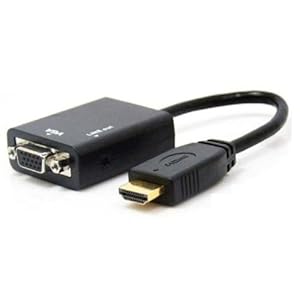
crack open the case and see what slots you have open. you can get video cards pretty cheap. I usually keep a pci card just to rule out video card issues, or to let me limp along till I can get a replacement. you have to know this before you order one. I checked my motherboard and then checked online and I have 1 (ONE!!!) expansion slot and it's a PCI-Express x16. I ordered a 2GB Nvidia card from Bestbuy and will pick it up later today or tomorrow. I built my last 3-4 computers but my skills end at plug-n-play and the most simple settings on the motherboard. Troubleshooting is beyond me and I'm hoping the video card drops right in and works. I've been playing world of tanks at the lowest graphics setting so it will be nice to bump those up a bit. |
|
Quoted: Yes. While you're at it, buying a monitor that supports DVI/HDMI isn't a bad idea for other reasons, either. Quoted: Quoted: Rollback didn't work either, in fact it seems worse now. Will a new video card fix this? I've been looking for an excuse to upgrade so I can enhance my World of Tanks experience. If a new card will solve this issue, I'm not going to mess with the onboard video card. Yes. While you're at it, buying a monitor that supports DVI/HDMI isn't a bad idea for other reasons, either. |
|
Quoted:
Which Nvidia card did you order? You may want to double check your power supply rating and video card requirements. Thanks!! You are right on the money! My PC has a 300W power supply and the one I ordered has a minimum requirement of 400W. How do I check the video card requirements? Here are the specs for my PC |
|
Just google Nvidia <Number> Gt/gtx/se/whatever you got, and in the specifications it will say what the video card needs, and how many connectors.
If you don't meet the specs, you'll be much happier spending $100 on a power supply that will handle everything nicely (about 50% more than needed, never run them at max). Otherwise your 3D experience won't be as good. It may not be awesome, but a new cheap NVidia card blows away a top of the line card from when your PC was built. |
|
UPDATE:
I installed a 520W power supply and a 2GB video card. I plugged the monitor into the new card and Disabled the onboard video. the PC worked fine but Device Manager and the video card CD were not picking up the new card. My video was coming thru it but it was showing up as a generic vga adapter. Pluse world of Tanks would not launch. I went to the NVidia website and downloaded and installed the correct drivers. Now it's going back to white screen on a constant basis. What the Fuck?! 
|
|
Quoted: If it works fine in safe mode then the error points to a bad video driver. Generally, but not always 100% true. There can be problems with the GPU itself but it still works fine in vanilla VGA mode (which is what safe mode uses). Once you fire up the driver and start actually using the GPU, boom. Not what is happening to the OP, but I had a laptop with an outboard GPU with a separated heatsink. Safe mode, linux live disk, whatever all worked fine because it was just using integrated graphics. The as soon as I installed GPU drivers, instant thermal safety shutdown. |
