


Posted: 7/24/2007 7:49:05 AM EDT
|
Got links? I've never built a tower from scratch and find that Dell comps and their options are quite good. But I'd like to dabble, so to speak, with building a tower, primarily for photography use. Primary programs will be Adobe Lightroom, Canon Digital Photo Pro I found that Antec 1080b towers are great towers. But the needed parts are: Power supply Motherboard CPU Memory Video card Already have from my current tower: 13in1 in-tower card reader USB/Firewire PCI card Sound card (I assume its compatible with all motherboards of all years) DVD writer CD writer 3.5 floppy (hey why not LOL) My challenge is that, while, I can swap components and all that, I don’t know how to even choose a motherboard or CPU or memory or what the “good” components are  thanks, dan |
well since its a full size tower (Fits standard ATX / Xeon (PIII Core) / Pentium 4) buy a full size board. i love companies that sell you a full size case and put a micro atx board in it.  the full size board will allow you to expand your system more than the micro board, obviously i hate ripping a working computer apart, why not just buy all new components and use the other system as a spare ? |

Well the other one is more of a long term borrow (that I have installed those extras into) As for the other stuff you just said I have an idea of what you are talking about but still need smaller words eta: Is 'standard ATX' just like saying 'gasoline'? (No matter what kind of car it is they all use 'gasoline') |
|
Ok, lets use this as an example, a baseline if you will, of what someone would want (or not want): www.tigerdirect.com/applications/SearchTools/item-details.asp?EdpNo=2945331&Sku=I69-2145%20GRID Intel 975XBX2KR Intel Socket 775 ATX Motherboard with an ATX Mid-Tower Case and a 700 Watt Power Supply Ultra Grid ATX Mid-Tower Case with Clear Side, Front USB, Audio Ports and Ultra XVS-Series 700-Watt Power Supply The Ultra Grid features an impressive exterior design, implementing a stealth black finish and a cool mesh front bezel. The side of the front bezel supports audio input/output jacks as well as two USB ports.The door conceals all but one drive bay, but opening the magnetically latched front door exposes all four 5.25" bays and two 3.5" bays. - Side Panel Type: Clear - Special Features; Tool-Free Drive Bays - Power Supply: 700 Watt Intel 975XBX2KR Intel Socket 775 ATX Motherboard The board is based on the Intel® 975X Express Chipset that supports the Intel® Pentium® processor Extreme Edition, a 1066-MHz system bus, dual-channel DDR2 667 memory and multiple simultaneous PCI Express* x16 graphics cards. - Chipset: Intel 975X - Front Side Bus: 800/1066MHz - Processor Interface: Socket 775 |
Most new stuff uses SATA cables, AGP has been dumped for PCI-e, and there are some other things too. Your old optical drives are probably IDE - you might need to check into that. You don't mention a budget - so I'll just throw one out there - $1000 for the parts you need: Power supply - Antec True Power Trio TP3-550 ATX12V 550W - $80 Motherboard - GIGABYTE GA-P35-DS3R LGA 775 Intel P35 ATX Intel Motherboard - $130 CPU - Intel Core 2 Quad-core Q6600 - $375 Memory - Patriot eXtreme Performance 2GB DDR2 800 - $120 Video card - EVGA GeForce 8800GTS 320MB - $280 Those are approximate prices from newegg.com as of 7/24/07. There are $65 in mail-in rebates (which is not included in the price above) available. Also, the Q6600 is SUPPOSED to only cost $266 dollars, but there's a huge demand for them right now and so the markup is pretty crazy (as you can see  ). A quad core processor is the best for photoshop stuff though. ). A quad core processor is the best for photoshop stuff though.You'll also need an operating system (Windows Vista Ultimate is about $200). By the way - you didn't list that you needed a hard drive, yet you also didn't list that you already had one either. So, if you need a hard drive, that's something else to consider. |
|
Thanks for all the detail (and the time involved). Part of my dilemna is that a 'system' from Dell is well priced and normally tested together as a system, ie: certain cards with this processor, certain memory with this board, etc. and then there is that satisfaction of building it on your own. I have a 40gb IDE drive (plus another in an older, unused computer) and a 160gb IDE drive, internal, and one 500gb SATA drive serving as a backup drive (currently in an external enclosure hooked up by USB) I chose the SATA for potential use in a future tower but the I would use a smaller drive for OS and programs, so it would make sense to get a another, 'small', SATA drive. I do have WinXP Pro and I would simply go with that instead of Vista at this time. This seems reasonable, what do you guys think? www.tigerdirect.com/applications/SearchTools/item-details.asp?EdpNo=2945441&CatId=336 You get an Intel Desktop Board D975XBX2 Extreme Series motherboard plus a powerhouse Intel Socket 775 processor with 800/1066MHz FSB support, for an absolutely unbeatable price. These are high-performance, extremely valuable components. And we’re selling them at an extremely low price. If you want to upgrade the CPU, add on memory, add a power supply, or do all three -- just click the "CUSTOMIZE THIS MODEL" button above, and we'll send them to you right away, already installed. Either way, you're either going to have the makings of a killer system. Build it yourself, with lots of help from us! Take advantage of this unique opportunity today. |
|
Having built a thousand or three PCs for others, and scores for myself, I've evolved some rules which may or may not apply to you. 1. Never cannabalize a working box for a non-working box. "Non-working" includes "new". Very often the parts don't mesh, and you hose the drivers pulling them. Then you have two machines that don't work. 2. Never buy the top of the line screaming eagle for a thousand bucks, when you can build the top of the line screaming eagle from 6 months ago for $200. By the time you get your second tier eagle flying, Microsoft just MIGHT have the code written to support it. 3. Two capable computers will outperform one bragging level "do everything" PC. Both a dump truck and dirt bike will get you to the grocery store, but the similarities end there. Design the machine around its intended use. Forty gigs should be fine for an XP OS drive. Most of the Win2k Advanced Server systems I built had either 4 or 8 gigs partitioned for the OS. XP is bloatedm, but W2K has a bigger footprint still. Like I said, these tenets work for me, but YMMV. |
These prices seem high... i use Tweak News to obtain prices. Save some money and do some searching on this site or other pricegrabbers to obtain the best price! |
|
i think you could get by on much less than what that's saying. granted, some of it's true, but overall, you should be able to build yourself a pc for your requirements for around $500. the reason why dell is good is that you get what you want NOW for a good price and a warranty (help desk, too). the reason why dell is bad is if you ever want to upgrade, you have to call dell and pay them to do it. can't just go out and buy a part and throw it in there because it voids that warranty you paid for. also, i'm an AMD fan, so i wouldn't recommend you buy anything more than a 64 bit AMD processor. about 1 gig of memory, an nVidia 7300gt card should do you fine. get a pci-x capable motherboard with sata hard drive and 3 expansion slots for memory and i think you'd be more than happy. at that point if it's a little slow for you, throw in another memory stick. |
|
I'll simplify the madness Utilize TweakNews and compare prices with online vendors. It will get you the most bang for your buck. |
|
Ok, what do you guys think of this so far: Intel Core 2 Duo E4400 Allendale 2.0GHz 2M shared L2 Cache LGA 775 Processor ASUS P5N-E SLI LGA 775 NVIDIA nForce 650i SLI ATX mobo G.SKILL 2GB (2 x 1GB) 240-Pin DDR2 SDRAM DDR2 800 (PC2 6400) Dual Channel Kit Desktop Memory SAPPHIRE 100172L Radeon X1550 256MB 128-bit GDDR2 PCI Express x16 Video Card This combo alone, delivered, is $397.31 |
|
How easy is it to take an IDE drive from one computer and simply drop it in another? Will it figure out its new home? Or does the OS (and ALL the programs ) need to be reinstalled on the newly formatted drive?Perhaps doing so, anyway, using a SATA drive would be a better move? |
It'll work but it'll be a mess. The machine is going to try to load all kinds of drivers and stuff for hardware that isn't there, and will also detect about a gazillion pieces of new hardware that weren't in the old system. There's more to it than just the cards you slap in. If you can live with the mess then go ahead, if not, time to reinstall everything. You can back up your important stuff to another directory and just install "over the top" of the existing install without formatting, but your "program files" directory will be a mess since all the old programs will be there but won't work until they are installed again. |
Yeah, I figure it will be cleaner to do an install. Any speed gains going with a SATA drive, especially the 3Gb/s hookup? |
Only when it comes to burst speeds If you go to read part of a file, it'll get read up into the drive cache along with some additional sectors beyond that file. If you then read up the next part of the file, and the file isn't fragmented, it'll come up pretty damn quick. Outside of that and RAID, the bus speed makes no difference at all. If you want truly fast harddrive access, like blazing fast, SCSI is still the way to go. 15,000 RPM drives and support for up to 64 in a raid array (16 drives over 4 channels) means fast as hell. If you think you'll ever even want to approach that point, you can get a cheap one or two channel SCSI RAID card and start with 2 drives, then grow from there. |
So I can stick with my 40gb IDE drive on the new mobo I have posted earlier? Just reinstall all the progs  I only use the 40gb for OS and programs, I have a separate hard drive for data (pics, docs, vids, etc) with an additional backup HDD (thru external USB) |
Yes sure, that'll work no problem, as long as you get a board with ATA onboard; there are some now that only have SATA. |
|
The main benefit of SATA (besides the increased speeds) is a MUCH smaller power cord instead of that big ribbon cord that you get with IDE. Smaller cords = better air flow throughout the case. Why are you getting an SLI motherboard? No need if you're only using one graphics card. Get this P-35 board instead. It will be more 'future proof' on down the line. And if you want fast hard drives, you don't need 15,000 RPM SCSI hard drives - those are for servers. You would do well with a WD Raptor (74GB or 150GB) - it's SATA and spins at 10,000 RPM - it's the big 'craze' right now amongst gamers and the hottest thing to hit the hard drive market since I don't know what.
|
What makes it more future proof?
|
|
Save yourself some research and frustration - NewEgg is the only way to go. If you can find cheaper prices, it is usually because the shipping is $22 where New Egg is often free. Take a serious look at the Intel boards. They have some great features comparable to ASUS boards but with Gigabyte prices. Intel boards have Intel North and South Bridge sets plus Intel GB Ethernet. Awesome and stable boards for a very reasonable price. Don't go cheap on your board - changing it usually means a new computer - so get the best one you can get your hands on. www.newegg.com/Product/Product.aspx?Item=N82E16813121059 Personally - I would stick with an Intel Core 2 Duo - they are fast and very reasonably priced. The best bang for the buck right now looks like a 2.33Ghz. www.newegg.com/Product/Product.aspx?Item=N82E16819115030 Memory is cheap - buy lots of it! 2GB is the minimum you should put in any machine - you won't regret spending the extra $50. Crucial is my only choice for memory. www.newegg.com/Product/Product.aspx?Item=N82E16820146565 Even if you have new HDs - don't go cheap on your data storage - lost data is worth a LOT. I would recommend a RAID mirror for redundancy - you can get the 500GBs below (2 of them) or the 400s for slightly less. Samsung drives are hard to beat. www.newegg.com/Product/Product.aspx?Item=N82E16822152052 For video - I like ATI - you get a lot for the money and a very stable card. The 1650 "only" uses GDDR2 instead of GDDR3, but it is still damn fast! www.newegg.com/Product/Product.aspx?Item=N82E16814195030 All that beef requires a good power supply - so again - don't go cheap on it. A huge system isn't worth shit if it keeps rebooting. A nice solid case that doesn't resonate is also a good buy - so the Antec Sonata is a great choice! www.newegg.com/Product/Product.aspx?Item=N82E16811129024 A Sony floppy and DVD burner round out this great system - www.newegg.com/Product/Product.aspx?Item=N82E16827131038 www.newegg.com/Product/Product.aspx?Item=N82E16821103116 Connecting all of this to a Viewsonic monitor seems like the logical choice and the big 22" monitors are a deal right now - www.newegg.com/Product/Product.aspx?Item=N82E16824116059 Vista is pretty - but I don't trust it yet. XP runs great and you can get the Pro OEM version for $140 - so it just makes sense. www.newegg.com/Product/Product.aspx?Item=N82E16832116059 Some might not think of this system as much, but if I were going to build a system today, this would be it. Just my thoughts - Todd |
|
Random thoughts.... I've always used AMD processors, when I was building anyway much less expensive for comparible performance (I'm not up to speed on current hardware though). If you're doing photo work, I'd recommend a lot of RAM. I would say at least 1.5-2gig for a win2k/XP system, I'm sure you'd need more if you are using Vista. Photo editing/viewing isn't really intensive on the video card. Money for a high end gamer video card would be far better spent on additional RAM, processor or hard drives. Digital photos are large. I'd recommend a pair of large capacity, and fast drives in RAID 1 (mirrored) for improved performance and some protection against drive failure. A lot of motherboards anymore have RAID 1 built in. There shouldn't really be any problem with reclaiming the extra parts you added on to the other machine for this new build. |
|
ThermalTake Armor Case www.newegg.com/Product/Product.aspx?Item=N82E16811133021 1 of these. www.newegg.com/Product/Product.aspx?Item=N82E16819115003 4 gig RAM (4 1gig sticks by Super Talent DDR2 800) HIghly rated, very overclcockable.www.newegg.com/Product/Product.aspx?Item=N82E16820609026 ASUS P5w DH deluxe MB Kick but board. Very over clockable, tons of options and accessories.www.newegg.com/Product/Product.aspx?Item=N82E16813131025 NVIDIA based GPU with at least 320 meg of RAM, prefer 512+ meg. make sure it has 2 DVI out. 2 SATA 3.0 DVD burners, www.newegg.com/Product/Product.aspx?Item=N82E16827136120 2-3 of www.newegg.com/Product/Product.aspx?Item=N82E16822136053 1-2 of these. Use 1 for work and the other as a TV (if you put a tuner in your PC and other to work or both as regular monitors. I have one of the 19" wide screens and the Hanns-G are the best bang for the buck out there.www.newegg.com/Product/Product.aspx?Item=N82E16824254020 Add in some better air cooling parts and you can get a solid 40-50% OC on it with no worries. I have basically the same system above but with different DVD burners and I am OC'ing to 3.15 GHz out of the chip that is 2.4 GHz stock with nothing more than OEM cooling fans with no temp issues. Unless you are a hardcore gamer or do ALOT of video/CAD work the above will work for you for a LONG time(most you'll likely have to do is upgrade a vid card. Vast majority of software doesn't even take advantage of dual core CPUs and now they have quad cores CPUs and dual QC MoBos out.... crazy....  Ditch anything IDE. cuts airflow and is not an efficient means of transfer. I do a fair amount of DVD dubbing and IDE DVD burners SUCK. It's a major bottleneck. Not to mention IDE is being quickly fazed out. SATA, for the most part, is plug and play. Ditch anything IDE. cuts airflow and is not an efficient means of transfer. I do a fair amount of DVD dubbing and IDE DVD burners SUCK. It's a major bottleneck. Not to mention IDE is being quickly fazed out. SATA, for the most part, is plug and play.S.O. |
Ok, I went ahead and ordered this  Plus a Huey Pantone monitor calibrator.
|
How do I figure the power requirements for this plus the following: 40GB IDE drive 160gb IDE drive 500gb SATA drive Internal card reader DVD writer CD-RW |

|
Congrats to you...don't forget to take pics Here is my soon to be setup (waiting for last shipment from Newegg.com) Mobo - eVGA 680i 122-CK-NF68 GPU - eVGA 8800GTS 640mb CPU - Intel E6600 RAM - Crucial Ballistix PC2-5300 2x1gb & 2x512mb Audio - Sound Blaster® X-Fi Platinum Fatal1ty Champion Series Optical Drives - 2 DVD Samsung 3.0gb SATA Drives Hard Drives - 2 WD 250GB 2500KS Drives Cooling - Koolance EXOS -2 CPU H2O Block - Swiftech GT Series PSU - Thermaltake Toughpower 750w Case - Thermaltake Armor denotes last shipment  ETA: current setup 
|
You gotta love that Thermaltake Armor case....I love mine. I made a little dolly for mine so when I move it I don't pull something. I'll take picks tomorrow. IMO the best buy in DDR2 800 is the Super Talent. Super tight timings and really low latency for less than $50 a gig. OC's like a MOFO too. I have the same processor and have mine OC'd to 3.15 on stock cooling with no issues at all. You should be able to pull 3.5 if your memory can hack it with your cooling. Only thing I wish I really did different was buy a modular PS. Would have made things easier and prettier. S.O. |
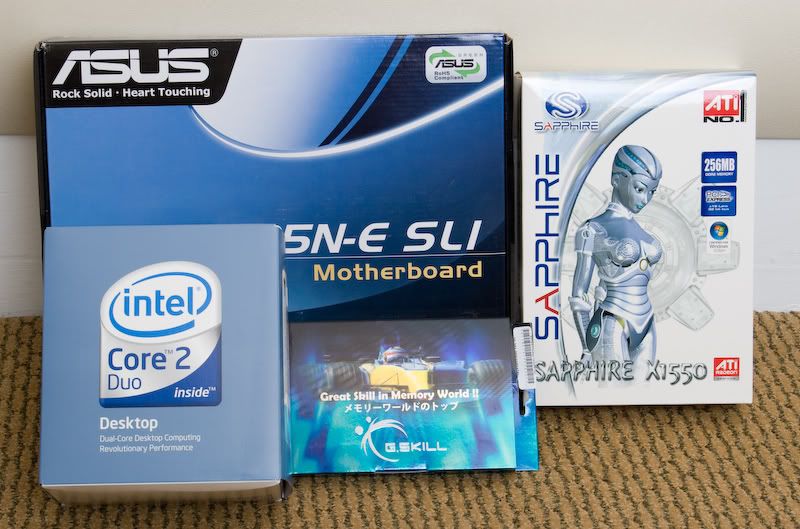
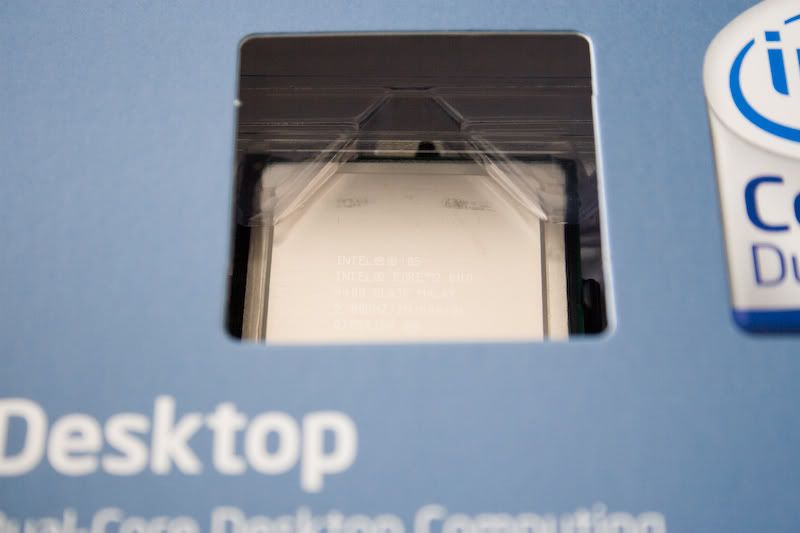
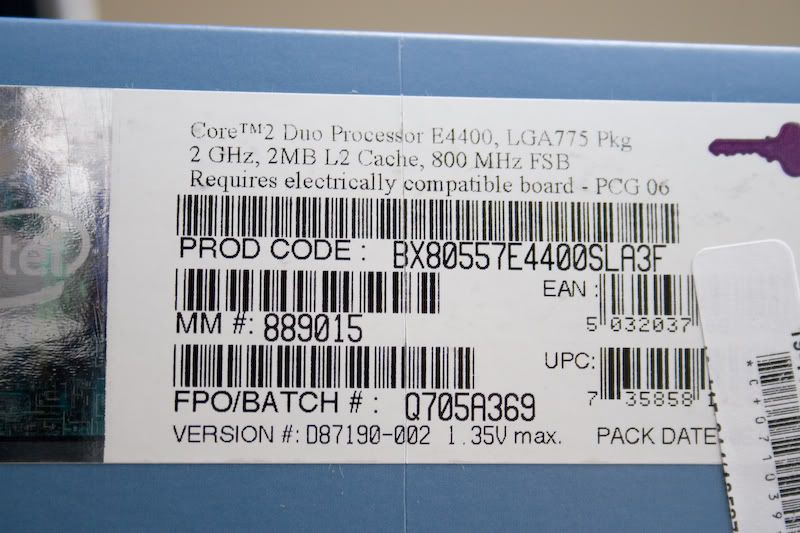
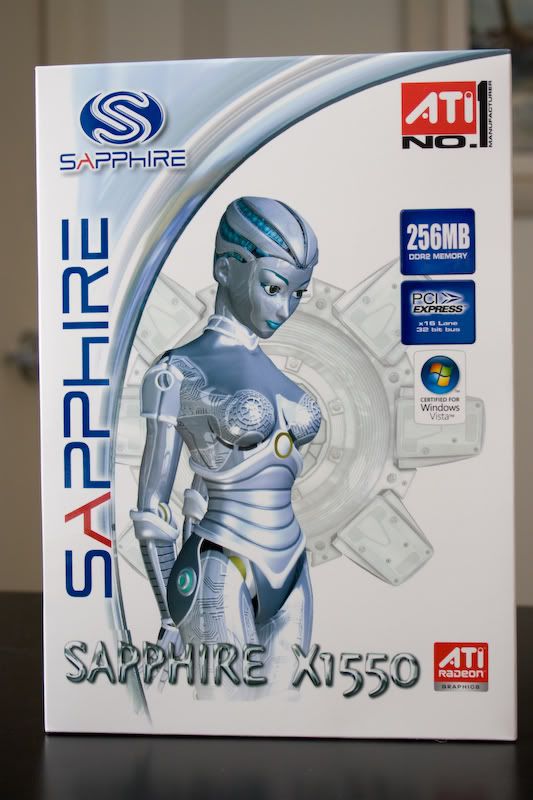
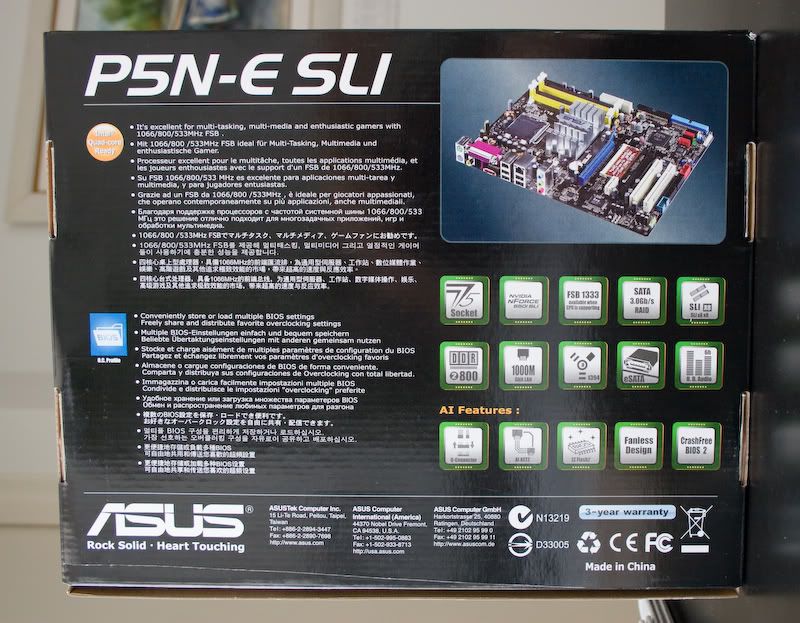
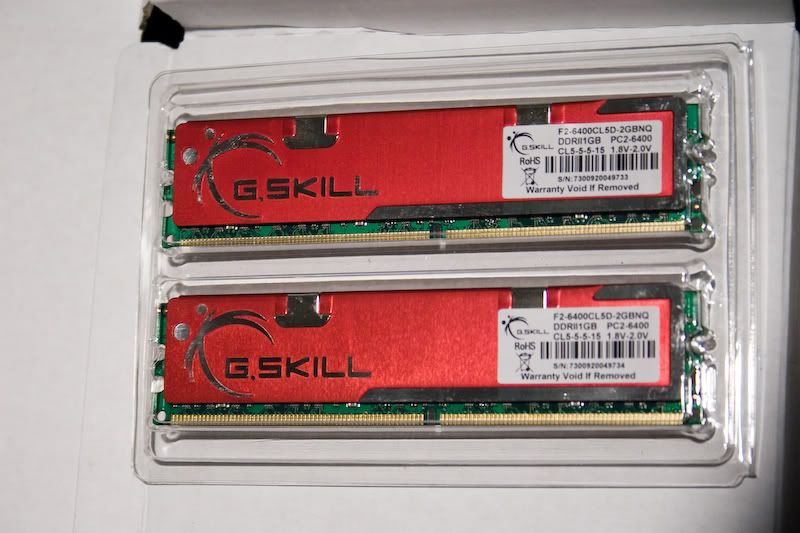
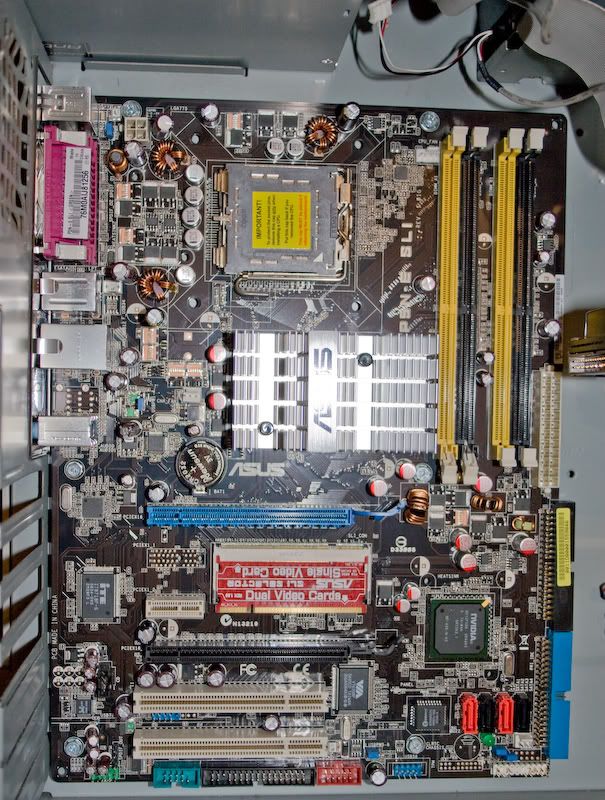
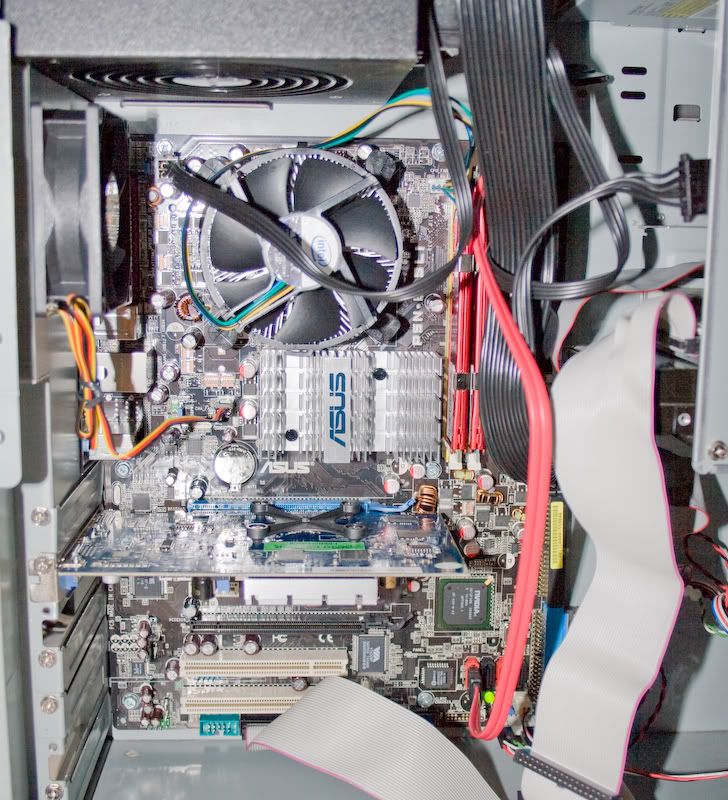
I tried to route them as best I could and in fact removed the floppy drive and its ribbon cable so its not there anymore. The whole thing minus what I had: Internal multi card reader Tower 40gb HDD 160gb HDD 500gb HDD [external USB] and one fan was about $550. New stuff: Chip Mobo Memory graphics card 600W PSU Lite-On lightscribe CD/DVD additional fan Huey Pantone monitor calibrator Got an example of round cables? |
|
Round Cable I believe I have some extra EIDE and floppy cables- I can send them to you if you want. ETA: email me at [email protected] if you are interested. |
Thanks for the offer .I'm migrating everything to SATA. The mobo has four SATA hookups alone The DVD burner is a SATA hookup as is the external 500gb drive 
|
If those round IDE cables are not spoken for I could use them.  S.O. |
Check ur IM |
i know this is nit-picking, but since we have someone on here that is learning i would like to learn them correct. pci-x is NOT pci-express. pci-express is abbreviated as "pci-e". pci-x is a 64-bit pci slot commonly found on server boards and is in no way compatible with pci-e devices (or vice-versa).
|