



Posted: 7/4/2026 7:29:20 PM EDT
|
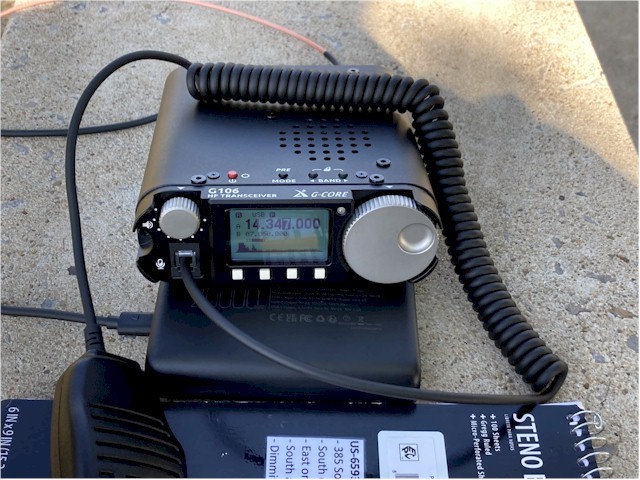
Radioddity has the G106 on flash sale with the digital interface for 229.00. It is a killer deal for a QRP radio with a warranty and a nice interface to do digital modes. Link  Xiegu G106 - QRP on the Beach |
World ain't what it seems, is it Gunny?


|
How you guys liking the 106? I have a G90 that had the firmware become corrupt and it doesn't work right. I would really like another one or maybe this 106 or the QMX+ for portable ops. I have 20m and 40m QRP cw rigs, but these newer radios pack more bang (bands and modes) for the size. |
MIA: M/SGT James W. Holt USSF 2-7-68 SVN
"Your freedom to be you includes my freedom to be free from you."
-A. Wilkow
"Your freedom to be you includes my freedom to be free from you."
-A. Wilkow

|
Originally Posted By aa777888-2: Have you tried reloading the firmware on the G90? Originally Posted By aa777888-2: Originally Posted By RED_5: I have a G90 that had the firmware become corrupt and it doesn't work right. I've worked with xiegu tech support and they were of no help. Main body updates just fine, but when trying to update the front panel, it forces a power shutdown, requiring removal of power for it to reset. I've tried a bajillion times with different software and techniques, all delivered the same results. I have mixed feelings, as it was a great little radio. |
MIA: M/SGT James W. Holt USSF 2-7-68 SVN
"Your freedom to be you includes my freedom to be free from you."
-A. Wilkow
"Your freedom to be you includes my freedom to be free from you."
-A. Wilkow

|
Originally Posted By RED_5: I've worked with xiegu tech support and they were of no help. Main body updates just fine, but when trying to update the front panel, it forces a power shutdown, requiring removal of power for it to reset. I've tried a bajillion times with different software and techniques, all delivered the same results. I have mixed feelings, as it was a great little radio. I found this...maybe it will help. Updating the front panel (display/head unit) firmware on the Xiegu G90 is notoriously finicky compared to the main body unit. When an update goes wrong, it often causes a power shutdown loop, forces the radio to freeze, or makes the FUNC and A/B lights flash continuously. Because the G90's internal bootloader resides permanently in a lower section of the memory, it is almost impossible to truly "brick" the head unit. You can almost always overwrite a failed attempt by resetting the communication environment and forcing a clean re-flash. If your front panel update is failing or forcing a power shutdown, walk through these troubleshooting steps to bypass the failure point: 1. Check the 1K Block Size Option (The Most Common Culprit) When using a terminal program like Tera Term to send the firmware file via XMODEM, it is absolutely critical to check the 1K box in the file selection dialog window. If you attempt to send the file using standard 128-byte XMODEM blocks, the transmission will time out, fail halfway through, or crash the head unit's processing, causing a total power shutdown. Fix: In Tera Term, navigate to File -> Transfer -> XMODEM -> Send..., choose your display firmware file, and ensure the 1K option box is checked before clicking Open. 2. Isolate the Connection (Ditch the Main Body for Flashing) If the head unit is connected to the main body chassis during a failed firmware loop, the relay system inside the radio can trip when it encounters an error, immediately shutting down the power supply to protect itself. The Workaround: You do not actually need the head unit attached to the radio's main body to update its firmware. You can separate the front panel from the chassis. Plug the USB-to-serial cable directly into the dedicated firmware/comm port on the side of the head unit itself, and power the head unit independently (or via the extension cable structure) to isolate it from the main body's power relays. 3. Handle Firmware Version Mismatches The display unit firmware and the main body unit firmware must match in their generational releases (e.g., trying to run the 1.80 display application alongside older 1.79 base unit firmware often results in immediate crashes or communication errors). Ensure you are flashing a version of the display firmware that explicitly matches the version currently successfully loaded on your main body. If a specific version (like 1.80) keeps failing on the front panel, many users have found success rolling both units back to a highly stable pair, such as version 1.79. 4. Break the Shutdown Loop via Hardware Boot Sequence If the front panel won't even stay powered on long enough for you to click "Send": Disconnect the radio completely from its 12V power supply. Ensure your terminal software (Tera Term) is open, set to the correct COM port and baud rate (usually 19200 for the display), and that the window currently has active keyboard focus on your PC. Hold down the Space Bar on your computer keyboard continuously. Reapply 12V power to the radio and turn it on while still holding the space bar. This interrupts the normal corrupted boot script and forces the internal bootloader to halt and display the firmware update menu (1. Update FW) before it can trigger a power shutdown loop. |
“Every man has two deaths, when he is buried in the ground and the last time someone says his name. In some ways, men can be immortal. “ - Ernest Hemingway
|
Originally Posted By RED_5: that's something new to try, thanks, I'll give it a go...  Fingers crossed!!! Good Luck. |
“Every man has two deaths, when he is buried in the ground and the last time someone says his name. In some ways, men can be immortal. “ - Ernest Hemingway
|
@K9-Bob no joy 2. Isolate the Connection (Ditch the Main Body for Flashing) If the head unit is connected to the main body chassis during a failed firmware loop, the relay system inside the radio can trip when it encounters an error, immediately shutting down the power supply to protect itself. The Workaround: You do not actually need the head unit attached to the radio's main body to update its firmware. You can separate the front panel from the chassis. Plug the USB-to-serial cable directly into the dedicated firmware/comm port on the side of the head unit itself, and power the head unit independently (or via the extension cable structure) to isolate it from the main body's power relays. I got the remote head removed and powered/connected only to my bench power supply (+9vdc, as per the schematic) The head powers up normal. shut it off, started Tera Term with all the appropriate settings, and get to the same place I always get in the process... Hit a key to abort bootting.. 2 XG Bootloader 1.Update FW 2.Exit that's it, power is tripped and no response. what I've learned from this, is that the "problem" is most likely in the head. oh well, tried something different for a change. maybe I'll study the schematic some more and see what I can find. or maybe just try and find a replacement head? sorry to sidetrack this thread... back on track.... what's the consensus on the G106? or just go to a QMX+? (or?) |
MIA: M/SGT James W. Holt USSF 2-7-68 SVN
"Your freedom to be you includes my freedom to be free from you."
-A. Wilkow
"Your freedom to be you includes my freedom to be free from you."
-A. Wilkow