


[ARCHIVED THREAD] - FramePack - Generate AI videos from images using your computer's GPU (Now ComfyUI Megathread!) (Page 5 of 17)
|
Quoted: How did you do that? That is going to be a bear to explain, since I don't understand any of it  When I get home from work, I'll try to find the link I followed to install some rather specific versions of pytorch and myriad other things that I don't comprehend. The neat thing is that I installed it for Wan Video, but it worked for a different model without any modifications (other than plugging in a node in my work flow). This picture of the woman in my avatar took only 11 seconds to make. 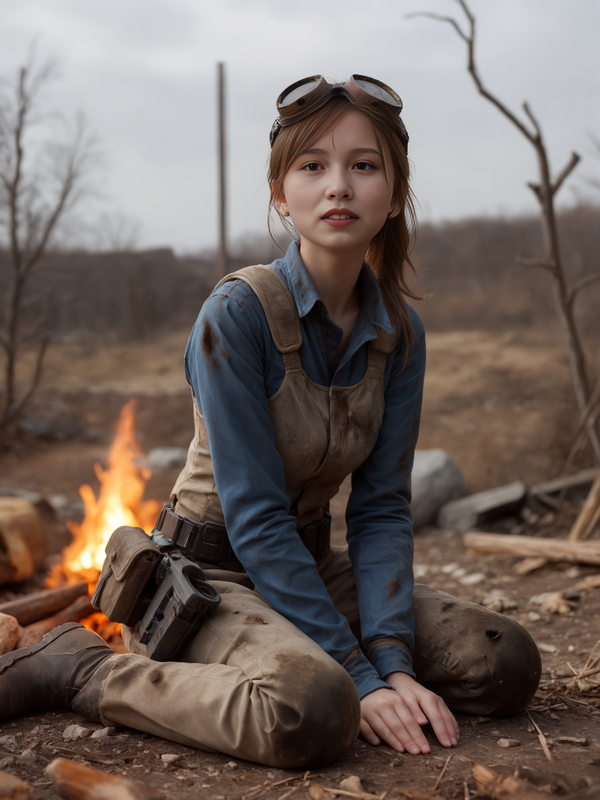 |

|
Quoted: No idea what’s going on, but the faces it’s generating video of no longer look anything like the photos I’m using. That is normal when you are asking FramePack to fill in too many blanks. FramePack is really good at making women dance or laugh, but it falls on its face when you make somebody eat a cheeseburger. Quoted: Does the software auto update? No, but you just double click "update.bat" and it updates itself. Its really easy. |
|
Quoted: That is normal when you are asking FramePack to fill in too many blanks. FramePack is really good at making women dance or laugh, but it falls on its face when you make somebody eat a cheeseburger. No I mean from the start. Not using any prompts to change expressions nor anything involving the face/head at all. I’ve had to resort to using prompts to keep the head/face from moving. Some more testing I found that if I start with a realistic AI model it retains the face for the most part. If I start with a real person the face loses all realism. I’ll have to post up some examples when I play with it again. I’m going to try the new F1 models tomorrow. |
|
Quoted: No I mean from the start. Not using any prompts to change expressions nor anything involving the face/head at all. I’ve had to resort to using prompts to keep the head/face from moving. Some more testing I found that if I start with a realistic AI model it retains the face for the most part. If I start with a real person the face loses all realism. I’ll have to post up some examples when I play with it again. I’m going to try the new F1 models tomorrow. Quoted: Quoted: That is normal when you are asking FramePack to fill in too many blanks. FramePack is really good at making women dance or laugh, but it falls on its face when you make somebody eat a cheeseburger. No I mean from the start. Not using any prompts to change expressions nor anything involving the face/head at all. I’ve had to resort to using prompts to keep the head/face from moving. Some more testing I found that if I start with a realistic AI model it retains the face for the most part. If I start with a real person the face loses all realism. I’ll have to post up some examples when I play with it again. I’m going to try the new F1 models tomorrow. Have you tried the “Sanity Check” on the FramePack github? |


|
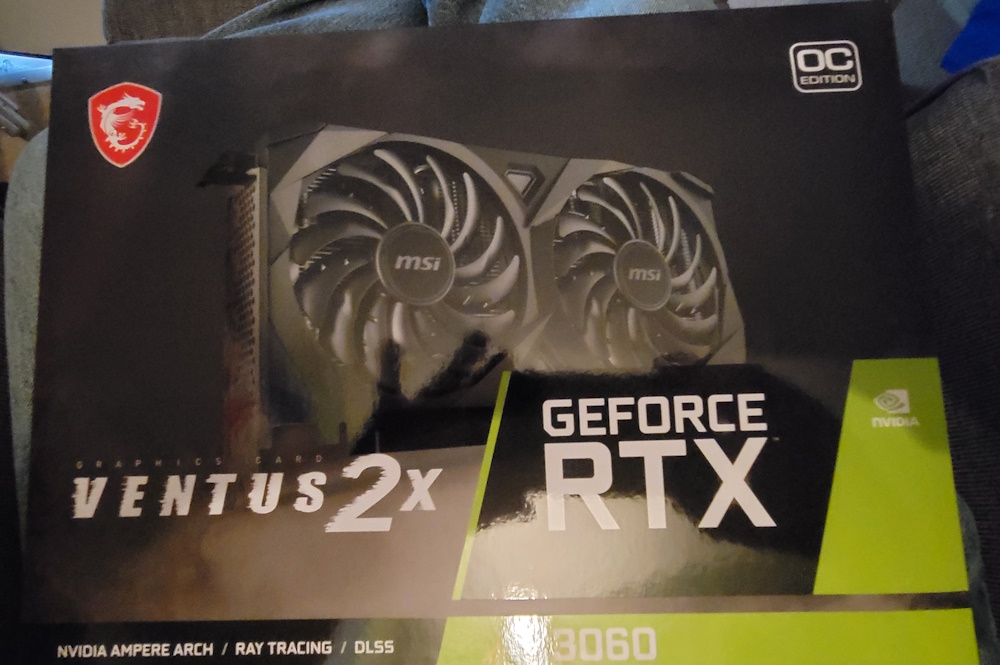
Quoted: Nice! That will absolutely work. How much RAM do you have again? Quoted: Quoted: I have a new video card due to arrive late next week. I am hoping that it allows me to start doing this stuff. MSI GeForce RTX 3060 Ventus 2X 12G GeForce RTX 3060 12GB 12 GB Video Card Nice! That will absolutely work. How much RAM do you have again? I had to go look again. It's 16g of RAM. |
| Animated Lootie! What a time to be alive. somebody should @jdissel not sure if that's the right username or not. The OG who found real life lootie. What an epic thread that was. We argued for like a dozen pages describing his ear lobes and whether it was really him or not. The good ol days... |
|
Quoted: Having now worked with all of the models out there, Framepack ranks at the bottom. It’s novel to be able to create longer length vids, but a minute of shit is still a minute of shit. I’ll try the F1 version tonight, but I don’t have high hopes. Please share results with F1 and your other models using the same prompts. |
|
Quoted: Animated Lootie! What a time to be alive. somebody should @jdissel not sure if that's the right username or not. The OG who found real life lootie. What an epic thread that was. We argued for like a dozen pages describing his ear lobes and whether it was really him or not. The good ol days... Haha maybe I should start a competition for who can make the best animated lootie and GD can vote on it. Here is the other one I made. I don’t know how FramePack knew he was barefoot 
|
|
Quoted: Haha maybe I should start a competition for who can make the best animated lootie and GD can vote on it. Here is the other one I made. I don’t know how FramePack knew he was barefoot https://www.ar15.com/media/mediaFiles/563643/250507_194232_523_9860_37-3535642.gif does it have to be framepack? |
|
Quoted: does it have to be framepack? Quoted: Quoted: Haha maybe I should start a competition for who can make the best animated lootie and GD can vote on it. Here is the other one I made. I don’t know how FramePack knew he was barefoot https://www.ar15.com/media/mediaFiles/563643/250507_194232_523_9860_37-3535642.gif does it have to be framepack? No, but in the spirit of improving everyone’s skills at making dank meme videos using open source software, it would be helpful if you could provide as much detail about your workflow as possible. |
|
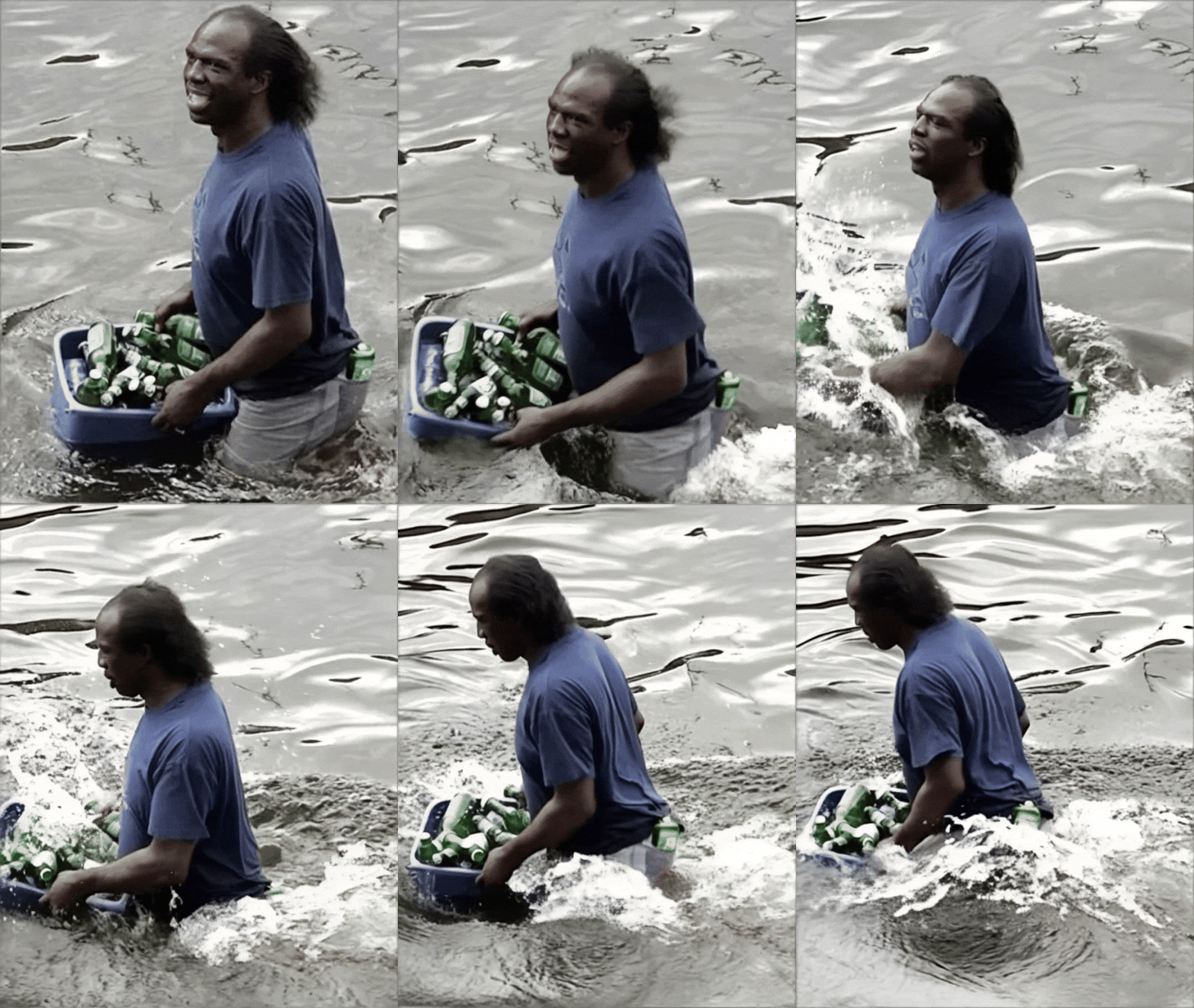
Quoted: Will any of those programs work on a Mac? You might try LTXV. I haven't really dug into it yet, but be forewarned it will likely need to download 50GB or so. Edit: LTXV will definitely exercise your GPU: Attached File |
|
Quoted: Using MiniMax's video-01 model and the prompt "the man wades energetically through the water". https://i.postimg.cc/3RZKTH32/lootie01.gif Wow! The physics is VERY good, but the prompt could use some tweaking. Nice work. |
|
Quoted: Please share results with F1 and your other models using the same prompts. Quoted: Quoted: Having now worked with all of the models out there, Framepack ranks at the bottom. It’s novel to be able to create longer length vids, but a minute of shit is still a minute of shit. I’ll try the F1 version tonight, but I don’t have high hopes. Please share results with F1 and your other models using the same prompts. That's a bit too much work (time)... .Framepack is great for getting started quickly and relatively easily (particularly with the Gradio installation), but once you have seen the mountaintop, it's impossible not to critically compare the view. The closed source models are lightyears ahead. Three (11mb) Lootie clips made using Kling. Click To View Spoiler |


|
Quoted: That's a bit too much work (time)... .Framepack is great for getting started quickly and relatively easily (particularly with the Gradio installation), but once you have seen the mountaintop, it's impossible not to critically compare the view. The closed source models are lightyears ahead. Three (11mb) Lootie clips made using Kling. Click To View Spoiler Quoted: Quoted: Quoted: Having now worked with all of the models out there, Framepack ranks at the bottom. It’s novel to be able to create longer length vids, but a minute of shit is still a minute of shit. I’ll try the F1 version tonight, but I don’t have high hopes. Please share results with F1 and your other models using the same prompts. That's a bit too much work (time)... .Framepack is great for getting started quickly and relatively easily (particularly with the Gradio installation), but once you have seen the mountaintop, it's impossible not to critically compare the view. The closed source models are lightyears ahead. Three (11mb) Lootie clips made using Kling. Click To View Spoiler Wow, these really capture Lootie’s carefree persona! Were these generated locally on your computer or did you upload the videos to klingai.com? |
|
Quoted: Wow, these really capture Lootie’s carefree persona! Were these generated locally on your computer or did you upload the videos to klingai.com? Those were made on Kling's site uploading the original crappy quality photo as the source. I wasn't joking when I said I tried everything out. Those cost about .35 cents each (I had credits left over after testing). Like Thor said above, Kling's facial modeling is well, well beyond everything else. Their physics is second to none and it upscales really crappy images into incredible vids. Most importantly, their prompt adherence and understanding (to include camera control) is very, very good. Minimax can also be pretty decent (it works better on more static scenes) and has versions that specialize on camera movement and control. As a free option, you can use it on https://hailuoai.video/ and get three vids per day (per email account). For opensource, Wan 2.1 is the current king. Great physics, excellent prompt adherence, and decent facial modelling. But, it really needs some GPU horsepower and RAM and you need to do the work to set it up on Comfyui with teacache, sage attention, and loras. It's worth the effort if you have the hardware. |


|
Quoted: Another look at the power and a use case of the Kling model, and really, a glimpse at the near future. I'm 87% sure there will be legislation to try to control it when similar quality models become common or open source. Screenshots. Source: https://i.imgur.com/0H3QncQ.png Screenshots: https://i.imgur.com/n044hlg.png https://i.imgur.com/ozcZj9B.png Kling is cool and all, but not being locally generated on my machine ruins it for me and being a Chinese website is a dealbreaker. |
|
Quoted: Kling is cool and all, but not being locally generated on my machine ruins it for me and being a Chinese website is a dealbreaker. Quoted: Quoted: Another look at the power and a use case of the Kling model, and really, a glimpse at the near future. I'm 87% sure there will be legislation to try to control it when similar quality models become common or open source. Screenshots. Source: https://i.imgur.com/0H3QncQ.png Screenshots: https://i.imgur.com/n044hlg.png https://i.imgur.com/ozcZj9B.png Kling is cool and all, but not being locally generated on my machine ruins it for me and being a Chinese website is a dealbreaker. I don't bring it up to recommend its use, but rather to define the output scale of good/bad for context and to show what the future of opensource will eventually be able to do. Hopefully someone can build Framepack on Wan rather than Hunyuan. That would be a significant upgrade. |
|
Quoted: Those were made on Kling's site uploading the original crappy quality photo as the source. I wasn't joking when I said I tried everything out. Those cost about .35 cents each (I had credits left over after testing). Like Thor said above, Kling's facial modeling is well, well beyond everything else. Their physics is second to none and it upscales really crappy images into incredible vids. Most importantly, their prompt adherence and understanding (to include camera control) is very, very good. Minimax can also be pretty decent (it works better on more static scenes) and has versions that specialize on camera movement and control. As a free option, you can use it on https://hailuoai.video/ and get three vids per day (per email account). For opensource, Wan 2.1 is the current king. Great physics, excellent prompt adherence, and decent facial modelling. But, it really needs some GPU horsepower and RAM and you need to do the work to set it up on Comfyui with teacache, sage attention, and loras. It's worth the effort if you have the hardware. I got Wan 2.1 working in ComfyUI! This is my first attempt, so the results are a bit wonky, but its a start.  
|
|
Quoted: I got Wan 2.1 working in ComfyUI! This is my first attempt, so the results are a bit wonky, but its a start. https://www.ar15.com/media/mediaFiles/563643/ezgif-521dbfd37ef644-3537602.gif https://www.ar15.com/media/mediaFiles/563643/ezgif-777535132a16cd-3537640.gif Quoted: Quoted: Those were made on Kling's site uploading the original crappy quality photo as the source. I wasn't joking when I said I tried everything out. Those cost about .35 cents each (I had credits left over after testing). Like Thor said above, Kling's facial modeling is well, well beyond everything else. Their physics is second to none and it upscales really crappy images into incredible vids. Most importantly, their prompt adherence and understanding (to include camera control) is very, very good. Minimax can also be pretty decent (it works better on more static scenes) and has versions that specialize on camera movement and control. As a free option, you can use it on https://hailuoai.video/ and get three vids per day (per email account). For opensource, Wan 2.1 is the current king. Great physics, excellent prompt adherence, and decent facial modelling. But, it really needs some GPU horsepower and RAM and you need to do the work to set it up on Comfyui with teacache, sage attention, and loras. It's worth the effort if you have the hardware. I got Wan 2.1 working in ComfyUI! This is my first attempt, so the results are a bit wonky, but its a start. https://www.ar15.com/media/mediaFiles/563643/ezgif-521dbfd37ef644-3537602.gif https://www.ar15.com/media/mediaFiles/563643/ezgif-777535132a16cd-3537640.gif Nice. If you haven't added teacache and sage attention, do. There is a speed improvement. A few tips: - if you get a good generation that nails the movements, etc., but isn't quite what you want. Save the video and then drag and drop the video in a comfyui window. At that point, set the seed to fixed (in the Ksampler node). It's still random, but the starting point will be the same and the results should be fairly similar. - video output size (pixels) is very important for generation time. Too big and it will take forever. Same goes for steps (ksampler node). - sampler-name and scheduler will also offer different outputs. Some are better or worse (depending on the content). (ksampler node) - there are a ton of nodes that can be added to do about everything. Upscale, smooth out the video, etc. Just need to start searching around. - Obviously, prompting (both positive and negative) makes a huge difference. |
|
My preferred Wan2.1 image2video settings in Comfy are: -145 steps (this is 3x the recommended number. If you do not require the absolute best quality, 60 steps is much quicker) -85 frames (Wan will natively do 81 frames. You can get away with adding a few more. Going much further past this will make videos look really awful) -cfg 5.4 -shift 4.5 -scheduler unipc (I don't think this matters much) -720x720, then upscale 1.93x using bicubic/lanczos/whatever (this is MUCH quicker than say generating at a higher resolution at first) -teacache .015 without coefficients (quality suffers seemingly randomly at increasingly higher values) -sageattention -format h264 mp4 with a crf of around 15 -Wan2.1 14B 720 i2v model at fp16 base precision (fp32 doable, but slowwww), and fp8 quantization -block swap of 7; approximately -frame interpolation of 10x using Rife49 -a final frame rate of 220fps (adjust up or down if the results are too slow or fast) (220 fps is good if you interpolate 10x) This works with a 4090 (24gb vram), and presumably with a 3090 or 5090. Takes about 1536 seconds to generate a 4 second clip. Actually, at 220fps, it is more like 3 seconds. Changing any of the above settings can mean that you will have to change others as well. For instance, the shift value will need to be adjusted with differing number of frames. Frame rate will have to be adjusted if you change the interpolation, etc... The easiest way by far to configure your comfy workflow is to use a pre-made one. My worflow contains everything you need to generate, upscale, face-swap, and optimize (saving both time and vram). I've downloaded other people's json workflows to use, but it seems as if they all are lacking what I would consider basic functionalities. I use Kijai's quantized Wan models In the recent past, the official models didn't support teacache or sageattention. IIRC..... Using his models means you have to install his "wrapper" Properly configuring torch compile/triton/sageattention darn near mandatory, unless you love headaches and waiting Once again- it sucks that I can't post proper examples here. Gifs look like ass. |
|
The beauty of this is that it puts the ability to create stuff in the hands of everyone with a decent computer. Lack of scarcity will most likely lower its profitability. Just a wild guess, based on I don't know what.... The real money being made by Nvidia (due to its CUDA thingie), who is gouging the hell out of everyone. Only a couple years ago, I thought it would be absurd to spend $500 on a current video card. They are now being sold for over $3000 A typical example of a (current model year) pre-built computer at my local store- Attached File |
|
Quoted: Nice. If you haven't added teacache and sage attention, do. There is a speed improvement. A few tips: - if you get a good generation that nails the movements, etc., but isn't quite what you want. Save the video and then drag and drop the video in a comfyui window. At that point, set the seed to fixed (in the Ksampler node). It's still random, but the starting point will be the same and the results should be fairly similar. - video output size (pixels) is very important for generation time. Too big and it will take forever. Same goes for steps (ksampler node). - sampler-name and scheduler will also offer different outputs. Some are better or worse (depending on the content). (ksampler node) - there are a ton of nodes that can be added to do about everything. Upscale, smooth out the video, etc. Just need to start searching around. - Obviously, prompting (both positive and negative) makes a huge difference. Quoted: My preferred Wan2.1 image2video settings in Comfy are: -145 steps (this is 3x the recommended number. If you do not require the absolute best quality, 60 steps is much quicker) -cfg 5.4 -shift 4.5 -scheduler unipc (I don't think this matters much) -720x720, then upscale 1.93x using bicubic/lanczos/whatever -teacache .015 without coefficients (quality suffers seemingly randomly at increasingly higher values) -sageattention -format h264 mp4 with a crf of around 15 -Wan2.1 14B 720 i2v model at fp16 base precision (fp32 doable, but slowwww), and fp8 quantization -block swap of 7; approximately -frame interpolation of 10x using Rife49 -a final frame rate of 220fps This works with a 4090 (24gb vram), and presumably with a 3090 or 5090. Takes about 1536 seconds to generate a 4 second clip Properly configuring torch compile/triton/sageattention darn near mandatory, unless you love headaches and waiting Once again- it sucks that I can't post proper examples here. Gifs look like ass. Thanks for the tips. I have not installed teacache or sage attention or optimized in any way. Already the results are better than Framepack. It looks like I have my work cut out for me! 
|
|
I usually have to resort to using reddit to figure out how to install triton/sageattention/etc. Since the nerds who develop this stuff seem to be completely incapable of documentation or instruction....  Stop Struggling: Quick & Easy Triton Installation on Windows I can't vouch for the accuracy or completeness of his instructions, but at least you don't have to listen to a heavy Indian accent (shudder). He keeps mentioning that you need to activate a virtual environment (venv), but I do not recollect having to do so with my *portable* version of Comfy. Maybe I'm dis-remembering.... His instructions are not specific to a Comfy installation, so perhaps you may want to seek out something that leaves zero room for misunderstanding. I'm looking for one... ComfyUI-specific instructions with hotlinks Follow the instructions in order and exactly, and you will probably be successful. Yes, you will have to manually configure some PATH settings, but that is super easy to do. You will also have to install a boatload of various software into the proper place, of the correct version, etc etc.. As I recall, it required specific versions of pytorch/CUDA/etc to get to work. You may need to downgrade your Comfy installation in order to do this. Once you get it working, avoid updating your install! Doing that breaks stuff the majority of the time. 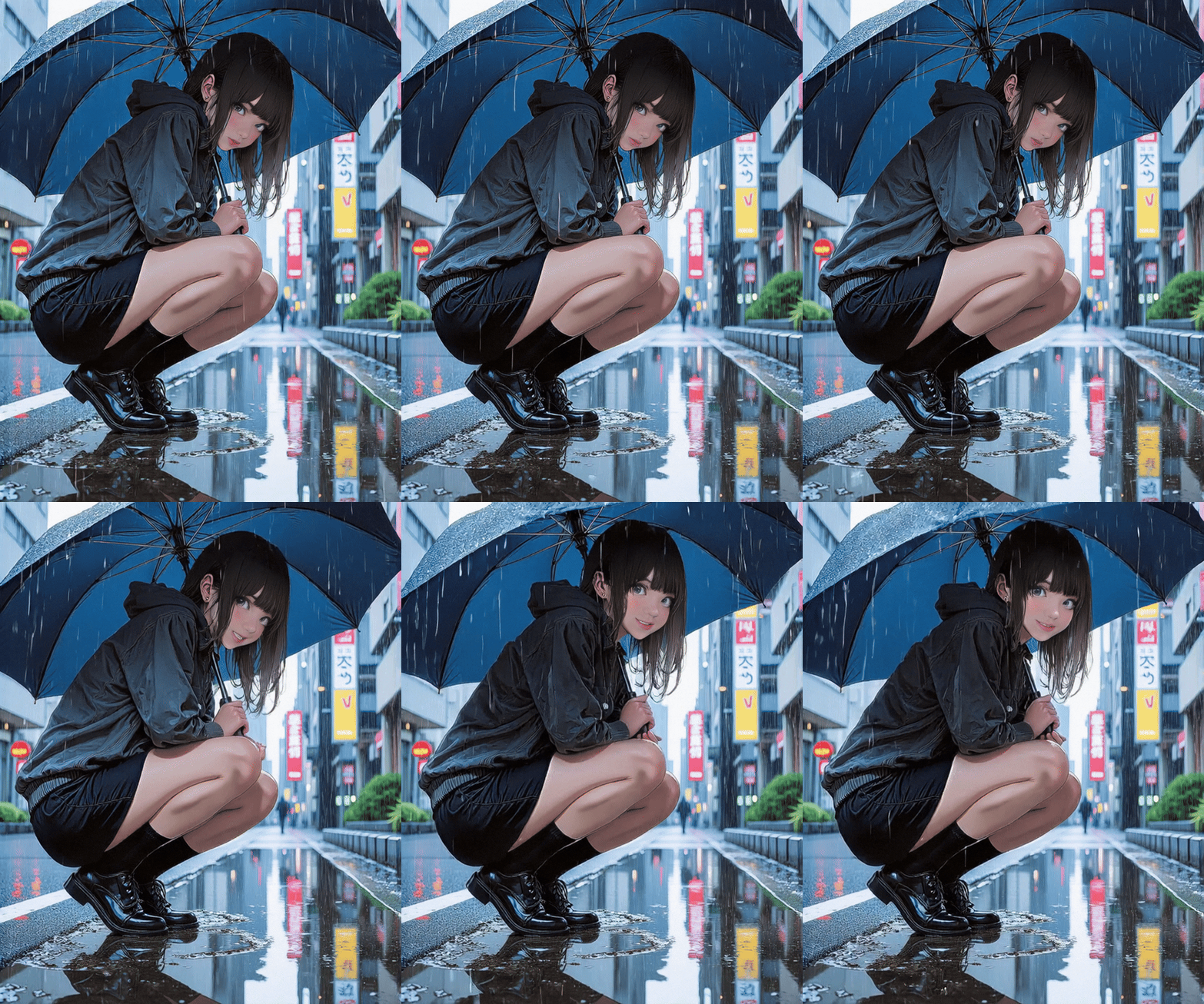 80 step low-res example |
|
Quoted: The beauty of this is that it puts the ability to create stuff in the hands of everyone with a decent computer. Lack of scarcity will most likely lower its profitability. Just a wild guess, based on I don't know what.... The real money being made by Nvidia (due to its CUDA thingie), who is gouging the hell out of everyone. Only a couple years ago, I thought it would be absurd to spend $500 on a current video card. They are now being sold for over $3000 A typical example of a (current model year) pre-built computer at my local store- https://www.ar15.com/media/mediaFiles/3906/Screenshot_2025-05-10_at_16-48-03_rtx_50-3537719.JPG I took the "roll your own" approach.  |

|
Quoted: My new card arrived this afternoon. https://i.postimg.cc/R0S6Czxv/2025-5-14-NVIDIA-Graphics-Card.jpg I won't see my son again for about a week, so tomorrow I'll try to swap this card in. I may be in business, or I may disappear for a while. We'll see how it goes. Quoted: Twins! Just got my 12gb 3060 today…and doubling my ram too! Walmart of all places had a 40 and 50 series cards in stock, but my system would bottleneck it so no real point. Used 3060 for $190 is fine with me! It’s way freaking faster than my 2080 for this. https://www.ar15.com/media/mediaFiles/66797/IMG_9685-3540719.jpg Congrats! The new card should be plug and play. If not, you’ll need to download and run DDU (Display driver uninstaller), then reinstall the latest Nvidia drivers. You’ll also probably want at least 32GB system RAM. |
| I put my new card in, did the update.bat and run.bat, and it went farther than ever before. I tried three times, and it failed each time, saying that Python had quit working. I guess tomorrow I'll delete/uninstall FramePack and Python, then start again. The FramePack version I have is the 20XX version, which I guess may be the problem with using my new 30XX card. |
|
Quoted: I put my new card in, did the update.bat and run.bat, and it went farther than ever before. I tried three times, and it failed each time, saying that Python had quit working. I guess tomorrow I'll delete/uninstall FramePack and Python, then start again. The FramePack version I have is the 20XX version, which I guess may be the problem with using my new 30XX card. Yeah that’s probably why. I know the 3090 is plug and play so the 3060 should be the same. |
|
1. Deleted all FramePack stuff. 2. Uninstalled/deleted all Python stuff. 3. Downloaded and installed Python 3.13. 4. Downloaded FramePack from the OP link. 5. Tried to open FramePack with 7zip, but nothing happens. 6. Right-click, Unblock on FramePack, and it still won't do anything. 7. Downloaded Git, even though I don't know what it is, and started to install it. Multiple pages of approvals, and I don't know what any of them mean, so I canceled that installation. Any idea what I should try next? |
|
Quoted: 1. Deleted all FramePack stuff. 2. Uninstalled/deleted all Python stuff. 3. Downloaded and installed Python 3.13. 4. Downloaded FramePack from the OP link. 5. Tried to open FramePack with 7zip, but nothing happens. 6. Right-click, Unblock on FramePack, and it still won't do anything. 7. Downloaded Git, even though I don't know what it is, and started to install it. Multiple pages of approvals, and I don't know what any of them mean, so I canceled that installation. Any idea what I should try next? Damn I’m sorry its not working. It sounds like the compressed folder will not extract. I usually right click and hit “extract all.” If that doesn’t work, WinRar is another program for extracting compressed folders. I installed a fresh copy of Windows and was able to run FramePack on my RTX 3060 without needing to install Python, Git, or 7zip. |
|
Quoted: I usually right click and hit "extract all." Mine doesn't have that option. I'll look into that other one you mentioned. Edit - After I posted that, I saw the 7zip arrow. I think it's extracting now.  Edit 2 - It extracted, I did the Update and Run .bats, and the black box is loading. It's showing more, and running longer, than any previous attempt. Maybe now it has what it needs to work. I'll update with any results. Edit 3 - It ran for almost an hour, then said that Python quit working.  |
|
Quoted: Mine doesn't have that option. I'll look into that other one you mentioned. Edit - After I posted that, I saw the 7zip arrow. I think it's extracting now. Edit 2 - It extracted, I did the Update and Run .bats, and the black box is loading. It's showing more, and running longer, than any previous attempt. Maybe now it has what it needs to work. I'll update with any results. Edit 3 - It ran for almost an hour, then said that Python quit working. Quoted: Quoted: I usually right click and hit "extract all." Mine doesn't have that option. I'll look into that other one you mentioned. Edit - After I posted that, I saw the 7zip arrow. I think it's extracting now. Edit 2 - It extracted, I did the Update and Run .bats, and the black box is loading. It's showing more, and running longer, than any previous attempt. Maybe now it has what it needs to work. I'll update with any results. Edit 3 - It ran for almost an hour, then said that Python quit working. Do me a favor and press ctrl+alt+del and hit “Task Manager” then the “Performance” tab, then the “memory” tab. What is your % memory usage after you click “Run”? |
|
Quoted: Mine doesn't have that option. I'll look into that other one you mentioned. Edit - After I posted that, I saw the 7zip arrow. I think it's extracting now. Edit 2 - It extracted, I did the Update and Run .bats, and the black box is loading. It's showing more, and running longer, than any previous attempt. Maybe now it has what it needs to work. I'll update with any results. Edit 3 - It ran for almost an hour, then said that Python quit working. How much ram does your system have? |

[ARCHIVED THREAD] - FramePack - Generate AI videos from images using your computer's GPU (Now ComfyUI Megathread!) (Page 5 of 17)
Join the Community
Your next conversation starts here.
Create your free account to join discussions, share your experience, save topics, and connect with the AR15.COM community.
- Join discussions
- Follow topics and replies
- Connect with fellow enthusiasts
Already a member? Sign in
Stay informed by subscribing to our Newsletter