User Panel
User Panel
User Panel
|
Posted: 10/18/2011 12:18:49 AM EDT
[Last Edit: TheGrayMan]
 out of out of
Is one of the most common reactions when you start talking about surveillance cameras... especially the higher-end IP/megapixel types. People seem to have a $500-1000 max price-point in mind when they start thinking about surveillance systems... further reinforced by that $299 system-in-a-box deal that they saw in Sam's Club/Costco a few months ago. They want to pay that amount FOR THE ENTIRE SYSTEM, not realizing that some of the higher-end IP cameras run more than that for a single camera. Fortunately, there are lower-cost alternatives, where you can get into IP cameras, and not break the bank. Here are two: The Axis M1031-W, and the Acti TCM-4201 cube 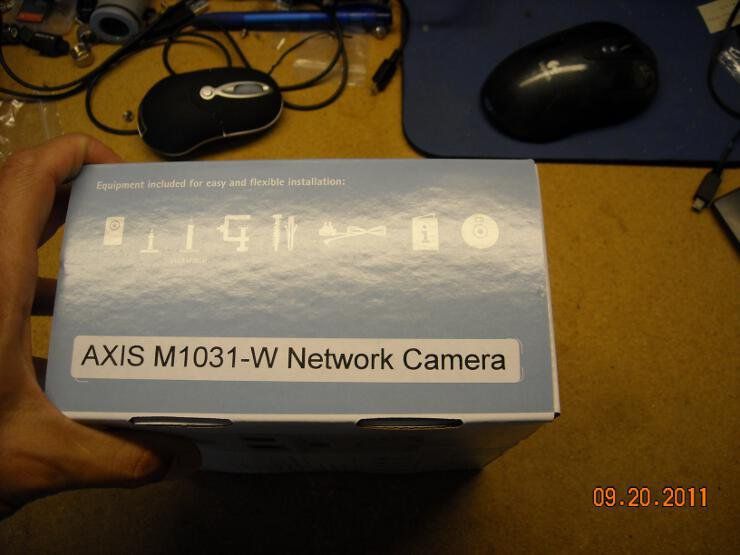
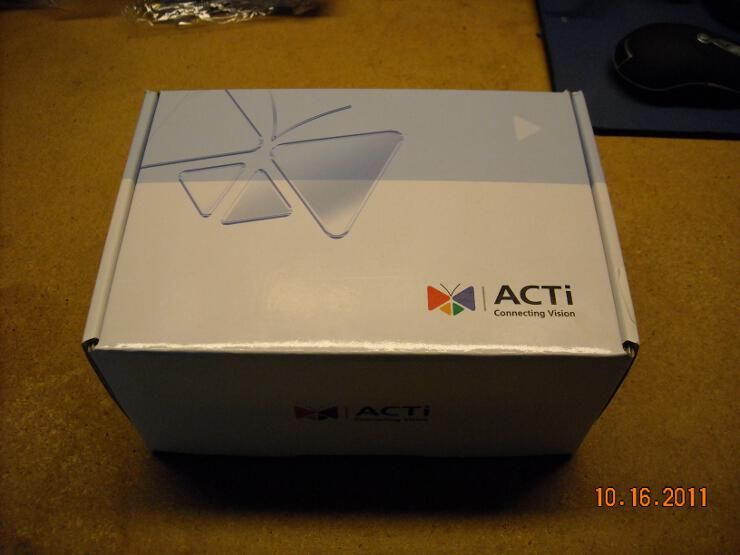
We previously reviewed the Axis M1031-W in this thread, so we won't rehash all of that. What I would like to do is to briefly give a run-down of the Acti camera, and put images from the two cameras side-by-side. The Acti cube is a 1.3MP small-form-factor camera, designed for indoor surveillance. This thing will NOT work outdoors without a housing, so don't even think about it. Like the Axis, it's a daylight-only camera, and it includes a PIR (passive infrared) motion detector... though unlike the Axis, it does NOT have a built-in light. Both of these cameras will requires light to generate a picture; neither are IR-sensitive. Briefly, the features: Feature:........................Axis:.....................Acti: Power over ethernet....... No.......................Yes Color ............................. Yes.......................Yes PIR..................................Yes......................Yes Built-in Light....................Yes......................No Megapixel.......................No .......................Yes MJPEG..........................Yes.......................Yes MPEG-4.........................Yes......................Yes H.264.............................Yes......................Yes Motion detection............Yes......................Yes (but not in MJPEG) Mount included..............Yes....................... Yes Lens Changeable...........No........................Yes (CS mount) Two-way Audio..............Yes........................Yes External Speaker........... No.........................Yes I/O interface....................No.........................Yes Browser agnostic?..........Yes........................No (IE only) Wireless..........................Yes........................No Price...............................$250......................$300 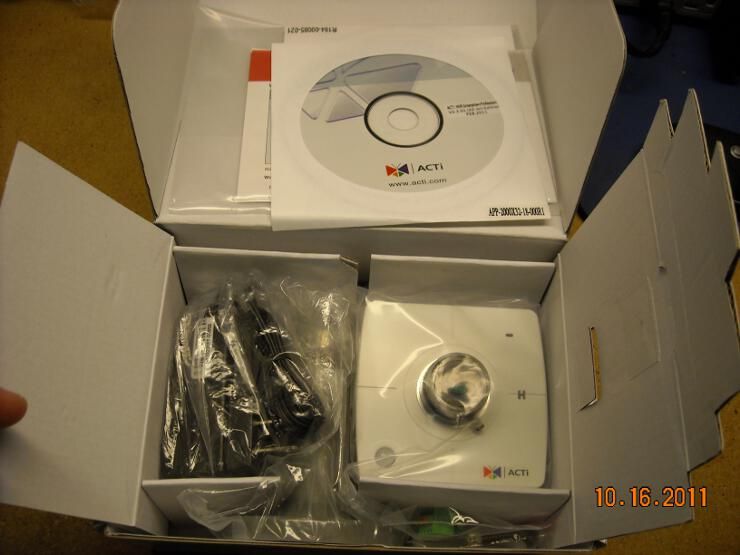
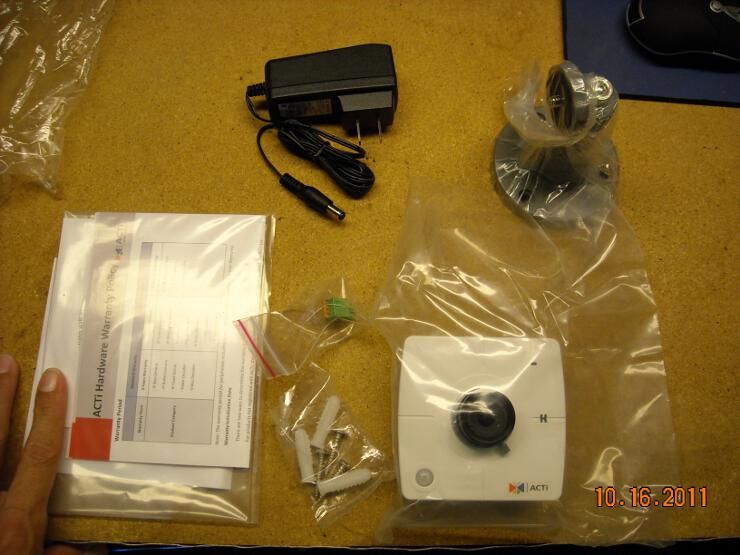
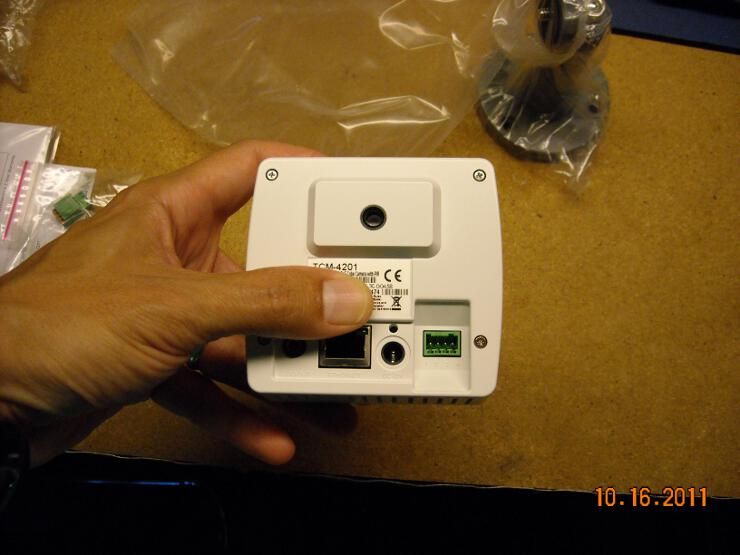
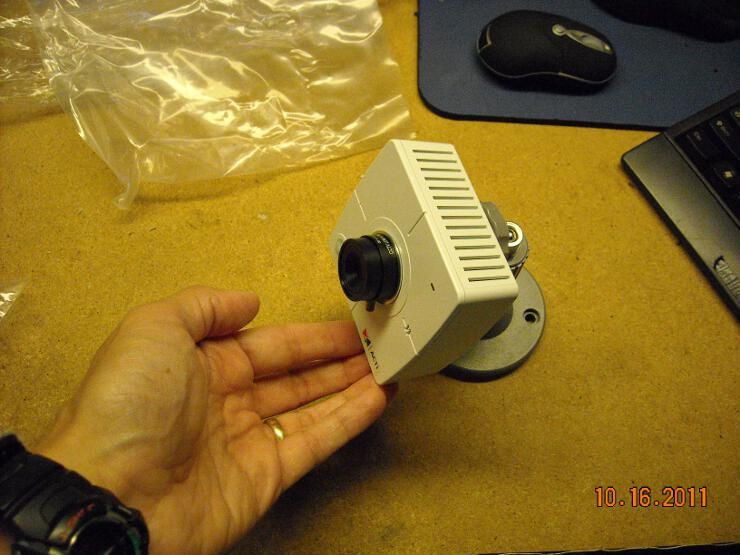

Here it is side-by-side with the Axis. The axis is smaller, and lighter, but the Acti isn't a heavyweight by any means. The Axis is thinner, and doesn't get as warm. The lens area of that Acti camera gets VERY warm... almost hot. The housings of both are plastic, as are their mounting bases. Neither of these cameras would survive any sort of physical assault, so don't mistake either of these cameras for vandal-resistant models. 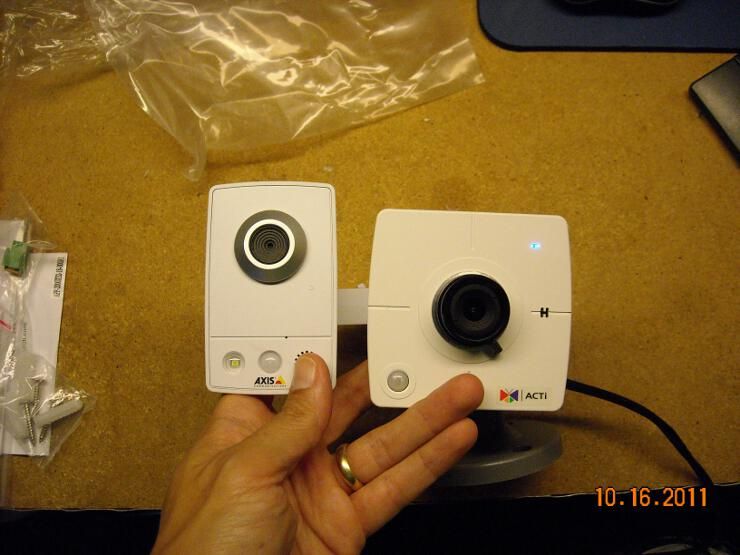
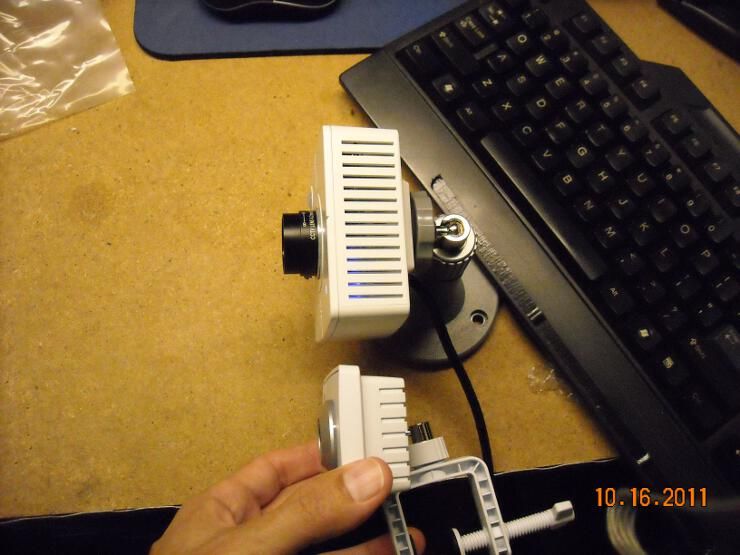
I set both cameras up to look at the same ARF screen on a laptop several feet away. I lined up the lower-right corners of the pictures as best I could. The resolution of the Axis is 640x480, while the Acti lens is slightly wider-angle, with a resolution that comes in at 1280x1024. Both cameras are capable of MJPEG, MPEG-4, and H.264 compression, so we'll compare all three. Note: ARF automatically resizes larger pictures to 800x600... so below each Acti picture, you'll find a photobucket link to a full-size version. Axis MJPEG: 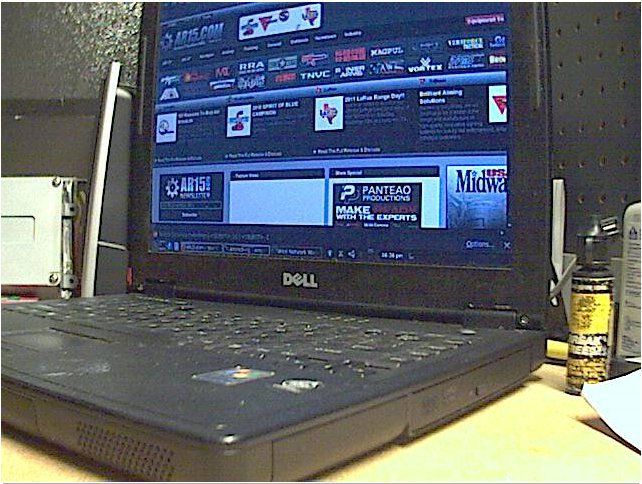
Acti MJPEG: 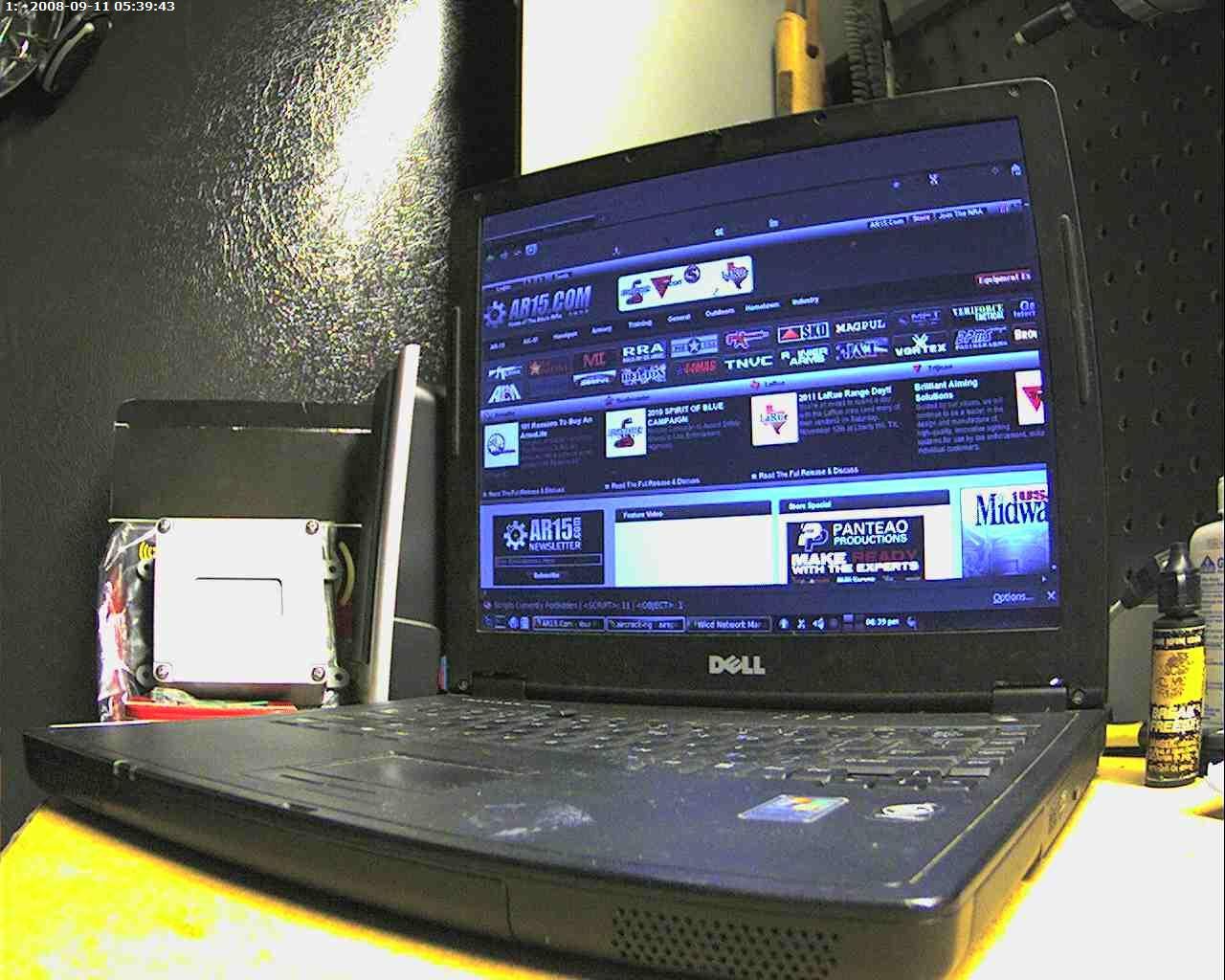
Link to full-size version Axis MPEG-4: 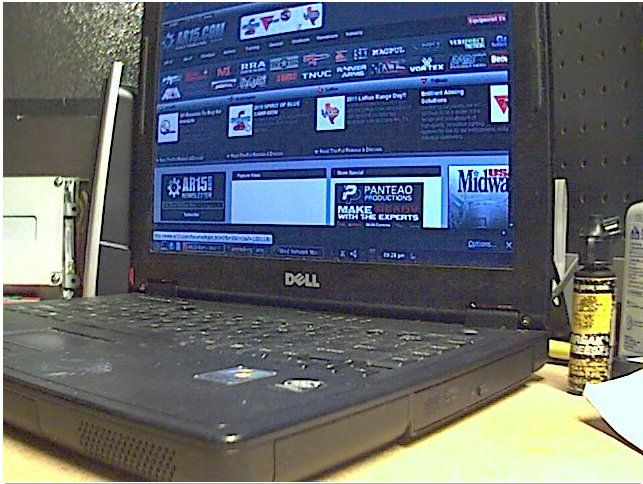
Acti MPEG-4 
Link to full-size version Axis H.264: 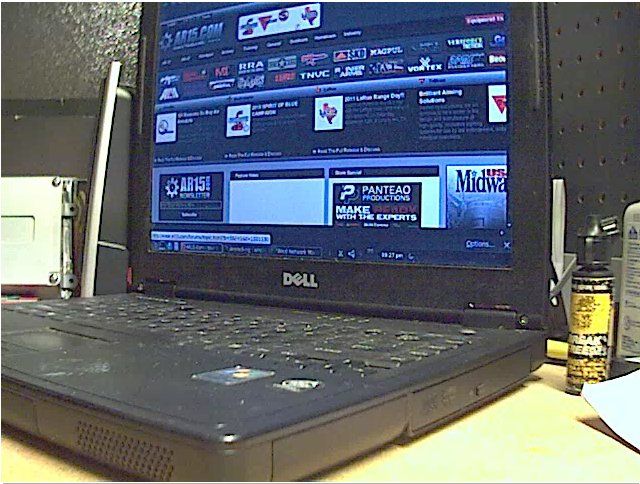
Acti H.264: 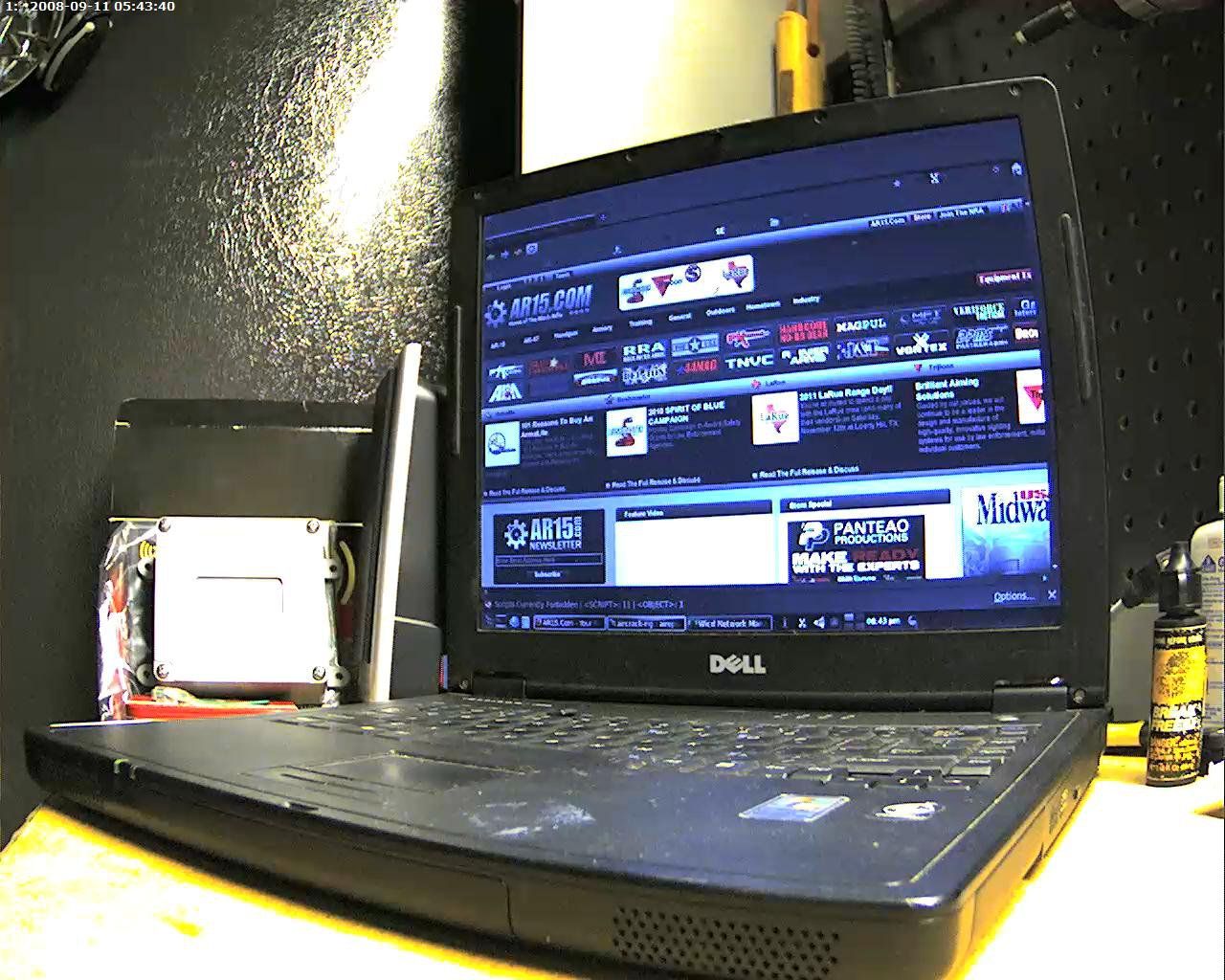
Link to full-size version You can clearly see that the Acti gives a larger picture, and better resolution than the Axis model. What it also produces is more network traffic, since the Acti puts out 18 FPS at its highest resolution, with a picture size that varies depending on the protocol being used. Ditto for the Axis, except it runs at 30 FPS. MJPEG is generally considered to produce very good images... but with higher network loads. MPEG-4 is a more efficient compression for your network, but there is more compression artifact, and the pictures quality can suffer just a little bit. H.264 is supposed to fix some of those problems, while also being easy on your network. Here is the Axis camera, with the three network loads noted (this is a 1Gbps link): 
And here is the Acti camera, with the three network loads displayed: 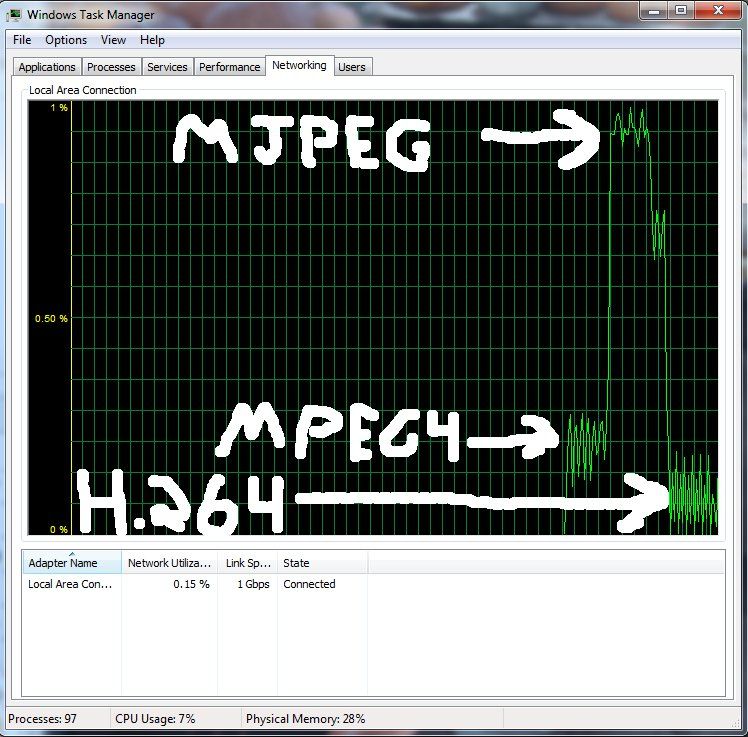
The strengths of both of these cameras lie in their price-points. Either one seems to be a good option for indoor surveillance of a warehouse, convenience store, gun store, or other location with decent environmental control. You can also pick these up for 1/2 to 1/3 of the price you'd pay for a vandal-resistant outdoor IP dome. If you have a door to cover, you could always cover it from the inside using one of these cheaper cameras, rather than spending 2-3x the money for an outside view of the same door (of course, you'd have no pictures of an attempted break-in... only of a successful one). These seem like a nice option for the budget-conscious consumer, who'd like something more than what the picture quality of analog systems can offer. |
|
|
|
|
Posted: 2/5/2012 10:51:02 AM EDT
[#1]
Have you tried the Logitech Alert cameras? I've had a pretty good experience with them.
|
|
|
|
|
Posted: 4/2/2012 11:26:15 PM EDT
[Last Edit: TheGrayMan]
[#2]
I did a search, turned up nothing on the Ubiquiti AirVision line ($99 each, wired, color, no night vision, no wireless)
http://www.ubnt.com/airvision I have alot of great experience with Ubiquti wifi products.... they are just plain awesome deals for the price. Does anyone have any experience with the AirVision cameras though? I'm looking at buying 3 to 5 of something for home security. Thanks |
|
|
|
|
Posted: 4/3/2012 9:08:29 AM EDT
[#3]
Originally Posted By glgtwenty:
I did a search, turned up nothing on the Ubiquiti AirVision line ($99 each, wired, color, no night vision, no wireless) http://www.ubnt.com/airvision I have alot of great experience with Ubiquti wifi products.... they are just plain awesome deals for the price. Does anyone have any experience with the AirVision cameras though? I'm looking at buying 3 to 5 of something for home security. Thanks I have one... I'll post some pics later. |
|
|
|
|
Posted: 4/3/2012 1:18:39 PM EDT
[#4]
Originally Posted By TheGrayMan: Thanks, looking forward to it.Originally Posted By glgtwenty: I did a search, turned up nothing on the Ubiquiti AirVision line ($99 each, wired, color, no night vision, no wireless) http://www.ubnt.com/airvision I have alot of great experience with Ubiquti wifi products.... they are just plain awesome deals for the price. Does anyone have any experience with the AirVision cameras though? I'm looking at buying 3 to 5 of something for home security. Thanks I have one... I'll post some pics later. |
|
|
|
|
Posted: 4/3/2012 3:04:58 PM EDT
[#5]
Rather than reposting, go to the top of this page and scroll down a bit. Myself and one other member have tried out the Ubiquiti cams.
Not bad for the price, but pretty lightly-built (eg. they're plastic, and pretty lightweight plastic at that... they will NOT take any sort of hit). |
|
|
|
|
Posted: 4/3/2012 5:01:54 PM EDT
[#6]
Originally Posted By TheGrayMan: Rather than reposting, go to the top of this page and scroll down a bit. Myself and one other member have tried out the Ubiquiti cams. Not bad for the price, but pretty lightly-built (eg. they're plastic, and pretty lightweight plastic at that... they will NOT take any sort of hit). ok thanks.. sorry I had searched on AirVision very thoroughly which I thought was the name of the camera. |
|
|
|
IA, USA
|
Posted: 4/23/2012 1:31:14 AM EDT
[Last Edit: yammerschooner]
[#7]
TGM et al, I am putting together a pc based system and am still on the steep end of the learning curve. I picked up a Ubiquiti Network AirCam to give me something to figure out what I am doing, and know you have tested one. I also picked up a Trendnet TPE-S44 PoE switch, which I have also seen in one of your pictures. While starting to setup, my problem is that I can't get the PoE lights to work on the switch and am trying to figure out if the PoE included with the AirCam is needed alongside the switch for some unknown reason. Is there some reason I need the AirCam's included PoE power source, or is it as I thought that the TPE-S44 should be powering it for me as long as I am hooked into ports 1 to 4? My line into the switch is going to port 5 coming from the computer via this Intel EXPI9301CT NIC card.
The last time I opened a computer case was before SATA existed, and I realize this is a pretty subject ignorant question. However, I figured the best way to learn was to ante up and start hacking at getting things to work. Now the lights don't want to light like I think they should and I'm trying to figure out what I am doing wrong. Thanks for any insight. edit: also, let me know if I should be posting these questions in the non-tacked threads to keep the tacked ones semi-clean. I foresee more than a few questions cropping up in the near future. |
|
|
|
Posted: 4/23/2012 1:43:10 AM EDT
[#8]
Originally Posted By yammerschooner:
TGM et al, I am putting together a pc based system and am still on the steep end of the learning curve. I picked up a Ubiquiti Network AirCam to give me something to figure out what I am doing, and know you have tested one. I also picked up a Trendnet TPE-S44 PoE switch, which I have also seen in one of your pictures. While starting to setup, my problem is that I can't get the PoE lights to work on the switch and am trying to figure out if the PoE included with the AirCam is needed alongside the switch for some unknown reason. Is there some reason I need the AirCam's included PoE power source, or is it as I thought that the TPE-S44 should be powering it for me as long as I am hooked into ports 1 to 4? My line into the switch is going to port 5 coming from the computer via this Intel EXPI9301CT NIC card. The last time I opened a computer case was before SATA existed, and I realize this is a pretty subject ignorant question. However, I figured the best way to learn was to ante up and start hacking at getting things to work. Now the lights don't want to light like I think they should and I'm trying to figure out what I am doing wrong. Thanks for any insight. edit: also, let me know if I should be posting these questions in the non-tacked threads to keep the tacked ones semi-clean. I foresee more than a few questions cropping up in the near future. Nah... it's cool to post them here. The Aircams take "passive PoE"... it's about half the voltage of standard PoE. There's a dinky little in-line resistor piece you can buy if you're using standard PoE switches... or you can use the included PSU. They do NOT take standard 802.3af power-over-ethernet. |
|
|
|
IA, USA
|
Posted: 4/23/2012 2:17:00 AM EDT
[Last Edit: yammerschooner]
[#9]
Is ubiquity somewhat of an anomaly as far as passive PoE in security cameras, or do they all run on passive? This thread leads me to believe that as I upgrade to multiple, more powerful cameras the TPE-S44 will be something that won't be filtered. Is this right? If there is a difference between various cameras, is there something I should be looking for in their paperwork? I see nothing about 802.3af or at in their pamphlet, or am missing it.
Thanks again for all of your help. If I hadn't started browsing all of your tacked threads, I'd never have given this a shot. |
|
|
|
Posted: 4/23/2012 2:30:54 AM EDT
[#10]
Originally Posted By yammerschooner:
Is ubiquity somewhat of an anomaly as far as passive PoE in security cameras, or do they all run on passive? This thread leads me to believe that as I upgrade to multiple, more powerful cameras the TPE-S44 will be something that won't be filtered. Is this right? If there is a difference between various cameras, is there something I should be looking for in their paperwork? I see nothing about 802.3af or at in their pamphlet, or am missing it. Thanks again for all of your help. If I hadn't started browsing all of your tacked threads, I'd never have given this a shot. Ubiquiti is the only camera/AP manufacturer I've encountered that uses the odd off-spec "passive PoE." Mobotix, Acti, Panasonic, Arecont, Axis, etc all use 802.3af-spec PoE. |
|
|
|
|
Posted: 5/14/2012 4:34:00 PM EDT
[#11]
Would the pir motion detector on the acti camera work through a window? I.e. if I put it in a window to monitor the driveway outside that window, would the motion detection work or would I have to rely on the recording software motion detecting?
Also, do you have any experience with adaptors that run networking over your power lines? The place I'd like to put a camera (see this thread http://www.ar15.com/forums/t_6_46/370817_security_camera_advice.html) has power outlet right by, but running an ethernet cable would be a pain in the ass. It'd be nice if I could get a good wifi camera but options there seem limited if you want a high quality image (able to ID someones face) or else extremely expensive. |
|
|
|
|
Posted: 5/14/2012 4:43:49 PM EDT
[#12]
Originally Posted By dog-meat:
Would the pir motion detector on the acti camera work through a window? I.e. if I put it in a window to monitor the driveway outside that window, would the motion detection work or would I have to rely on the recording software motion detecting? Also, do you have any experience with adaptors that run networking over your power lines? The place I'd like to put a camera (see this thread http://www.ar15.com/forums/t_6_46/370817_security_camera_advice.html) has power outlet right by, but running an ethernet cable would be a pain in the ass. It'd be nice if I could get a good wifi camera but options there seem limited if you want a high quality image (able to ID someones face) or else extremely expensive. No. Glass tends to block IR (which is why greenhouses work). Of course, you could put in an external PIR, and have the camera indoors. That might be an alternative if you were trying to do this on-the-cheap (and without springing for the extra expense of a vandal/weather-resistant dome). The powerline adapters do work, but make sure it supplies enough bandwidth to carry the data stream. |
|
|
|
TX, USA
|
Posted: 10/7/2012 12:03:16 PM EDT
[#13]
Found a source for Refurbished iQInvision cameras here;
http://californiapc.com/index.php?l=product_list&c=237 They have a variety of 108op, 2 meg, 3 meg and a top dog 5 meg at pretty killer prices for what they are IMO. Going to get one and see how its works. Has to be outdoor rated. 4 camera system with 1080p and stand alone NVR is where I am headed at the moment. This is the one I am pondering. http://securitybestbuy.com/index.php?main_page=index&cPath=57_61 |
|
|
|
Posted: 10/7/2012 1:15:37 PM EDT
[Last Edit: TheGrayMan]
[#14]
Originally Posted By lightguy:
Found a source for Refurbished iQInvision cameras here; http://californiapc.com/index.php?l=product_list&c=237 They have a variety of 108op, 2 meg, 3 meg and a top dog 5 meg at pretty killer prices for what they are IMO. Going to get one and see how its works. Has to be outdoor rated. 4 camera system with 1080p and stand alone NVR is where I am headed at the moment. This is the one I am pondering. http://securitybestbuy.com/index.php?main_page=index&cPath=57_61 Sharky has one of those. Send a PM to GR8TWYT. He's a busy guy, but may be able to give you some real-user feedback on how well it works. |
|
|
|
USA
|
Posted: 11/21/2012 12:12:16 PM EDT
[#15]
TGM - First off, thanks for these threads; very informative.
I would like to do a small 2-3 IP camera system with at least one being a license plate recognition camera, or having capability to capture license plates coming up my drive. Are any of the standard outdoor IP cameras good for that, or should I be looking at a dedicated LPR? Whats the typical range of these cameras for getting a good plate image at night, or what should I be looking for to accomplish that? |
|
|
|
Posted: 11/21/2012 5:37:07 PM EDT
[#16]
Originally Posted By shaggy:
TGM - First off, thanks for these threads; very informative. I would like to do a small 2-3 IP camera system with at least one being a license plate recognition camera, or having capability to capture license plates coming up my drive. Are any of the standard outdoor IP cameras good for that, or should I be looking at a dedicated LPR? Whats the typical range of these cameras for getting a good plate image at night, or what should I be looking for to accomplish that? I am still looking for a reasonable LPR camera. The setups that actually read the plate and log in the plate numbers are mega-bucks (we're talking thousands of dollars), and not needed for residential use. However, you can fudge by simply getting a megapixel camera and focusing it on a driveway area, or road where a vehicle has to transit through. You also need to think about your particular location/state (two-plate-states are easier to get plates than one-plate states, since you have twice the opportunity to catch the numbers). I had hopes for the Acti KCM-5311E, but the internal storage isn't nearly fast enough to read a plate, unless you get really lucky. It stores maybe 2FPS at the highest resolution... which is slow, and not enough of a frame-rate to catch a plate on a moving vehicle. |
|
|
|
USA
|
Posted: 11/22/2012 2:56:12 AM EDT
[#17]
Originally Posted By TheGrayMan:
Originally Posted By shaggy:
TGM - First off, thanks for these threads; very informative. I would like to do a small 2-3 IP camera system with at least one being a license plate recognition camera, or having capability to capture license plates coming up my drive. Are any of the standard outdoor IP cameras good for that, or should I be looking at a dedicated LPR? Whats the typical range of these cameras for getting a good plate image at night, or what should I be looking for to accomplish that? I am still looking for a reasonable LPR camera. The setups that actually read the plate and log in the plate numbers are mega-bucks (we're talking thousands of dollars), and not needed for residential use. However, you can fudge by simply getting a megapixel camera and focusing it on a driveway area, or road where a vehicle has to transit through. You also need to think about your particular location/state (two-plate-states are easier to get plates than one-plate states, since you have twice the opportunity to catch the numbers). I had hopes for the Acti KCM-5311E, but the internal storage isn't nearly fast enough to read a plate, unless you get really lucky. It stores maybe 2FPS at the highest resolution... which is slow, and not enough of a frame-rate to catch a plate on a moving vehicle. Yeah, thats really what I meant - I don't need something to automatically read the plate and log the numbers, just something to capture a good enough image of the plates so I could view the images and read the numbers myself at a later time. And unfortunately, I'm in a one plate state. If the frame rate is a function of the resolution, might a lower resolution camera or setting do better for a task like capturing a plate - where you're not trying to discern subtle details like facial features so you can identify one person from another, but just recognize the letters/numbers on the plate? Is there a vehicle speed at which something like that 2FPS might be sufficient? (my driveway is rather curvy so speed is necessarily a little slower there) Also, I've seen a few LPR cameras advertised online, but very few seem to provide any manufacturer info (which makes me very suspicious of their quality). Other than the software that would read the plate numbers off the image, is there any real difference between an LPR camera and other security/surveillance cameras? |
|
|
|
Posted: 11/22/2012 8:54:54 AM EDT
[#18]
Originally Posted By shaggy:
Originally Posted By TheGrayMan:
Originally Posted By shaggy:
TGM - First off, thanks for these threads; very informative. I would like to do a small 2-3 IP camera system with at least one being a license plate recognition camera, or having capability to capture license plates coming up my drive. Are any of the standard outdoor IP cameras good for that, or should I be looking at a dedicated LPR? Whats the typical range of these cameras for getting a good plate image at night, or what should I be looking for to accomplish that? I am still looking for a reasonable LPR camera. The setups that actually read the plate and log in the plate numbers are mega-bucks (we're talking thousands of dollars), and not needed for residential use. However, you can fudge by simply getting a megapixel camera and focusing it on a driveway area, or road where a vehicle has to transit through. You also need to think about your particular location/state (two-plate-states are easier to get plates than one-plate states, since you have twice the opportunity to catch the numbers). I had hopes for the Acti KCM-5311E, but the internal storage isn't nearly fast enough to read a plate, unless you get really lucky. It stores maybe 2FPS at the highest resolution... which is slow, and not enough of a frame-rate to catch a plate on a moving vehicle. Yeah, thats really what I meant - I don't need something to automatically read the plate and log the numbers, just something to capture a good enough image of the plates so I could view the images and read the numbers myself at a later time. And unfortunately, I'm in a one plate state. If the frame rate is a function of the resolution, might a lower resolution camera or setting do better for a task like capturing a plate - where you're not trying to discern subtle details like facial features so you can identify one person from another, but just recognize the letters/numbers on the plate? Is there a vehicle speed at which something like that 2FPS might be sufficient? (my driveway is rather curvy so speed is necessarily a little slower there) Also, I've seen a few LPR cameras advertised online, but very few seem to provide any manufacturer info (which makes me very suspicious of their quality). Other than the software that would read the plate numbers off the image, is there any real difference between an LPR camera and other security/surveillance cameras? There is a difference. Most LPR cameras are specifically for that purpose, and have a couple of distinct characteristics, some of which make them unsuitable for anything else. They have a higher frame-rate (or faster shutter speed) than the average camera, and they frequently employ infrared illumination, combined with a long-pass optical filter on the lens. They avoid visible-spectrum illuminators with LPR cameras to avoid distracting the driver, and to avoid drawing attention to the camera. The IR light source is usually positioned near the visual axis of the camera to illuminate the plate, and the OLPF/Optical Low/Long-pass Filter (like these) attenuates other wavelengths of light. This keeps headlights, sunlight, etc from blinding the camera, and allows the pre-set illuminator to highlight the plate. Unfortunately, this frequently means you get a black-and-white image at best, and the plate is highlighted (and not much else). You can't tell very much about the car, driver, etc, particularly at night. To fix that problem, I've seen LPR cameras used in tandem with conventional security cameras, where the latter provide more general detail of the vehicle color, driver, etc. |
|
|
|
|
Posted: 11/30/2012 10:46:04 AM EDT
[#19]
Have you looked into Acti's replacement for this camera, the ACTi TCM-4511? From what I can see the specs seem comparable and list price now seems to be about half.
|
|
|
|
|
Posted: 11/30/2012 12:20:48 PM EDT
[#20]
Originally Posted By TTNuge:
Have you looked into Acti's replacement for this camera, the ACTi TCM-4511? From what I can see the specs seem comparable and list price now seems to be about half. Haven't played with that one yet. |
|
|
|
|
Posted: 12/2/2012 10:42:40 AM EDT
[#21]
What do you think of the Dahua cams? I've found a 2mp vandal dome for $189 and several others that are priced very well.
I'm thinking of using a 8 or 16 channel standalone NVR and 5-8 PoE IP cams to monitor my house and try to catch the neighborhood teens in their attempts at vandalism. |
|
|
|
|
Posted: 12/2/2012 10:50:15 AM EDT
[#22]
Originally Posted By 1MAC:
What do you think of the Dahua cams? I've found a 2mp vandal dome for $189 and several others that are priced very well. I'm thinking of using a 8 or 16 channel standalone NVR and 5-8 PoE IP cams to monitor my house and try to catch the neighborhood teens in their attempts at vandalism. Haven't played with any of those, but that's a wicked-good price. If they work with your NVR software, and the quality is good, that could be worth a shot. |
|
|
|
|
Posted: 12/2/2012 11:35:32 AM EDT
[#23]
I lied. 2mp cam is $229. Here's a link to a whole selection of cams from the company I'm thinking of buying from:
IP security cams I think they're all rebranded Dahua cams that seem to be well-liked on the CCTV forums. This particular reseller has a reputation for excellent customer service and will even log on to your network remotely and configure everything for you. |
|
|
|
|
Posted: 12/2/2012 12:37:17 PM EDT
[#24]
Wow that's a good price. Priced right for someone to get a couple to experiment with to decide their needs. Looked for any software they offer, didn't find it or any documentation.
Originally Posted By 1MAC:
I lied. 2mp cam is $229. Here's a link to a whole selection of cams from the company I'm thinking of buying from: IP security cams I think they're all rebranded Dahua cams that seem to be well-liked on the CCTV forums. This particular reseller has a reputation for excellent customer service and will even log on to your network remotely and configure everything for you. |
|
|
|
|
Posted: 12/26/2012 8:00:23 PM EDT
[#25]
Anyone here played around with one of the Foscam cameras? http://foscam.us/
Low on the price range and seem to have some nice features. Was thinking about getting one to play around with. |
|
|
|
MO, USA
|
Posted: 1/25/2013 1:30:20 PM EDT
[#26]
i got 2 of these i have yet to instlal them but have them set up in a room on POE and blue Iris
Agasio A612-POE Outdoor IP Camera with Power Over Ethernet They are very good in the day and okay at night but better then nothing |
|
|
CA, USA
|
Posted: 5/19/2013 11:32:14 PM EDT
[#27]
Has anyone ever tried these LTS cameras? 3MP with night vision and weatherproof for $279 seems like a really good deal. Can't find any reviews on them though.
|
|
|
|
Posted: 8/6/2013 7:12:56 PM EDT
[#28]
Quote HistoryOriginally Posted By perry73779: Anyone here played around with one of the Foscam cameras? http://foscam.us/ Low on the price range and seem to have some nice features. Was thinking about getting one to play around with. I have 2 FI8910W ptz indoor cameras which work well. I'm impressed with their IR capability and ease of use. I have 4 FI9802W H.264 Megapixel Outdoor Wireless IP Cameras ordered, but they haven't come in yet. Maybe tomorrow. My home server is running Blue Iris 3 which has a webserver built in. I also am running their iPhone app and it lets me not only see my cameras from anywhere in the world, but allows PTZ control as well as other function control. It will also push any alerts I configure and send video to whatever FTP site I use. The only problem I found was: when setting up the webserver for WAN access, it won't recognize a 2 digit port number. I gave it a 4 digit port number and it works like a charm.  All in all...I very happy with Foscam's stuff, although I haven't had any issues to mandate that I deal with their support crew. I have read reviews that said they are pretty good about honoring their warranty. I'll update you on how the outdoor cameras work in the next few days. |
|
|
|
|
Posted: 8/6/2013 8:38:08 PM EDT
[#29]
Quote HistoryOriginally Posted By pcsutton:
I have 2 FI8910W ptz indoor cameras which work well. I'm impressed with their IR capability and ease of use. I have 4 FI9802W H.264 Megapixel Outdoor Wireless IP Cameras ordered, but they haven't come in yet. Maybe tomorrow. My home server is running Blue Iris 3 which has a webserver built in. I also am running their iPhone app and it lets me not only see my cameras from anywhere in the world, but allows PTZ control as well as other function control. It will also push any alerts I configure and send video to whatever FTP site I use. The only problem I found was: when setting up the webserver for WAN access, it won't recognize a 2 digit port number. I gave it a 4 digit port number and it works like a charm.
All in all...I very happy with Foscam's stuff, although I haven't had any issues to mandate that I deal with their support crew. I have read reviews that said they are pretty good about honoring their warranty. I'll update you on how the outdoor cameras work in the next few days. Quote HistoryOriginally Posted By pcsutton:
Originally Posted By perry73779:
Anyone here played around with one of the Foscam cameras? http://foscam.us/ Low on the price range and seem to have some nice features. Was thinking about getting one to play around with. I have 2 FI8910W ptz indoor cameras which work well. I'm impressed with their IR capability and ease of use. I have 4 FI9802W H.264 Megapixel Outdoor Wireless IP Cameras ordered, but they haven't come in yet. Maybe tomorrow. My home server is running Blue Iris 3 which has a webserver built in. I also am running their iPhone app and it lets me not only see my cameras from anywhere in the world, but allows PTZ control as well as other function control. It will also push any alerts I configure and send video to whatever FTP site I use. The only problem I found was: when setting up the webserver for WAN access, it won't recognize a 2 digit port number. I gave it a 4 digit port number and it works like a charm.
All in all...I very happy with Foscam's stuff, although I haven't had any issues to mandate that I deal with their support crew. I have read reviews that said they are pretty good about honoring their warranty. I'll update you on how the outdoor cameras work in the next few days. I await the review with bated breath. 
|
|
|
|
|
Posted: 8/7/2013 7:49:40 PM EDT
[#30]
I have 2 foscam indoor cameras, I am also a idiotwhen it come to this stuff so their tech support walked me through it. Great tech support a little hard to understand the lady sometimes but she was supper helpful and walked me through the setup and setup of my Iphone and ipad apps. I was hoping for a little better picture though. I set up a email account just for it and it sends all motion decteted pics and videos there. If I have have a break in I will have the perps pics and video.
|
|
|
|
|
Posted: 11/8/2013 10:20:56 AM EDT
[#31]
I recently purchased two of these.
http://nellyssecurity.com/cameras/hk-series-outdoor-hd-3mp-ip-bullet-security-camera-4mm.html (you have to create an account to see the price but they are $167 each) You can see a review with pics and video of these cameras at http://www.networkcameracritic.com/?p=1791 Apparently there are Chinese versions of these cameras that show the date or something in Chinese but the ones at Nelly's are the English version. So far I am very impressed with these cameras. They are small but very solidly built and great video. Also, Costco sells a pair of these labled as Swann cams that are limited to 2mp by the firmware for $350. Posted Via AR15.Com Mobile |
|
|
|
|
Posted: 11/8/2013 12:49:54 PM EDT
[Last Edit: TheGrayMan]
[#32]
Quote HistoryOriginally Posted By RRaider:
I recently purchased two of these. http://nellyssecurity.com/cameras/hk-series-outdoor-hd-3mp-ip-bullet-security-camera-4mm.html (you have to create an account to see the price but they are $167 each) You can see a review with pics and video of these cameras at http://www.networkcameracritic.com/?p=1791 Apparently there are Chinese versions of these cameras that show the date or something in Chinese but the ones at Nelly's are the English version. So far I am very impressed with these cameras. They are small but very solidly built and great video. Also, Costco sells a pair of these labled as Swann cams that are limited to 2mp by the firmware for $350. Posted Via AR15.Com Mobile Nice... not a bad camera. I like how they did the infrared... it doesn't hotspot much at all, which makes me suspect they're using a SmartIR (or WDR) feature of some sort to compensate. BTW, Nelly's is a good place to get used hardware like enclosures and whatnot. I've bought from them before and been pretty satisfied. ETA: They also seem to like the Acti D72 over there ( Link to their review ). I just purchased one of those, and will be posting some pics in the near future. |
|
|
|
TX, USA
|
Posted: 11/15/2013 8:54:46 PM EDT
[#33]
anyone have any thoughts on the sub $100 ip megapixel cameras from china ? there are several on ebay not sure if I can post a link to a live auction
|
|
|
|
Posted: 11/15/2013 9:58:16 PM EDT
[#34]
Quote HistoryOriginally Posted By shadycoh:
anyone have any thoughts on the sub $100 ip megapixel cameras from china ? there are several on ebay not sure if I can post a link to a live auction At that price point, I'd half expect it to let out the "magic blue smoke" within a week. |
|
|
|
TX, USA
|
Posted: 12/8/2013 2:59:38 PM EDT
[#35]
I'm looking for an IP POE PTZ outdoor camera that is night capable. Doesn't necessarily need to have IR on it I'm not against adding illumination separately. Any suggestions?
|
|
|
|
Posted: 12/8/2013 3:21:54 PM EDT
[#36]
Quote HistoryOriginally Posted By dogface_313:
I'm looking for an IP POE PTZ outdoor camera that is night capable. Doesn't necessarily need to have IR on it I'm not against adding illumination separately. Any suggestions? Outdoor-rated IP POE PTZ? You're looking at spending some very serious coin. Is there a particular reason you want PTZ? |
|
|
|
TX, USA
|
Posted: 12/9/2013 10:32:37 AM EDT
[#37]
Quote HistoryOriginally Posted By TheGrayMan:
Outdoor-rated IP POE PTZ? You're looking at spending some very serious coin. Is there a particular reason you want PTZ? Quote HistoryOriginally Posted By TheGrayMan:
Originally Posted By dogface_313:
I'm looking for an IP POE PTZ outdoor camera that is night capable. Doesn't necessarily need to have IR on it I'm not against adding illumination separately. Any suggestions? Outdoor-rated IP POE PTZ? You're looking at spending some very serious coin. Is there a particular reason you want PTZ? I guess to be able to cover a larger area. I'm starting to think just use two bullets to cover the same area. |
|
|
|
Posted: 12/9/2013 10:52:41 AM EDT
[#38]
Quote HistoryOriginally Posted By dogface_313:
I guess to be able to cover a larger area. I'm starting to think just use two bullets to cover the same area. Quote HistoryOriginally Posted By dogface_313:
Originally Posted By TheGrayMan:
Originally Posted By dogface_313:
I'm looking for an IP POE PTZ outdoor camera that is night capable. Doesn't necessarily need to have IR on it I'm not against adding illumination separately. Any suggestions? Outdoor-rated IP POE PTZ? You're looking at spending some very serious coin. Is there a particular reason you want PTZ? I guess to be able to cover a larger area. I'm starting to think just use two bullets to cover the same area. That would be far cheaper. PTZ are almost never worth the premium you pay, unless there's a person there to man it all the time. In the absence of that, it basically acts as a fixed camera. |
|
|
|
|
Posted: 5/3/2014 7:48:16 PM EDT
[#39]
So I figured I'd add a quick piece on a low cost IP camera I just added to my mix.
It's a Dahua IPC-HFW4300S IPC-HFW4300S. This is a day/night 3MP IP cam that got some decent reviews. Not being a guy to be too wordy I'm just going to get to brass tacks. Pros: - Price point: About $170. - Video quality: As you can see the sensor takes some pretty decent video at both day and night. During the day at full resolution I can make out the license plate on the Charger in the back. - Frame rate: 30fps at full resolution - Integrates with the apps and NVRs that I have on my network once I fought it for a while and got the right settings. - POE and a 12V power pigtail Cons: - Support information on the vendor site is almost non-existent. - Only basic analytics on the camera - Not vandal proof and a little plasticy. Overall I'm pretty happy and plan on ordering a few more to replace my old 480 line analog cameras. 

|
|
|
|
|
Posted: 5/3/2014 9:00:41 PM EDT
[#40]
Great video performance for the price. Now that the dahua and hikvision stuff is out there, it might be good to rewrite this section.
I'll have to add it to my to-do list |
|
|
|
|
Posted: 5/3/2014 9:09:54 PM EDT
[#41]
Quote HistoryOriginally Posted By TheGrayMan:
Great video performance for the price. Now that the dahua and hikvision stuff is out there, it might be good to rewrite this section. I'll have to add it to my to-do list I was pleasantly surprised by the performance, it kicks the crap out of the video quality of my Acti ACM-3701. The size is pretty decent as well, just over three inches in length for the bullet body. |
|
|
|
|
Posted: 5/3/2014 10:08:00 PM EDT
[#42]
Quote HistoryOriginally Posted By SmilingBandit:
I was pleasantly surprised by the performance, it kicks the crap out of the video quality of my Acti ACM-3701. The size is pretty decent as well, just over three inches in length for the bullet body. Quote HistoryOriginally Posted By SmilingBandit:
Originally Posted By TheGrayMan:
Great video performance for the price. Now that the dahua and hikvision stuff is out there, it might be good to rewrite this section. I'll have to add it to my to-do list I was pleasantly surprised by the performance, it kicks the crap out of the video quality of my Acti ACM-3701. The size is pretty decent as well, just over three inches in length for the bullet body. You using IP Cam Viewer to get those screenshots? What setting did you use in the software to make it work? I haven't been able to get my Hikvision dome to work with the software yet... that's been my primary beef. |
|
|
|
|
Posted: 5/3/2014 10:14:07 PM EDT
[Last Edit: SmilingBandit]
[#43]
Quote HistoryOriginally Posted By TheGrayMan:
You using IP Cam Viewer to get those screenshots? What setting did you use in the software to make it work? I haven't been able to get my Hikvision dome to work with the software yet... that's been my primary beef. Quote HistoryOriginally Posted By TheGrayMan:
Originally Posted By SmilingBandit:
Originally Posted By TheGrayMan:
Great video performance for the price. Now that the dahua and hikvision stuff is out there, it might be good to rewrite this section. I'll have to add it to my to-do list I was pleasantly surprised by the performance, it kicks the crap out of the video quality of my Acti ACM-3701. The size is pretty decent as well, just over three inches in length for the bullet body. You using IP Cam Viewer to get those screenshots? What setting did you use in the software to make it work? I haven't been able to get my Hikvision dome to work with the software yet... that's been my primary beef. Indeed. I had to use the Dahua Camera RTSP profile to get it to work. I fought for several days to get the thing to work with Acti's NVR 3 as an ONVIF device to no avail and finally found its generic RTSP profile. IP Cam has a couple of generic modes at the very top as well. |
|
|
|
|
Posted: 5/4/2014 3:32:40 AM EDT
[Last Edit: shocktrp]
[#44]
I just started doing Hikvision - prices are great compared to the stuff we were selling, POE is built right into the NVR (the cameras also have a 12VDC input), & the NVR automatically recognizes the cameras & sets the IP's (if you use another brand of cameras you'll have to do this manually) so all you have to do is set the port forwarding up.
Quick comparison; 460TVL analog; 
3MP Hikvision; 

|
|
|
|
|
Posted: 8/1/2014 9:05:42 PM EDT
[#45]
Quote HistoryOriginally Posted By TheGrayMan:
Great video performance for the price. Now that the dahua and hikvision stuff is out there, it might be good to rewrite this section. I'll have to add it to my to-do list We are waiting. 
I need to upgrade my Panasonic out front. It has seen better days. The hikvision looks promising. |
|
|
|
|
Posted: 8/1/2014 10:09:24 PM EDT
[#46]
I just ordered A hikvision DS-2CD2032-I should have it next week. I'll update this once I get tint. It's the 4mm lens version to replace an old Panasonic camera that is just not very clear. The reviews are outstanding on the camera, and I cannot wait to try it out.
|
|
|
|
|
Posted: 8/2/2014 4:16:21 AM EDT
[#47]
Quote HistoryOriginally Posted By NoloContendere:
I just ordered A hikvision DS-2CD2032-I should have it next week. I'll update this once I get tint. It's the 4mm lens version to replace an old Panasonic camera that is just not very clear. The reviews are outstanding on the camera, and I cannot wait to try it out. I think you'll be happy.
How's your system running these days anyway? |
|
|
|
|
Posted: 8/2/2014 6:50:05 AM EDT
[#48]
Quote HistoryOriginally Posted By TheGrayMan:
I think you'll be happy.
How's your system running these days anyway? Quote HistoryOriginally Posted By TheGrayMan:
Originally Posted By NoloContendere:
I just ordered A hikvision DS-2CD2032-I should have it next week. I'll update this once I get tint. It's the 4mm lens version to replace an old Panasonic camera that is just not very clear. The reviews are outstanding on the camera, and I cannot wait to try it out. I think you'll be happy.
How's your system running these days anyway? Good. Had an incident with a neighbor and a 3 am knock on the door. My Panasonic was less than helpful, and only showed a car in the street. Couldn't identify it for crap. So, it's going to get replaced with a better one. |
|
|
|
|
Posted: 8/2/2014 12:53:59 PM EDT
[#49]
Quote HistoryOriginally Posted By NoloContendere:
Good. Had an incident with a neighbor and a 3 am knock on the door. My Panasonic was less than helpful, and only showed a car in the street. Couldn't identify it for crap. So, it's going to get replaced with a better one. Quote HistoryOriginally Posted By NoloContendere:
Originally Posted By TheGrayMan:
Originally Posted By NoloContendere:
I just ordered A hikvision DS-2CD2032-I should have it next week. I'll update this once I get tint. It's the 4mm lens version to replace an old Panasonic camera that is just not very clear. The reviews are outstanding on the camera, and I cannot wait to try it out. I think you'll be happy.
How's your system running these days anyway? Good. Had an incident with a neighbor and a 3 am knock on the door. My Panasonic was less than helpful, and only showed a car in the street. Couldn't identify it for crap. So, it's going to get replaced with a better one. Did you ask me about that one? If not. I'd have tried to guide you in improving the picture (more light might have helped) |
|
|
|
|
Posted: 8/2/2014 5:05:49 PM EDT
[#50]
Quote HistoryOriginally Posted By TheGrayMan:
Did you ask me about that one? If not. I'd have tried to guide you in improving the picture (more light might have helped) Quote HistoryOriginally Posted By TheGrayMan:
Originally Posted By NoloContendere:
Originally Posted By TheGrayMan:
Originally Posted By NoloContendere:
I just ordered A hikvision DS-2CD2032-I should have it next week. I'll update this once I get tint. It's the 4mm lens version to replace an old Panasonic camera that is just not very clear. The reviews are outstanding on the camera, and I cannot wait to try it out. I think you'll be happy.
How's your system running these days anyway? Good. Had an incident with a neighbor and a 3 am knock on the door. My Panasonic was less than helpful, and only showed a car in the street. Couldn't identify it for crap. So, it's going to get replaced with a better one. Did you ask me about that one? If not. I'd have tried to guide you in improving the picture (more light might have helped) No, but it's not a good camera. And it's a toshiba, not a Panasonic. The hik camera is much better and should give me a better picture. |
|
|
|

 Win a FREE Membership!
Sign up for the ARFCOM weekly newsletter and be entered to win a free ARFCOM membership. One new winner* is announced every week!
You will receive an email every Friday morning featuring the latest chatter from the hottest topics, breaking news surrounding legislation, as well as exclusive deals only available to ARFCOM email subscribers.

AR15.COM is the world's largest firearm community and is a gathering place for firearm enthusiasts of all types.
From hunters and military members, to competition shooters and general firearm enthusiasts, we welcome anyone who values and respects the way of the firearm.
Subscribe to our monthly Newsletter to receive firearm news, product discounts from your favorite Industry Partners, and more.
Copyright © 1996-2024 AR15.COM LLC. All Rights Reserved.
Any use of this content without express written consent is prohibited.
AR15.Com reserves the right to overwrite or replace any affiliate, commercial, or monetizable links, posted by users, with our own.